1
User’s Manual
Hardware K&F CD 44 Digital System Controller
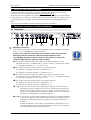
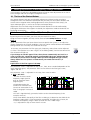
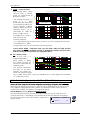
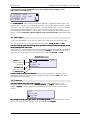
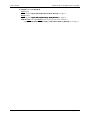
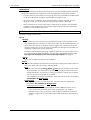
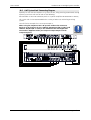
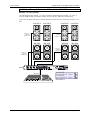
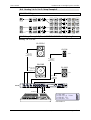
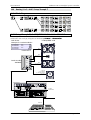
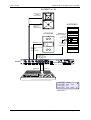
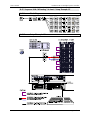
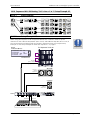
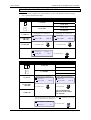
This illustration shows InfoWindow 2 for the loaded setup 'Example 1' with
additionally activated filters:
1:ACCESS High
2:ACCESS Mid Sngl
3:ACCESS B10
4:CA106 FR
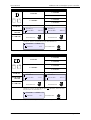
The InfoWindow 2 shows which speaker block (LSBlock) is assigned to which output (1-4).
Furthermore, it also gives you information about the status of the selectable speaker-specific
filters (ON / OFF). The left box stands for Filter 1, the right box for Filter 2. If a box is checked
off, then the corresponding filter is active. If there is no box, then the filter for the
corresponding speaker (LSBlock) is not available. You can find further information about the
filters in chapter Switchable, Speaker Specific Filters (Filter B Button) beginning on page
16.
9.3 Main Menu
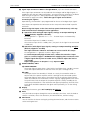
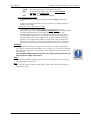
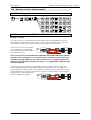
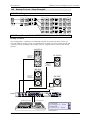
If you are in InfoWindow 1 or 2, you can return to the main menu by pushing the knob.
The main menu consists of the following main menu items: Setup,
Setup In,
In Out and Util.
Util
Turn the knob to make the blinking cursor (position indicator) move horizontally to the
corresponding main menu item.
item
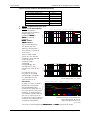
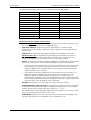
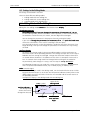
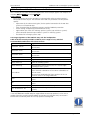
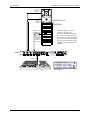
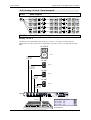
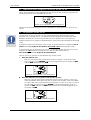
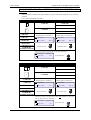
If the cursor is at a certain menu item, the corresponding submenu appears. In the following
illustration, the cursor is initially at the main menu item Setup.
Setup If you turn the knob some
more, then the cursor moves on to the further main menu items In,
In Out,
Out and Util.
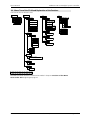
Hauptmenü mit den
Hauptmenüpunkten
Cursor (blinking
display field and
underline)
Submenu item,
further items below
Setup
In
Load
Save As
Delete
Out
Util
Last submenu item
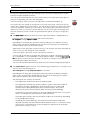
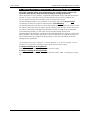
Push the knob to access the submenu where the cursor currently is located. In the
following example, the cursor has been moved to the main menu item Util which was
selected by pushing the knob.
9.4 Submenu
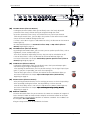
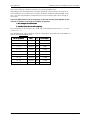
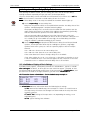
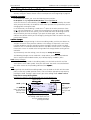
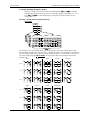
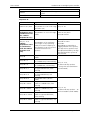
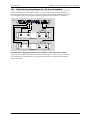
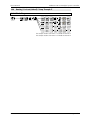
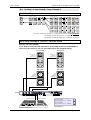
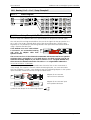
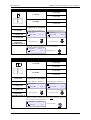
Turn the knob to move the cursor vertically to the available submenu items. The
illustration shows the submenu items Routing,
Routing Display,
Display and Rights,
Rights and the cursor was
moved to Dis
Di s play.
play (You will find the further submenu items by moving the cursor down
further.)
Util
Routing
Display
Rights
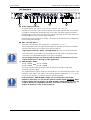
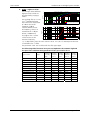
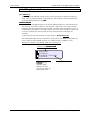
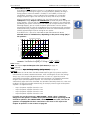
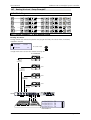
By pushing the knob, you gain access to the Editing Mode of the submenu item, where
the cursor is located. In this example, it is in the editing mode Display.
Display
KLING & FREITAG GMBH ©2006 - 2009
Version 10.1, 22.04.2009
Page 20 of 63