1
Important Functions
Directories:
Go to Options + Directories. The Directories menu allows you to specify the location LabelView will use when it looks for
associated files (pictures, databases, text files, serial files, etc.). If files are not appearing where expected, check the directory
paths. Type the path of the directory in which the specific type of file is located (e.g. C:\LVWIN\DBF). The Browse buttons
allow for file search, if the location is not known.
Shortcut Keys:
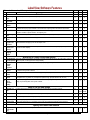
LabelView has assigned special functions to certain buttons on the keyboard.
Esc
Cancels the current operation without making any changes and returns to the previous screen.
H (Horizontal)
Centers the currently selected field(s) horizontally (left-to-right) on a label
V (Vertical)
Centers the currently selected field(s) vertically (top-to-bottom) on a label
LabelView Bar Code Design Software
21