1
Notice:
1. The LED on the USB receiver always blinks whenever this keyboard is
being operated.
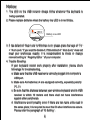
2. Please replace batteries when the battery low LED is in red blinks.
Battery Low LED
3. If the default of ‘Num Lock’ in Windows is on; please press the keys of ‘ Fn ‘
+ ‘ Num Lock ‘ if you want to disable it. If this default of ‘ Num Lock ‘ does not
meet your preference exactly, it is recommended to check or change
relevant setting in ‘ Registry Editor ‘ of your computer.
4. Trouble Shooting:
If your keyboard cannot work properly after installation, please check
followings for troubleshooting.
a. Make sure that the USB receiver is correctly plugged into computer’s
USB port.
b. Make sure AA batteries x 4 are equipped correctly, especially polarity
(+), (-).
c. Be sure that the distance between your wireless keyboard and its USB
receiver is within 10 meters and there shall not have interference
against other peripherals.
d. Interference would possibly occur if there are two more units used in
the same place; it is required to reset the ID when interference occurs.
Please refer the paragraph of ‘ID Setting ‘.
4