1
Insert Parameter Controls
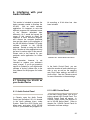
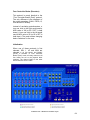
Pressing SET + F1 lights the F1 LED
indicating that insert parameter control
mode is active. In this mode you can
control parameters for insert B, C, D or
E for the leftmost selected track. The
topmost insert slot (A) is reserved for
the PARAEQ 4-BAND insert and direct
control by the normal EQ functions
described in the previous section:
Select a track (when multiple tracks
are selected, the leftmost/lowest is
used)
Insert an effect in one of the lower
four slots for that track
Press SET + F1 (F1 led will light)
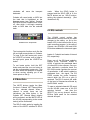
Press LO, LOMID, HIMID, or HI to
select an insert slot. The effects
window will appear for the selected
insert.
Now
the
Data
Wheel
will
increment/decrement parameter 1 for
the selected effect. Holding Set while
turning the data wheel will change the
parameter faster. Press F3 to move up
a parameter number, or press F2 to
move down a parameter number. This
will allow you to access any effect
parameter.
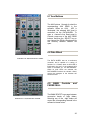
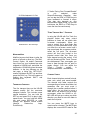
The Q knob controls the parameter one
above the DATA WHEEL. FREQ controls
the parameter two above it, and GAIN
controls the parameter three above it.
This gives you simultaneous access to
four consecutive parameters. These
knobs also respond to holding the SET
button for faster changes.
Pressing SET + NULL will toggle the
bypass for the selected insert effect.
You can exit insert parameter control
mode by pressing F1 or any AUX button.
You can also press any of the EQ
buttons to change which effect on a
track you’re controlling. You can also
select a different track and parameter
slot.
Automation Controls
SET + RECORD
Cycle
selected
tracks through automation record modes
SET + PLAY Cycle selected
through automation play modes
tracks
SET + STOP Turn automation off for
selected tracks.
To change the automation state for a
master fader, hold the REC button down
to select it before pressing the above
buttons.
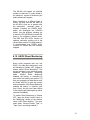
In Latch modes, the movement of a
control (fader, pan, knob, wheel) starts
updating that parameter.
In Touch
mode, the SELECT button acts as the
touch sensor for that track. Holding a
SELECT button “touches” that track’s
parameters and begins updating;
releasing SELECT stops the updating.
The REC buttons act as touch sensors
for the master fader.
The BANK, EQ and DATA WHEEL
buttons (AUX 1-4, ASGN and F1-3) are
disabled when any SELECT button is
being held down.
This prevents
disruptions while automation data is
being used.
51