1
VVTechRef.book Page i Thursday, May 31, 2001 12:40 PM
Introduction
Welcome ......................................................................................................... 1
Other Resources ............................................................................................. 1
Audio Connection
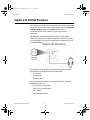
PC with Speakers ............................................................................................ 3
PC with Headphones ...................................................................................... 4
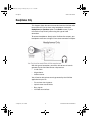
Headphones Only ........................................................................................... 5
Headset with Attached Microphone ................................................................ 6
Network Connection
Pick Your Connection Type ............................................................................. 7
Simple Connection - Just a Modem, Thanks ...................................... 8
Router With NAT, No Firewall ............................................................. 8
Router With Firewall ........................................................................... 8
Router With Firewall, Using a DMZ..................................................... 9
Through a Virtual Private Network ...................................................... 9
Configure Your Connection ............................................................................. 9
Simple Connection - Just a Modem, Thanks ...................................... 9
Router With NAT, No Firewall ............................................................. 10
Router With Firewall ........................................................................... 11
Configure your ViaVideo for NAT........................................... 11
Open and Assign Ports in the Firewall ................................... 12
Router With Firewall, Using a DMZ..................................................... 14
Configure Your ViaVideo for NAT .......................................... 14
Assign your ViaVideo to the DMZ .......................................... 14
Through a Virtual Private Network ...................................................... 15
What’s a Firewall? ........................................................................................... 17
Opening Ports ..................................................................................... 17
Port Number Assignation ....................................................... 18
Is it Safe? ............................................................................... 18
What’s a DMZ? ............................................................................................... 19
What’s a NAT? ................................................................................................ 19
Multiple IP Addresses ..................................................................................... 21
Network Configuration Screens ...................................................................... 23
Firewall/LAN Connection..................................................................... 23
QOS .................................................................................................... 25
© Polycom, Inc. 2001
i
ViaVideo Technical Reference