1
MyTach – User Manual
Release 1.04
5.2.2. – How to fix a “Lap”
LAP can be manually set in Activity mode pages.
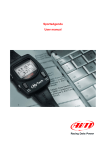
This setting is labelled “LAP” and appears bottom left in figure below.
LAP is lap timer function. It allows to see the elapsed time between two clicks.
•Press “GPS On/Off” button to start the
lap timer.
•Press
again “GPS on-off” to visualize
elapsed time.
Note: Gps LAP is independent from Lap management options
Once downloaded data SportsAgenda considers and manages manual lap like lap times
acquired using “lap management” options.
www.aim-sportline.com/mytach
26