1
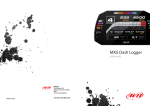
MyTach – User Manual
Release 1.04
5.5 - Data Recall
“Data recall “ mode allows to recall acquired data; workouts are listed from the most recent to the
oldest.
•Press ”Mode” until Stored Data page appears then enter
•Press “Arrows” buttons to scroll the tests.
•Select the workout pressing “START/stop”
•The following screen appears
It shows the recalled data workout.
•Top
on the screen are displayed workout
hour, date and the laps number.
•central
in the screen are shown recorded
measures common to all sport.
•Pressing “START/stop “ it’s possible view the
second data recall page that shows specific
measure for each sport.
•Pressing again “START/stop “data recall”
page of the selected workout laps appears.
•The first page shows the first four best laps
made for the selected workout.
www.aim-sportline.com/mytach
32