1
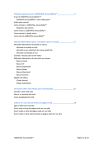
Table of Contents
1. About eSSENTIAL Accessibility™ ______________________________________ 4
1.1
eSSENTIAL Accessibility™ _____________________________________________ 4
1.2
System Requirements __________________________________________________ 5
2. Options and Settings __________________________________________________ 6
2.1
General Setting _______________________________________________________ 6
2.2
Customize Toolbar ____________________________________________________ 7
2.3
Speech Options________________________________________________________ 8
2.3.1
2.3.2
2.3.3
2.3.4
2.4
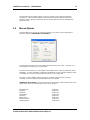
Mouse Options _______________________________________________________ 11
2.4.1
2.4.2
2.4.3
2.4.4
2.4.5
2.4.6
2.5
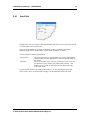
AutoClick________________________________________________________________ 12
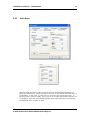
Auto Scan________________________________________________________________ 13
Manual Scan _____________________________________________________________ 15
XY Mouse _______________________________________________________________ 16
Radar Mouse _____________________________________________________________ 17
Direction Mouse __________________________________________________________ 18
WebCam Options ____________________________________________________ 19
2.5.1
2.5.2
2.5.3
2.6
Text-To-Speech ____________________________________________________________ 8
Screen Reader _____________________________________________________________ 9
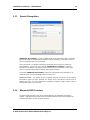
Speech Recognition ________________________________________________________ 10
Microsoft SAPI Overview ___________________________________________________ 10
Motion Detection __________________________________________________________ 21
Cursor Positioning _________________________________________________________ 21
Gesturing ________________________________________________________________ 22
Keyboard Setting _____________________________________________________ 23
2.6.1
2.6.2
2.6.3
2.6.4
2.6.4.1
Mouse Method ____________________________________________________________ 24
Word Prediction___________________________________________________________ 24
Abbreviations/Expansions ___________________________________________________ 26
Layouts _________________________________________________________________ 27
Macro__________________________________________________________________ 30
3. Troubleshooting ____________________________________________________ 33
4. Support & Guarantee ________________________________________________ 34
5. License Agreement __________________________________________________ 35