1
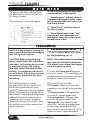
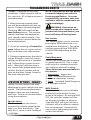
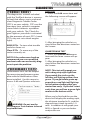
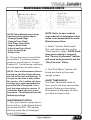
USER GUIDE
**READ IMPORTANT SAFETY INFORMATION IN THIS MANUAL**
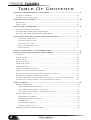
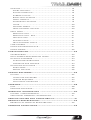
Table Of Contents
SAFETY WARNING & CAUTION........................................... 4
SAFETY TERMS............................................................ 4
SAFETY GUIDELINES.................................................... 4
PARTS INCLUDED............................................................... 5
BASIC KIT.................................................................... 5
TDX KITS..................................................................... 5
GETTING STARTED.............................................................. 6
MAIN GAUGE SCREEN................................................... 6
OFF-ROAD FEATURE SCREENS....................................... 6
STAND-ALONE FEATURE SCREENS................................. 6
ANALOG AND DIGITAL GAUGE SETUP.............................. 7
SELECT NEW PID.......................................................
ALERT SETTINGS......................................................
GAUGE COLOR.........................................................
PID INFORMATION.....................................................
EXIT MENU...............................................................
7
7
7
7
7
PITCH AND ROLL CALIBRATION........................................ 7
USING STAND-ALONE FEATURES..................................... 8
TIMING.......................................................................
AXLE RATIO.................................................................
TIRE SIZE....................................................................
RUN LIGHTS................................................................
ENGINE IDLE...............................................................
TIRE PRESS.................................................................
TPMS (STREET LEGAL)..................................................
ONE TOUCH LANE CHANGE...........................................
KEYLESS ENTRY OPTIONS (2007+ ONLY).......................
SPEEDOMETER CORRECTIONS.......................................
ESP STABILITY OPTIMIZATION (2011-14 w/AUTO TRANS)....
LOCKING AXLE (2007-14 RUBICONS ONLY).....................
8
8
8
8
8
8
8
9
9
9
9
9
MAIN MENU....................................................................... 10
PROGRAMMING............................................................
PROGRAMMING-SETUP..............................................
CUSTOM OPTIONS - ENGINE.......................................
CUSTOM OPTIONS - TRANSMISSION............................
DIAGNOSTICS..............................................................
TROUBLE CODES......................................................
PERFORMANCE TESTS...............................................
RECORDS................................................................
MILEAGE COACH.......................................................
DATA LOGGING.........................................................
MAINTENANCE MANAGER..............................................
2
10
10
11
12
13
13
13
14
14
15
16
OPTIONS.....................................................................
ALERT OPTIONS........................................................
SOUND DURATION....................................................
SCREEN LAYOUT.......................................................
BACKLIGHT AUTODIM................................................
MENU TIMEOUT.........................................................
ACCESSORY OPTIONS...............................................
UNITS......................................................................
FACTORY RESET.......................................................
TPMS CONTROL-UNLOCK...........................................
HELP MENU.................................................................
PRODUCT INFO.........................................................
PRODUCT INFO - EAS................................................
VEHICLE INFO..........................................................
CONTACT INFO.........................................................
TECH SUPPORT TOOLS..............................................
VIEW CAMERA..............................................................
SHOW MAINTENANCE DUE............................................
SHOW ALERTS.............................................................
18
18
18
18
19
19
19
20
20
20
21
21
21
21
21
21
21
21
22
CUSTOMIZATION................................................................. 23
ACCESSORIES.............................................................
MAIN SCREEN BACKGROUND IMAGE..............................
MYSTYLE SOFTWARE....................................................
CUSTOM BACKGROUNDS...........................................
MANAGING EAS DEVICES...........................................
MOUNTING SOLUTIONS................................................
DASH PODS.............................................................
ARKON MOUNTS.......................................................
23
23
24
24
24
25
25
25
UPDATE SOFTWARE............................................................ 26
FUSION......................................................................
USING THE SOFTWARE..............................................
UPDATE REQUIRED...................................................
NON-STOCK CONDITION............................................
26
26
27
27
APPENDIX............................................................................ 28
TIPS........................................................................... 28
TROUBLE SHOOTING.................................................... 29
WARRANTY INFORMATION ................................................ 30
LIMITED 1 YEAR WARRANTY........................................... 30
ADDITIONAL WARRANTY INFORMATION........................... 31
SERVICE CENTER AND COMPATIBILITY............................ 31
PRODUCT REGISTRATION.................................................. 32
BENEFITS OF PRODUCT REGISTRATION.......................... 32
CARB/EPA COMPLIANCE.................................................... 32
3
S A F E T Y
W A R N I N G
&
C A U T I O N
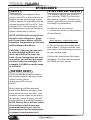
SAFETY TERMS
Throughout this User Guide (hereafter noted as User Manual or Manual) you
will see important messages regarding your safety or the protection of your
vehicle. These messages are designated by the words WARNING or CAUTION
WARNING indicates a condition that may cause serious injury or
death to you, your passengers or others nearby. Pay careful attention to
these Warning messages, and always comply with them. They could save
a life.
CAUTION indicates a condition that could cause damage to your vehicle.
It is important to install and operate your Superchips product in conformance with instructions in this Manual. Caution alerts you to particularly
important things that will keep your vehicle operating properly.
The Superchips product you have bought is a high-performance product.
As such, it does present some risks of which you should be fully aware. Do
not use this product until you have carefully read the following safety information and the Owner Agreement.
NOTE: After the device has been installed, the screen and logo will appear
followed by a warning and compliance directive. To indicate you accept
and acknowledge the warning and compliance, press the [ENTER] or [YES]
button.
SAFETY GUIDELINES
1. Do not exceed legal speed limits on public roadways. Use any enhanced
speed capabilities of this product only in closed circuit, legally sanctioned
racing environments expressly for this purpose. Loss of control from speeding on a public road could seriously injure you, your passengers, or others
on the roadway.
2. Do not operate the device while driving. Perform all adjustments or
changes while stopped. Changing a setting while under way can interfere
with your attention to roadway conditions.
3. “Stacking” performance-enhancing devices or other improper installation
can cause power train failure on the road. Other products may have features
incompatible with your device. Follow all installation and operating instructions, and do not stack products.
4. Some modifications may affect other parts of your vehicle. For example,
if you remove/adjust the speed limiter in your vehicle, be sure your tires
and other components are rated for the increased speeds they will have to
withstand. Not doing so can lead to loss of vehicle control.
4
P A R T S
I N C L U D E D
BASIC KIT
1. TOUCH SCREEN DEVICE
2. WINDSHIELD MOUNT
3. OBDII CABLE
4. USB CABLE
5. ZIP TIES
6. ALCOHOL PAD
7. QUICK INSTALL GUIDE
8. CARB EO STICKER
2
1
4
3
QUICK
INSTALL
5
6
8
7
TDX KITS
1. INTAKE
2. THROTTLE BODY+GASKETS
3. CUSTOM DASH MOUNT
2
1
3
NOTE: The Parts Description section of this manual describes each of the
main parts included in your kit. Refer to the “Quick install Guide” for
proper installation and windshield mounting.
5
G E T T I N G
S TA R T E D
NOTE: The first time you connect your TrailDash to your vehicle, it will take
up to two minutes for the device to boot-up. This time will be dramatically
reduced once your vehicle’s settings have been saved to the device for
future use.
NOTE: Use the UP and DOWN arrows on each screen to toggle between your
3 screen layouts shown above.
MAIN GAUGE SCREEN
After you have followed the Quick
Install Guide, and have plugged in your
device, this default screen will appear.
It provides you with both analog and
digital gauges allowing you to view
multiple vehicle parameters. This
screen may be customized.
OFF-ROAD FEATURE SCREENS
(NON-RUBICON)
Depending on your vehicle model, one
(RUBICON ONLY)
of two Off-Road feature screens will
be available. Each screen is equipped
with digital style gauges as well as analog Pitch and Roll gauges. For Rubicon
models only, (3) additional features
have been added:
1. TPMS - Disables communication.
2. SWAY - This will disable the light
from displaying on your dash.
3. LOCK - Locks and unlocks Front or
Rear Differentials.
NOTE: The LOCK feature will be automatically disabled after you exceed
30 MPH for safety.
STAND-ALONE FEATURE SCREENS
The Stand-Alone Features are vehicle
specific. Your screen may or may not
have all of the features as shown.
NOTE: Screen images may vary based
on your vehicle.
6
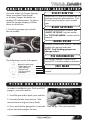
ANALOG AND DIGITAL GAUGE SETUP
On each of the (3) Screen layouts,
there are either Digital and/
or Analog Gauges available to
display PID information. To adjust
what the gauge displays, follow
these instructions:
1. Touch the gauge you would
like to modify.
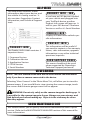
SELEC T NEW PID
Select the PID that you would like to
monitor from the provided list. This
list will vary based on your model
year.
ALER T SET T INGS
For more information, refer to the
“ALERT OPTIONS” section under
the “OPTIONS MENU” section of this
manual.
G AU GE COLOR
Choose a color from the list. This will
modify the gauge indicator.
NOTE: Only Analog gauges can
change colors.
PI D I NFORMAT ION
The following screen will appear:
MENU
This briefly explains what the selected PID is and/or what it monitors.
Engine Coolant Temp
Select New PID
Alert Settings
Gauge Color
PID Information
Exit Menu
EX IT MENU
Brings you back to the main gauge
screen.
ENTER
PITCH AND ROLL CALIBRATION
In order to calibrate your Pitch and Roll
gauges, you will need to:
1. Find flat ground to park your vehicle.
2. Securely fasten your device. (We
recommend using our Dash Pods)
3. Press and hold a gauge for 3 seconds. Then let go. This will reset the
values for both gauges to zero.
7
USING STAND-ALONE FEATURES
Availability of each option depends on the vehicle model.
**NOTE: For Rubicon TJ (05-06), this option is changed using a selection of OEM specific values.
TIMING
(1998-2003) This
feature gives the
option to Retard
the Timing
down a total of 6
degrees.
CAUTION: This
feature should
only be used if
you are experiencing pre-detonation while in
a programmed
level.
ENGINE IDLE
TIRE PRESS.
TIRE SIZE
This feature
allows you
modify the programmed Tire
Height while
also adjusting
the speedometer for nonstock tires.
**SEE NOTE
This feature
allows the user
to increase the engine Idle
RPM momentarily during extreme
conditions (e.g. while winching, etc.)
Select an RPM that you would like
the engine to idle at and press
ENTER.
TPMS (STREET LEGAL)
(2007+) This feature allows you
to turn the Tire Pressure Monitoring System (TPMS) sensors OFF in
vehicles that are equipped with nonstock tires. Quite often many aftermarket tires lack these sensors and
this causes the TPMS lamp to turn
ON in a vehicle. Off-Road options
are available for download.
8
AXLE RATIO
(2005+) This
feature allows
you to adjust
the calculated
output shaft
speed.
CAUTION: This
feature should
only be used
if you have
replaced the
stock Axle.
**SEE NOTE
(2007+) This
feature allows
you to adjust
the pressure
thresholds at
which the TPMS
light illuminates
on the dash for a
low tire pressure
condition.
The selectable
range is from 22
PSI to 56 PSI.
RUN LIGHTS
(2007-13) This
feature allows
you to change
the Daytime Running lights configuration on
your vehicle.
-OFF: No lamps.
-TURN SIGNALS: Turn lamps
-LOW: Same as stock.
-FOG: Fog lamps only
-EURO: Dim Setting/Half Luminosity
-HIGH: High Beams
NOTE: Changes will take effect as
soon as the vehicle is started and
placed into Reverse or Drive.
STAND-ALONE FEATURES CONT’D
Availability of each option depends on the vehicle model.
ONE TOUCH LANE CHANGE
This feature allows you to toggle this vehicle feature ON or OFF. When this
feature is turned OFF, your blinker will only blink once after pressing the
switch.
KEYLESS ENTRY OPTIONS (2007+ ONLY)
-LAMP FLASH: Turns Off/On the flash when locking/unlocking the vehicle.
-HORN CHIRP: Turns Off/On the “chirp” when locking/unlocking the vehicle.
SPEEDOMETER CORRECTIONS
-TIRE SIZE CHANGES: For non-stock tire sizes (22.5”-44.25”). Enter the tire
height, then press enter.
-GEAR/AXLE SWAPS: Re-calibrates the speedometer for modified gears or
axles. This feature supports ratios up to 5.38.
ESP STABILITY OPTIMIZATION (2011-14 w/AUTO TRANS)
For vehicles equipped with an Electronic Stability Program (ESP) system and
non-stock tires, this feature is used to re-calibrate and optimize the ESP.
LOCKING AXLE (2007-14 RUBICONS ONLY)
This option provides adjustability for while the transfer case is in 4-HI or
4-LO.
9
M A I N
To access the Main Menu, Press
the Main Menu Icon on any of the
(3) Gauge screens.
The following screen will appear:
M E N U
NOTE: The following will only show
under certain circumstances:
1. “View Camera” will only show if
a camera is plugged into the video
jack located on the back side of the
Trail Dash device.
2. “Show Alerts” will only show if
an alert is active.
3. “Show Maintenance Due” will
only show if your Maintenance
Manager is turned on and a maintenance item is due.
PROGRAMMING
NOTE: It is important to unplug all
power consuming devices plugged
into the cigarette lighter.
PROGRAMMING-SETUP
1. Enter the Main Menu and choose
the Programming option.
CAUTION: While programming,
please do not leave the vehicle unattended. At the end of each read
or program session the engine
fans may cycle ON and drain the
battery. It is important to be present in order to follow the on screen
instructions to prevent this from
occurring.
NOTE: The vehicle must be read the
first time you attempt to program.
This allows us to return your engine
control module to stock.
The TrailDash device comes
equipped with power levels that
can be programmed into your
vehicle’s Powertrain Control Module
(PCM). Programming is done while
the vehicle is parked and away from
traffic or where the vehicle won’t
impede access, or exit. Programming will take several minutes and
the vehicle can not be started during this process.
These levels may include:
*87 Octane = Base level tune designed for use with 87 octane grade
fuel.
*91 Performance = Designed for
use with 91 octane grade fuel.
*93 Performance = Designed for
use with 93 octane grade fuel.
*Mileage XS = Designed to conserve fuel. Savings are dependant
on the user’s driver profile (this
tune cannot cure a lead foot). 87 or
higher octane is recommended.
10
2. Select the Power Level that best
suits your needs. (The availability of
certain power level options will vary
based on your vehicle model.)
PROGRAMMING CONT’D
*Crawl = Designed for off-road
conditions. Pedal response will be
less sensitive. 87 or higher octane is
recommended.
3. After choosing a power level,
you will be prompted with the option to “Create a custom program.”
Choosing YES will load the Custom Options menu. The custom
options available will depend on
your specific vehicle model. (See
Custom Options section below for
more information)
4. If you are creating a Custom Program, follow the on screen instructions and make your adjustments.
5. During programming, the device
will go through a series of screens
telling you the action it is completing. Follow the on screen instructions. After the TrailDash device
has successfully programmed your
vehicle, the level number will appear on the Main Gauge Screen in
the level indicator box.
CUSTOM OPTIONS - ENGINE
Various custom options are available based on your vehicle year and
model. The following information
explains what you are changing
and how. Please use caution when
using these options.
Speed Limiter
This feature allows the user to
increase the vehicle speed limiter
that is set from the factory. Typically this is set to a stock setting of
~100 Mph.
NOTE: If your device has the ability
to remove/adjust your vehicle’s
factory speed limiter. It is your
responsibility to ensure your tires
and other vehicle components are
rated accordingly.
WARNING: If you drive on
public roads after removal or adjustment of the speed limiter, you
must still obey all driving laws.
Rev Limiter
This feature allows you to increase
the engine RPM limiter that is installed from the factory. The value
can be increased from 5700 RPM
to 6300 RPM depending on the
vehicle.
Pedal Response
Allows you to change the accelerator pedal sensitivity. This is especially useful in standard transmission vehicles while off-roading.
Three Selections are available for
this option…
1. Superchips – Aggressive
2. User – A hybrid between the
stock and superchips setting.
3. Stock – Standard Pedal Response
in a Wrangler vehicle.
MDS Disable
This feature allows you to disable
the Mult-Displacement System
inside a V8 engine. By turning MDS
OFF, the vehicle’s engine will run
on all eight cylinders at all times.
Typically MDS will shut 4 of these
cylinders off in an effort to reduce
fuel consumption. However this
can result in reduced power delivered to the wheels.
11
PROGRAMMING CONT’D
WOT 1-2 Shift & WOT 2-3 Shift
This option allows you to change the Engine RPM limit that the vehicle will
shift from 1st to 2nd gear and 2nd to 3rd gear. Please note that the Rev
Limit will need to be raised in order for this option to be used properly.
CUSTOM OPTIONS - TRANSMISSION
This custom option gives you the ability to modify your automatic transmission shift settings. This can be broken down into two Features:
1) Shift Firmness
-Part Throttle Shifts
-WOT Shifts
2) Shift Schedules (MPH vs. Throttle %)
-Overdrive Off Shift
-4Lo Shift
-Normal Shifts
NOTE: Feature availability depends on your vehicle model.
Once you have chosen which of the custom options you are modifying,
the follow screen (A) will be shown. The following explains how to navigate the programming screens.
Menu - Brings you back to the
previous menu.
Left/Right Arrows - Allows you to
choose which point (in this case a shift
point) to modify.
Select - Selects the point and brings
you to screen B.
SCREEN A
SCREEN B
Cancel - Brings you back to screen A
without Saving.
Up/Down Arrows - Allows you to
adjust the point up or down.
Save - Saves the new settings and
brings you back to screen A.
12
TR O U B L E C OD ES
DIAGNOSTICS
The diagnostics scanner included
with the TrailDash device is a powerful tool that allows you to view and
clear Diagnostic Trouble Codes
(DTCs) on your vehicle. DTCs are the
messages your vehicle’s computer
stores when it detects a problem
with your vehicle. The “Check Engine” light on your dash is activated
by the presence of most DTCs (some
DTCs may not set a check engine
light).
READ DTCs - To view what trouble
code has been set.
Clear DTCs - To erase any of the
codes currently set.
NOTE: If the codes come back we
recommend you see a qualified
mechanic who can accurately diagnose/repair the problem.
PE RF ORM ANC E T ESTS
Performance tests can be helpful
for measuring performance gains
after vehicle modifications have
been installed. Use this menu to
access 0-60 and Quarter mile tests.
WARNING: Do not use the
Performance Tests feature to break
any traffic laws.
0-60 TEST
1. Select the 0-60 menu item and
the following screen will appear:
2. After bringing the vehicle to a
stop, follow the directions noted on
the screen.
QUARTER MILE TEST
1. Select the Quarter Mile menu
item and the same screen will appear.
2. After bringing the vehicle to a
stop, follow the directions noted on
the screen.
NOTE: This test will prompt you
with a drag strip style light tree.
If you watch the circles on the
left they will light up yellow, then
green. If you go before green appears then a red light will light up
in the bottom showing that you
started too early. If you don’t start
early then you will see a green light
remain in the bottom circle.
When you’ve finished the run the
device will display the ending mph,
the distance traveled in ft., and the
elapsed time it took to reach 1/4
mile. In addition it will graph your
MPH vs Speed so you can better
analyze the run.
13
RECORDS
DIAGNOSTICS CONT’D
Records contain certain parameters
for later review.
MIL E AG E C OA C H
The Mileage Coach feature provides
useful tips and tools that help you
learn ways to improve your fuel
mileage.
There are 3 PID options that directly
relate to the Mileage Coach feature.
They are:
1) Mileage Average: This PID displays the calculated average MPG
or L/100km and is updated continuously while driving.
(NOTE: The average is calculated
only when the PID is being displayed on the main Gauge Screen).
This value will typically change
more during start/stop driving, and
less on the highway.
2) Mileage Instantaneous: This PID
shows a conscientious driver how to
vary the pressure on the gas pedal
to save fuel every second. The
value is displayed in either MPG or
L/100km.
3) Mileage Coach: This PID takes
the Average and Instantaneous
values mentioned above and creates a visual tool to help maximize
your fuel economy. This PID is best
viewed using one of the Analog
Gauge locations. Figure 12A shows
an example of an Analog Gauge
being used.
14
Looking at Figure above, you will
notice the level indicator has been
separated into 3 colors. The Green
color in the middle indicates that
your driving habits are producing good fuel economy. The Red
indicates that your driving habits
are not producing the best fuel
economy and that there is room to
improve. The upper “Gauge Color”
(depends on the color you chose
in the PID properties) indicates
that your driving habits have been
maximized, and you are getting the
most out of your fuel.
DISPLAYING MILEAGE COACH:
1. From the MAIN GAUGE screen,
choose which gauge location you
would like to view your Mileage PID.
2. Choose the SELECT NEW PID option and select one of the Mileage
Coach PIDs.
MILEAGE COACH SETUP:
1. Enter the MAIN MENU, select
DIAGNOSTICS, then select MILEAGE
COACH. The following screen will
be displayed:
DIAGNOSTICS CONT’D
2. Become familiar with each option
within the Mileage Coach feature
set and adjust values accordingly.
Refer to the follow explanations.
CLEAR FUEL AVERAGE:
Use this option to clear the calculated average displayed in the Mileage
Average PID.
LAST FUEL ECONOMY:
This option allows you to enter your
actual Fuel Economy Value. This
value is important and should be
calculated and entered regularly.
This can be manually calculated
by dividing the distance travelled
by how much fuel you have used
(Distance/Fuel = Fuel Economy).
Some vehicles have their own Fuel
Economy average that is displayed
in cab and may be used instead of a
manual calculation.
TRIP ODOMETER:
This value is used to calculate the
Trip Cost and Fuel Average.
FUEL PRICE:
In order to calculate your Mileage
and Trip Costs, the price of fuel purchased must first be entered. For
example: Fuel purchased at $3.58/
Gal should be entered as 3.58.
MILEAGE COST:
This value is a calculated average
based on how many miles you have
traveled and the Fuel Price.
TRIP COST:
This value is calculated from the
Fuel Price and the Trip Odometer
values.
MILEAGE COACH DISPLAY:
There are two ways to display the
Mileage Coach PID.
1. Show Difference: Between Instantaneous and Average.
2. Show Values: Displays as
Instantaneous | Average.
MILEAGE DRIVING TIPS:
These tips are intended to give you
general information regarding driving habits or anything that will help
maximize your fuel economy and
overall driving experience.
D ATA LO GGING
This feature allows you to record all
of the available PID data on your
device.
(NOTE: The device also runs
background tasks which are also
recorded. This information can be
ignored.)
To start the recording:
1. Open the Data Logging menu located under the Diagnostics menu.
The following screen will appear:
2. Choose one of the 10 Data Run
options. This will turn the run “On”.
15
DIAGNOSTICS CONT’D
NOTE: Only one run can be turned
on at a time.
3. Return to the Main Gauge screen.
The device is now in recording
mode.
4. Once you have recorded for a
desired period of time, return to the
Data Logging menu, and choose the
same run as before. (This will turn
the run “Off” and stop the device
from recording. The recorded
information will be stored for the My
Style software to retrieve later on).
NOTE: If you turn the same Data
Run back “On” the previous data
will be erased, and a new recording
session will begin. If the indicator light is red, there is currently a
recorded file associated with that
run.
MAINTENANCE MANAGER
The Maintenance Manager
calculates the odometer value of
your vehicle using the vehicle speed
and time.
NOTE: The Maintenance Manager
odometer reading may become
out of sync with the actual dash
odometer reading. You may need
to periodically update the Maintenance Manager’s odometer value.
It is important to note that the
TrailDash only tracks miles traveled when the main gauge screen
is being displayed. If you are in the
menus while driving, your miles are
not calculated.
3. Choose “Odometer” to set your
current Odometer reading. The following screen will appear:
ODOMETER SETUP:
1. Locate the “Maintenance Manager” by entering the “Main Menu”.
6. Once all digits have been entered,
the Maintenance Manager screen
will reappear showing your entered value. A value of 49,170 was
entered).
2. Turn “ON” the Maintenance Manager. (If it is turned off, you will not
be notified when service is due.)
16
4. Use the Arrow buttons to adjust
the values up or down.
5. Press Enter to move to the next
digit. Press Menu to move to the
previous digit.
7. Once the Odometer is entered
and displayed, choose the “Maintenance Items” option.
MAINTENANCE MANAGER CONT’D
Alert Status Box
NOTE: Other Maintenance Items
not listed in the figure above:
-Change Spark Plugs
-Change Trans Fluid
-Chk Trans Case Fld Lvl
-Inspect Brake Pads
-Lube Front Drive Shaft
-Lube Tie Rod Ends
-Rotate Tires
8. Choose the item you would like
to maintain. (For demonstration
purposes we will choose “Change
Engine Oil”. The following steps may
also be applied to all other items).
NOTE: Once a Maintenance Item is
turned on, the Alert Status Box to
the left of the item will light up. If
it is green, the item is not yet due
for service. If it is yellow, the item
is about to be due and within the
specified Alert Threshold. If it is
red, the item is due for service. If
it remains black, the item is not
turned on. This all depends on the
following settings.
NOTE: Refer to your vehicle
user manual to determine what
value is recommended for each
Maintenance Item.
2. Select “Service Performed”.
This will automatically set the
“Next Service” value. NOTE: Each
time your vehicle is serviced,
the “Service Performed” button
will need to be pushed to set the
“Next Service” Value.
3. The “Exit Menu” option will
bring you back to the main
gauge screen.
ALERT THRESHOLD:
The Alert Threshold value allows you to set how many miles
ahead of time you want your
Maintenance Manager to alert
you that an item is due.
MAINTENANCE SETUP:
1. First you need to setup the interval value. In the figure below,
we entered 3,000. This means
that we want the oil changed
every 3,000 miles.
17
OPTIONS
NOTE: In the previous screen
image, the Engine Coolant
Temperature PID is being modified.
ALERT SYSTEM OFF/ON:
Turns the entire alert system off/
on. This enables/disables both the
alerts and sound.
The Options menu contains menu
items that will let you customize the
device settings to your liking, as well
as change the alert settings to best
fit your needs.
A LER T OP T I ONS
The Alert Options screen allows you
to turn the alerts on/off both collectively and individually. It also lets
you set the alert values for each of
the available parameters.
To turn alerts on:
1. Select Alert Options from the
Options menu.
2. Select Alerts are Off/On and
press enter. This will affect the entire alert system as a whole.
PID ALERT OFF/ON:
This turns off/on the specific PID
alert. That means that any other PID
that is turned on, will remain turned
on.
SOUND:
Deals with individual PID alert
sounds only.
SET POINT:
User defined PID Value.
SO U ND DURAT ION
You can adjust the duration of the
alert sound by using this menu
option. Simply press the up/down
arrow until you have the desired
sound length in seconds.
SC R EEN L AYOUT
To individually disable/enable an
alert, or to change the alert:
1. Select a PID in the Alert Options
menu. The following will appear:
The screen Layout menu allows you
to choose from five different screen
layout options for the Main Screen
Layout. The Analog Gauge Screen
18
OPTIONS CONT’D
is set as the default. Once you’ve
selected the gauge screen you want
to use, you can customize which
parameters are displayed on each
available gauge.
BA CK L I G H T AU T OD I M
TrailDash device comes equipped
with an ambient light sensor. As
it get’s darker outside, the device
will automatically dim the screen
for easier viewing. The Auto Dim
feature allows you to set how far it
will dim the screen. A 1% setting
will provide the same brightness
during the day as the 99% setting,
but will remain bright with little to
no change at night
NOTE: It’s best to make this adjustment at night so you can verify the
screen brightness is correct. You’ll
need to return to the main display
screen after setting the Autodim
percent in order to see the changes.
M ENU T I M EOUT
The TrailDash has a built in time-out
feature. The purpose of this timeout is to prevent the unit from staying powered up for excess amounts
of time. If you leave the device in
a menu option and then exit the
vehicle, the device will stay in the
menu for 300 seconds by default,
after which it will return to the main
screen and then power off. If left in
a menu while the truck is running
or the key is on it will return to the
main screen after 300 seconds.
You can adjust the wait time to be
longer or shorter by simply using
the arrows to take the time up or
down.
NOTE: This function only applies to
menu screens. If you are viewing a
parameter adjustment screen, the
device will not time out. If you do
not exit these screens, the device
will not power-off and may discharge the vehicle’s battery.
AC C ESSO RY OPT IONS
Accessory options allow you to
adjust add on features such as the
Expandable Accessories System
(EAS) and/or a camera. As other
accessories are added, additional
options will also be added.
NOTE: If you don’t have a camera
or other RCA device connected to
the Trail Dash device, the camera
menu options will be available but
non functional.
CAMERA DELAY
The TrailDash is designed to automatically view a back-up camera
image when the vehicle gear selector is in Reverse. Some vehicles will
communicate gear position faster
than others, so this menu option allows you to customize the delay.
(NOTE: Availability of this option
depends on your vehicle’s ability to
provide the correct data).
CAMERA AT STARTUP
Turning this feature ON allows you
to automatically see your camera
during startup. Touch the screen to
return to the main gauge screen.
19
U NI T S
OPTIONS CONT’D
Changing the unit option allows
you to view PIDs in either Metric or
English on the main gauge screen.
Vehicle Speed, for example, may be
viewed as either MPH or KPH. Temperature PIDs such as Engine Coolant Temperature may be viewed as
either Fahrenheit or Celsius.
NOTE: All PIDs will use only one or
the other unit of measure. Example: If you choose Metric, all PIDs
related to Temperature or Distance
will be displayed in Metric.
CAUTION: If you set up your units
in either English or Metric, the
alert value will be the same for
both. If you change from one unit
to another, you will need to setup
the alert values accordingly. For
example, 100 MPH is not the same
as 100 KPH.
FA C T ORY R ES ET
If you would like to revert back to
the factory default settings, simply
select Factory Reset
and choose YES or press
ENTER.
Many settings will be returned
back to the default setting as they
were when the unit was new. Any
changes you’ve made to the alerts,
the gauge screen displays, etc will
be returned to the default settings.
NOTE: Factory Reset will not return
the vehicle to stock from a programmed Power Level. See Programming section for instructions
to return to stock power level.
20
TPMS C ONT ROL-UNLOCK
This features allows you to access
your vehicle’s TPMS (Tire Pressure
Monitoring System). Once it is unlocked, you will be given the ability
to modify it’s parameters.
In order to use this feature:
1. Locate the serial # on the bottom
of your device.
2. Go to:
tpmsoptions.superchips.com
3. Fill out the required information
and Submit. An email will be sent
providing a link allowing you access
to your unlock code.
4. Write this code down for future
reference. Use the code to unlock
the TPMS on your device.
HELP MENU
The Help Menu contains useful
information about your device, and
the vehicle it is being used on. It
also contains Superchips Contact
Information, and Technical Support
tools.
PR O D U C T INFO - EAS
If you have an EAS device installed
on your vehicle and plugged into
your TrailDash device, another
Product Info screen will pop up. It
will list your EAS device’s Firmware
Version as well as it’s Serial Number.
VEH I C LE I NFO
Displays VIN and other vehicle specific information.
C O NTAC T INFO
P RO D UC T I NF O
The Product Info screen contains 5
important items:
1. Firmware Version
2. Calibration Version
3. Application Version
4. FPGA Version
5. Serial Number
This information will be useful if
you need to contact us for warranty
claims, sales information, upgrade
information or any other technical
questions/inquiries.
TEC H SU PPORT T OOLS
This menu should only be used
when requested by Superchips
Technical Support personnel.
VIEW CAMERA
NOTE: The view camera menu item will be active within the Main Menu
only if you have a camera connected to the device.
Selecting “View Camera” in the “Main Menu” list, will allow you to view the
camera image. If you would like to stop viewing the camera image, touch
the screen and the main gauge screen will re-appear.
WARNING: Do not rely solely on the camera image for backing up. It
is possible for the camera image to freeze. Always use your mirrors, and
look behind you before backing up. Objects in the view may be closer
than they appear.
SHOW MAINTENANCE DUE
This feature allows you to quickly view which Maintenance Item is up for
service. Refer to the MAINTENANCE MANAGER section of this manual for
more information.
21
SHOW ALERTS
The TrailDash is equipped with an
alert system that notifies the user
when vehicle parameters are outside a user-defined value. There are
a few ways the alerts are indicated
and accessed:
MAIN SCREEN METHOD
If one of your gauges on the main
screen contains the alert parameters, 2 things will occur:
1. The alert notification will sound
only if it is turned on. (Sound will
turn off after a few seconds depending on the sound duration you have
set)
2. The gauge back-light will flash.
(Will continue flashing as long as
the parameter is outside the userdefined value)
NOTE: The alert sound and flashing
will discontinue once parameter is
no longer out of the user-defined
value.
ALERTS SCREEN METHOD
This Alerts screen will show all parameters for which an alert has been
set. If an alert value is outside the
user-defined setting, it will flash red.
The Alerts screen will stay in view for
a minimum of three seconds, until
no alert condition exists, or until the
screen/menu button is touched, at
which point it will return to the main
gauge screen.
NOTE: This menu only appears
when there is an alert active. It
shows the current, active alerts and
their current values.
22
If you have exited the Alerts screen,
you can return to the screen by entering the “Main Menu” and selecting the “Show Alerts” option.
NOTE: For more information on
how to setup the Alerts, Refer to
the: “ALERT OPTIONS” section of
this manual.
C U S T O M I Z AT I O N
ACCESSORIES
The TrailDash devices are equipped
with an expandable accessories port
which interfaces with the Expandable Accessory System (EAS), as well
as a video-in jack.
The EAS is an accessory network
cable that transmits data between
the TrailDash and optional accessories.
The Video-In jack allows you to plug
in any Camera equipped with RCA
video cables.
Refer to our website for more information on what EAS devices are
available.
ACCESSORY PORT
VIDEO-IN JACK
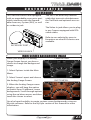
MAIN SCREEN BACKGROUND IMAGE
When your display is in Analog
Gauge Screen layout, you have a
choice to change the background
image.
CARBON FIBER
1. Select Options inside the Main
Menu.
2. Select Screen Layout and choose
the Analog Gauge Screen.
RUSTY METAL
3. When the Analog Gauge screen
displays, you will have the option
to choose from 10 different screen
backgrounds. Scroll through options
using the up/down arrows and then
touch the screen to select.
You also have the ability to create custom screen backgrounds using our
Mystyle software. Refer to the MyStyle section of this manual for more
information.
23
MYSTYLE SOFTWARE
CU S T OM B AC KG RO U ND S
Create and add your own custom background using the unique MyStyle™
Software downloadable from the Superchips website.
M A NAG I NG EAS D EVI C ES
The MyStyle software not only customizes the look of your TrailDash, but it
also gives you a powerful tool allowing you to manage and modify your EAS
devices. For more information on what EAS devices are available, refer to
the Superchips Website.
24
MOUNTING SOLUTIONS
DA SH P OD S
Superchips offers custom
mounting options for
TrailDash owners that are
looking to add a factory finish
look to their Jeep.
The pods are durable, made
from high-quality plastic, and
manufactured for a perfect
fit and finish. They can be
painted to match vehicle interior color (if needed), and are
easy to install.
A RKO N M OU NT S
The TrailDash comes with a
standard windshield mount
manufactured by Arkon
Resources Inc., the leader in
device-mounting solutions.
The TrailDash devices have a
standard two-tab system built
in so they can accept an array
of different Arkon mounts.
25
U P D AT E
S O F T W A R E
FUSION
NOTE: REQUIRES INTERNET
CONNECTION
Fusion Software allows the user to
update their device to the latest
version of firmware and calibration
files. This software will be downloaded for free from the Superchips
web site at www.superchips.com.
NOTE: Be sure to install both the
SOFTWARE and the DRIVERS that
come included in the download
before you connect your device to
your PC. During the installation
you will be prompted to install the
drivers, choose yes.
U SI NG T H E S OFT WAR E
NOTE: The TrailDash device should
not be plugged into the vehicle’s
OBDII port and your computer’s
USB port at the same time. Only
the USB is needed during update.
1. Click the Fusion icon on your PC
desktop once you’ve installed Fusion.
2. If you have not yet created an account, click on “Create a New User”.
You will then be directed to a web
page to create your login information.
NOTE: After entering your information, a password will be sent to the
e-mail address you provide. Be
sure your e-mail account doesn’t
block e-mails from www.superchips.com.
26
3. Upon receiving the password,
enter your e-mail address and
password on the login screen of the
Fusion Software.
4. You’ll be prompted to connect the
device to launch. After connecting
the device, you’ll see a screen
pop-up.
5. Click yes to continue with the
update.
NOTE: Be sure to return your vehicle to stock before connecting the
device to Fusion.
After you’ve selected yes on the
previous screen, the Fusion software
will go through the steps in order to
update the device. Once it’s
completed you’ll see the following
screen.
FUSION CONT’D
6. Click OK and the update will be
completed. You’ll now have the
latest Firmware, and Calibration on
your device.
When your device is connected
to Fusion, the device model, Lvl,
Bootloader, Firmware, Calibration
and Serial Number are all displayed
at the bottom of the screen. These
numbers will be useful to quickly
view the state of your device, and
whether or not it is currently programmed to a vehicle.
MODEL: The model number for your
device.
LVL: The currently programmed
level.
BOOTLOADER: The boot loader version currently on your device.
FIRMWARE: The firmware version
currently on your device.
CALIBRATION: The calibration version currently on your device
SERIAL NUMBER: The serial number
assigned to your device
UPDATE REQUIRED
Fusion is designed to help the
development team at Superchips
support new vehicle calibrations.
When you connect your device to
the vehicle, the first step it takes is
identifying your vehicle’s stock file.
If the stock file isn’t currently supported:
1. The device will display a screen
alerting you that the stock file is not
yet supported.
2. It will then prompt you to touch
the screen in order to read and save
the stock file.
3. Once the device has saved the
stock calibration, it will prompt you
to connect the device to Fusion.
4. Fusion will ask you if you want
to upload your vehicle’s stock files
to our server. Choosing Yes will
upload the files to the server, and
alert the development team. This
will help the development team at
Superchips provide support for your
vehicle’s calibration as quickly as
possible.
NON-STOCK CONDITION
During programming, the device
will read the stock file on your
vehicle and compare it to a corresponding stock file that has been
verified by Superchips.
If there is a mismatch, the device will
alert you, and display this message:
“Non-stock condition detected.
This is most likely because your
vehicle has been programmed
with a competitive product. It is
recommended that you return your
vehicle to a stock condition with
the product that changed it. Alternatively, you can plug your device
into your computer and it will load
the necessary files onto your device
to return your vehicle to stock.”
27
FUSION CONT’D
If you don’t have the competitive product that programmed your truck:
1. Connect the TrailDash Monitor to Fusion (via USB connector) where you’ll
be prompted to download the correct stock files.
2. Once downloaded, simply connect the device to your vehicle (via OBDII),
and the device will program the verified stock files to your vehicle.
A P P E N D I X
TIPS
Tip: Programming your vehicle may expose existing defects in your PCM
that could disable your vehicle. It is advised that you do not program in remote locations in case of failure. Vehicle manufacturers do not recommend
programming in extreme temperature. Please see your vehicle service
manual to ensure that programming is being done in accordance to the
original equipment manufacturers specifications.
Tip: Keep in mind that the TrailDash is a high performance product and that
not all vehicles deliver the exact same power output when programmed.
It is recommended that you select a program that will best fit your needs.
Whether towing, or traveling long distances, choose your power level wisely
and keep in mind the condition and tolerances of your vehicle when selecting a suitable power level.
Tip: If any problems persist, contact Superchips Technical Support. Please
have the product Serial Number and Vehicle Information prior to calling
Technical Support. This will help ensure quick and accurate support.
Tip: When taking your vehicle to the dealership to get work done, it is
always a good idea to program the vehicle to stock before taking it in for
service. In many cases, the dealership has new updates for the vehicle,
and consequently will update the vehicles computer. If your vehicle is
programmed to a power level, the dealership update will over write the
programming and lock the device.
28
SYMPTOM
TROUBLE SHOOTING
POSSIBLE CAUSE
SOLUTION
Display beeps for two seconds (long The unit is too hot from being in the Once the device cools down the
beep)
direct sunlight
screen will turn itself on
No display when the key is in “on”
position
The unit will not wake up with the
key in the “on” position until the
screen is touched.
Touch the screen or start the
vehicle, if this does not turn the
screen on then you will need to call
technical support
Vehicle does not start after
programming
The calibration may have not written correctly
Select “Return to stock” from the
programming menu. Then, Program
back to stock. Now, try to start the
vehicle again. If the problem continues contact technical support
Fusion drivers will not install
correctly
The drivers were not successfully
installed by the automatic installer
Manually install the drivers, technical support can provide you with
instruction on how to do this
Camera picture is frozen
Bad connections
Cycle the key off and on. Double
check your fuse and connectors.
Error 16 when programming
There was a communication error
Try to program the level again
Display beeps quickly
Possible device malfunction
Update the device using the fusion
software
Unit will not power up.
Typically this issue is caused by a
Replace fuse and test unit again.
blown OBDII/Cigarette Lighter Fuse.
Programming errors:
1. Your device gets stuck on the
“Uploading Boatloader” screen
2. An error is displayed: “ERROR-We
could not upload the bootloader to
the vehicle...”
3. If you are constantly asked to
make sure your key is on.
4. Error displayed after your device
shows blank gauges and says that
it is loading. The error will be displayed as “Cannot communicate
with vehicle, ensure the key is in the
on position...”
Sometimes programming can be
disrupted by installed aftermarket devices that are tapped into
the vehicle communication lines
(J1850). These may include but are
not limited to aftermarket radios,
chime boxes, remote starters, ect.
Also, any power consuming devices
should not be plugged into the cigarette adapter during the programming process. Fluctuations in power
may disrupt the programming process.
The following solutions are good
first steps to getting around these
programming errors. If these steps
do not solve your problem, please
contact Tech Support:
Fuses: (CAUTION: Always turn the
key off while unplugging fuses).
1. Remove fuses connecting radio,
radio amplifier, satellite radio, remote starter, or any other aftermarket device you have installed on your
vehicle.
Power:
1. Close all doors during programming.
2. Do not operate electrical accessories (radio, windows, wipers, ect.)
3. Remove any devices plugged into
the cigarette lighter or any other
auxiliary power port.
29
W A R R A N T Y
I N F O R M AT I O N
LIMITED 1 YEAR WARRANTY
Superchips, (hereafter “SELLER”) gives Limited Warranty as to description,
quality, merchantability, fitness for any product’s purpose, productiveness,
or any other matter of SELLER’s product sold herewith. The SELLER shall be
in no way responsible for the product’s open use and service and the BUYER
hereby waives all rights other than those expressly written herein. This Warranty shall not be extended or varied except by a written instrument signed
by SELLER and BUYER.
The Warranty is Limited to one (1) year from the date of sale and limited
solely to the parts contained within the product’s kit. All products that are in
question of Warranty must be returned shipping prepaid to the SELLER and
must be accompanied by a dated proof of purchase receipt. All Warranty
claims are subject to approval by Superchips.
Under no circumstances shall the SELLER be liable for any labor charged or
travel time incurred in diagnosis for defects, removal, or reinstallation of this
product, or any other contingent expenses.
If the BUYER sends back a failed unit that is out of warranty and chooses to
buy a refurbished unit, the refurbished unit will only carry a 90 day warranty.
If the BUYER purchases a new unit at a predetermined discounted rate, it will
have the standard 1 year warranty. Under no circumstances will the SELLER
be liable for any damage or expenses insured by reason of the use or sale of
any such equipment.
THE INSTALLATION OF THIS PRODUCT INDICATES THAT THE BUYER HAS
READ AND UNDERSTANDS THIS AGREEMENT AND ACCEPTS ITS TERMS AND
CONDITIONS. IN THE EVENT THAT THE BUYER DOES NOT AGREE WITH THIS
AGREEMENT, THE BUYER MAY PROMPTLY RETURN THIS PRODUCT, IN A NEW
AND UNUSED CONDITION, WITH A DATED PROOF OF PURCHASE, TO THE
PLACE OF PURCHASE WITHIN THIRTY (30) DAYS FROM DATE OF PURCHASE
FOR A FULL REFUND.
NOTE: This warranty is void for any new products purchased through auction web sites. Warranty is valid only for new products purchased through
Authorized Dealers (proof of purchase required for all warranty claims).
CAUTION: Operate your vehicle within manufactures recommended load
and weight limits as shown in the Manufactures Operator Manual.
30
ADDITIONAL WARRANTY INFORMATION
Consumers of aftermarket products are protected by the Federal Magnusson-Moss Warranty Act. The Act states that if something breaks on your
vehicle and you take it in for warranty repair, the dealer must honor your
warranty unless whatever modifications you have added to your vehicle
actually caused the problem in question.
However, the reality is that many dealerships have been known to void warranties on vehicles that use aftermarket products as a matter of policy. This
applies in particular to those aftermarket products that produce horsepower, such as performance enhancement “chips,” modified intake manifolds, or
aftermarket exhaust systems, regardless of product brand.
You have strong legal protection as a consumer in regard to your vehicle’s
warranty. However, Superchips strongly recommends you always disconnect
and remove your module/programmer and monitor when you take your vehicle to a dealer for warranty work. In addition, leaving the product connected may affect dealer diagnostic analysis and scan tool functions. Superchips
makes every effort to produce product that can be easily removed.
NOTE: Even if you disconnect your unit, your dealer can detect the use of
any programmer—even if the unit has been removed.
S E R V I C E C E N T E R A N D C O M PAT I B I L I T Y
CAUTION: Return your vehicle to stock before taking it to a service center.
All Superchips modules and programmers are built to operate with OEM
calibrations. If you take your vehicle to a service center they may, by your
request or otherwise, update your vehicle’s calibrations. If this happens and
your vehicle has not been returned to stock your device will no longer be
capable of programming your vehicle. Therefore it is important that you
return your vehicle to stock before taking it in for service. Superchips updates its active products (i.e. those currently being manufactured) to work
effectively with updated OEM calibrations. However, this process can take
some time as Superchips is not always made aware of calibration changes
made by the OEM. In the case of discontinued products, Superchips cannot
ensure that your unit will work effectively if you take your vehicle to a dealership and you are given, by your request or otherwise, a new calibration.
CAUTION: If you have used another tuner/programmer on your vehicle,
you will need to program the vehicle back to stock and remove the device
before using the Superchips TrailDash. Failure to return to stock may result in PCM failure or engine damage. Programming your vehicle may expose existing defects in the vehicle’s PCM that could disable your vehicle.
It is advised that you do not program your vehicle in remote locations in
case of vehicle failure.
31
P R O D U C T
R E G I S T R AT I O N
Superchips recommends that you register your new product. To register
your product, visit www.superchips.com. Have your vehicle and product
information ready.
BENEFITS OF PRODUCT REGISTRATION
Your Safety
Registering your product allows us to know exactly which product you have
and provide important product updates to you that improve the quality
and/or safety of the product.
Enhanced Features
All Superchips products are easily updated via the internet. We are constantly
adding new features and improvements to our product that we know you will
want to enjoy.
Confirmation of Ownership
Provides a record in case of product loss, theft, or required warranty work. If
you call us for support, our team will already have much of the information
they need to help you.
Improved Product Development
Helps us better understand you (our customers) and design products that
meet your needs.
Special Offers
Allows us to inform you about special offers on accessories and/or new
products that fit your vehicle and enhance your driving experience.
C A R B / E P A
C O M P L I A N C E
This product meets the emissions compliance requirements of the California
Air Resources Board and Federal Environmental Protection Agency and is legal for sale and use on pollution-controlled vehicles
operated on public streets and highways. It must be
installed and operated according to the instructions
provided in this user’s manual. Included with this
product is a sticker like the one pictured for you to
keep in your vehicle. You can either apply it somewhere on the vehicle (e.g., driver’s side door jam) or
simply store it in your glove box. The purpose of these stickers is to inform
anyone who may have questions regarding the use of your Superchips
product and how it affects emissions. For example, it would be something
to show an emissions technician if questioned when taking your vehicle in
for an emissions check to let him/her know the product is CARB emissions
compliant.
32
NOTES:
33
THIS PAGE WAS INTENTIONALLY LEFT BLANK
THIS PAGE WAS INTENTIONALLY LEFT BLANK
Follow Us
www.superchips.com
1790 East Airport Blvd. | Sanford, FL 32773 | 888.227.2447
Rev. 00