1
MSO Plus
1.12.5
User Manual V1.13
Firmware Update via Ethernet
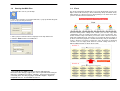
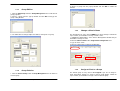
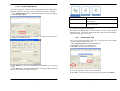
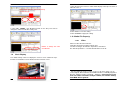
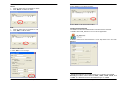
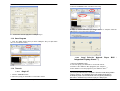
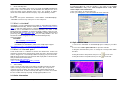
1. If you would like to update firmware via Ethernet, please click the "Config"
button, then click “FW Update” button from the pop-up window.
MSO Plus
1.12.6
User Manual V1.13
Export Client Config to Local Drive
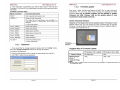
This function is really convenient for you to configure client settings without
using a crossover cable or a hub. Configurations you can make with this
function including the Server IP that the client should connect to, client LAN
settings, client WLAN settings, and client time zone.
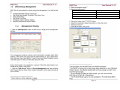
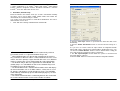
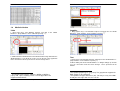
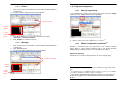
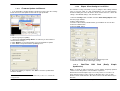
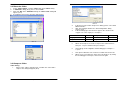
1. Click the "Config" button, and then click the “Client Config Export” button
from the pop-up window.
2. Make setting changes.
3. Browse to the location (USB flash drive) you would like to save the files.
4. Click the “Save” button.
5. Click the “Exit” button.
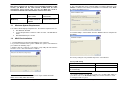
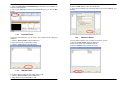
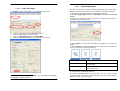
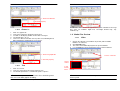
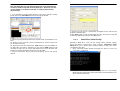
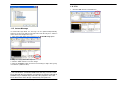
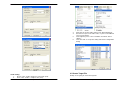
2. Choose a group for updating.
3. Uncheck the “Format Storage Device” checkbox if you do not want to
33
format internal storage.*
4. Click “Browse” to select the firmware (.tar) you would like to update.
5. Click “Start” to begin the firmware updating process.
6. Take the USB flash drive and plug it into Network Player unit.
7. Reboot the Network Player unit to apply settings.
1.12.7
Real-Time
Syndication)
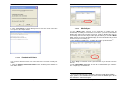
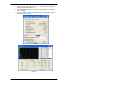
6. When the updating is complete, click “Exit” to close the Update Client
Firmware window.
33
Note that all media content will be deleted if you choose to format the
storage device.
Page 49
RSS
Feed
(Really
Simple
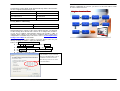
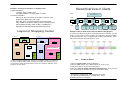
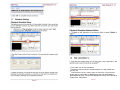
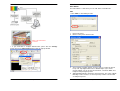
RSS is a family of web feed formats used to publish frequently updated
content such as blog entries, news headlines or podcasts.
Web browser Internet Explorer (IE) is necessary for the successful use of
RSS. Internet Explorer 7 (IE7) supports re-directing URL. If you use web
browser version earlier than IE7, the URL must be a real URL without any redirection.
Page 50