1
EaseUS Partition Master User Guide
Convert between primary and
logical partitions
√
√
√
√
√
Disk surface test
√
Command line
×
√
√
√
√
√
√
√
√
Delete, Create, Format, Recovery
EXT2/EXT3 partition
√
√
√
√
√
Initialize to GPT disk/MBR disk
√
Convert MBR system disk to GPT
×
Convert GPT system disk to MBR
×
WinPE bootable disk
×
4K alignment
MBR disk & partition copy
√
√
√
Copy dynamic volume
×
GPT disk & partition copy
×
Migrate OS
×
√
√
√
√
√
√
√
√
√
√
√
√
√
√
√
√
√
√
√
√
√
√
√
√
√
√
√
√
√
√
√
√
√
√
√
√
√
√
√
√
Partition Recovery
×
√
√
√
√
Windows XP, Vista, 7, 8/8.1, 10
√
√
√
√
√
Windows Server
×
×
√
√
√
Windows Home Server
×
×
√
√
√
Resize EFI partition
Getting started
Hardware requirements
EaseUS Partition Master requires the computer at least with X86 or compatible CPU with main frequency 500 MHz,
a standard PC system with mouse, keyboard and color monitor, and the capability of the RAM memory equal or larger
than 1.5GB.
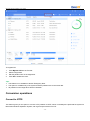
Supported file systems
⚫
FAT12/FAT16/FA532
⚫
NTFS
⚫
ReFS
⚫
EXT2/EXT3
Important consideration: Limited features are supported with EXT2/EXT3 file systems, including Create, Delete, Copy
(in Sector Mode only), Format, and Partition Recovery.
-2-