1
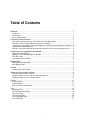
Working with CD Tracks................................................................................................ 35
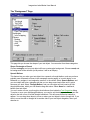
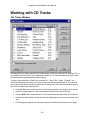
The Tracks Window ................................................................................................................... 35
Tracks Formatting Dialog........................................................................................................... 36
Choose a CD Drive.................................................................................................................... 38
"Choose a Disc ID" Dialog ......................................................................................................... 38
Playlist Search Dialog................................................................................................................ 38
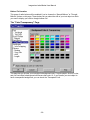
Colored Shapes ............................................................................................................ 39
Printing ......................................................................................................................... 40
The Print Dialog ......................................................................................................................... 40
The Insert-Paper Dialog:............................................................................................................ 42
Printing for the First Time: ......................................................................................................... 42
The Printer Alignment Dialog..................................................................................................... 43
The Your-Label's-Too-Darn-Big Dialog ..................................................................................... 44
The Instant-Label Wizard .............................................................................................. 46
The "Choose Label Type" Page ................................................................................................ 47
The "Choose Theme" Page ....................................................................................................... 47
The "Tracks" Page..................................................................................................................... 47
The "Additional Text Fields" Page ............................................................................................. 48
The "Finish" Page ...................................................................................................................... 48
The Preferences Dialog ................................................................................................ 49
The "Miscellaneous" Page......................................................................................................... 49
The "Main Toolbar" Page........................................................................................................... 50
The "Auto-Run Options" Page ................................................................................................... 50
The "Printer Alignment" Page .................................................................................................... 52
The "Stretch Labels" Page......................................................................................................... 53
The "Printing Fold Lines" Page.................................................................................................. 53
Other Useful Dialogs..................................................................................................... 55
Save as Theme.......................................................................................................................... 55
Stuff to Save: ............................................................................................................................. 55
Tiled Background Settings......................................................................................................... 55
New File ..................................................................................................................................... 56
Registration, Purchase, & Support ................................................................................ 57
Why Register? ........................................................................................................................... 57
Purchase.................................................................................................................................... 57
Support ...................................................................................................................................... 57
Credits .......................................................................................................................... 58
Website:........................................................................................................................ 58
ii