1
QTPCM-4 23
Instruction Manual
5.9 "Update" Screen
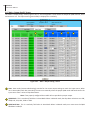
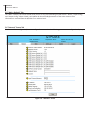
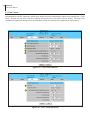
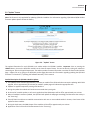
The update screen permits the user to easily apply firmware updates to QTM-HD-4 modules.
Note: This feature is only applicable for updating QTM-HD-4 modules. For information regarding QTM-HD and QTM-HD Plus
firmware updates please contact the factory.
Figure 5.9 - "Update" Screen
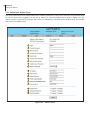
The update information for each QTM-HD-4 unit resides within the QTPCM-4 module. Important: Prior to pressing the
UPDATE button, be sure the QTPCM-4 module has the latest firmware release. This can be done by visiting our website or
contacting our Technical Support Department. The website product firmware information can either be found under the Main
Page - Support Tab or by going to the QTPCM-4 product page document tab. Information regarding updating the QTPCM-4
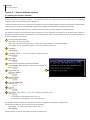
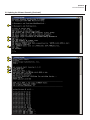
firmware is in Section 6.0, “Updating the Software Remotely” of this manual.
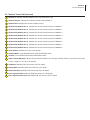
Detailed description of QTM-HD-4 Module Update:
1. The update process with take approximately 7 minutes per module if the FPGA code does not require updating. With FPGA
upgrade, time is approximately 20 minutes per module. Update page will indicate the appropriate time.
2. Updates are applied sequentially starting with Module 1.
3. during the update the modules will continue to transcode the input signals.
4. At the end of a module update, a soft reset is applied and the QAM output will be off for approximately one minute.
5. When all modules have been updated, the QTPCM-4 will update the webpages accordingly and document the activity in
the "Event Log".
6. If the QTPCM-4 is unable to re-establish communication with one or more modules within 2 minutes, a hard-reset will be
applied to those modules.
7. During the hard-reset, the QAM Output of the modules will be off for approximately one minute.
8. Application of the hard-reset will be documented in the "Event Log".