1
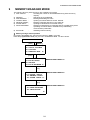
9 MEMORY MANAGER MODE
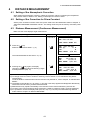
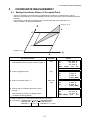
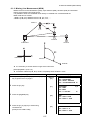
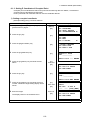
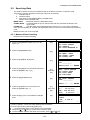
9.2 Searching Data
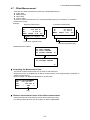
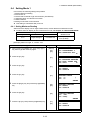
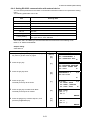
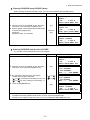
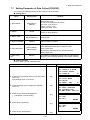
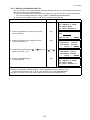
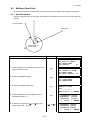
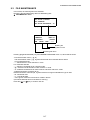
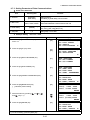
This mode is used to search the recorded file data in the DATA COLLECT or LAYOUT mode.
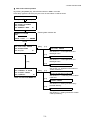
The following 3 search methods in each type of files can be selected.
1: First data search
2: Last data search
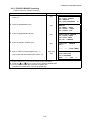
3: Point number search(MEAS.DATA, COORD.DATA)
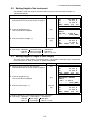
Number search (PCODE LIB.)
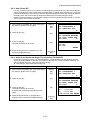
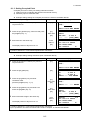
MEAS. DATA
: Measured data in the data collect mode.
COORD. DATA : Coordinate data for layout, control points and new point data measured in the
layout mode.
PCODE LIB.
: The data which was registered with a number from 1 to 50 in Point code library.
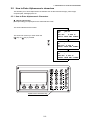
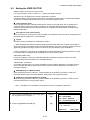
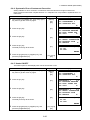
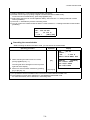
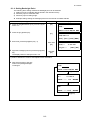
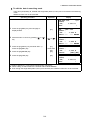
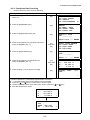
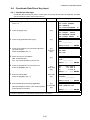
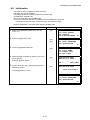
Point name (PT#, BS#), ID, PCODE and Height data (INS.HT, R.HT) can be corrected in the searching
mode.
Measured value can not be corrected.
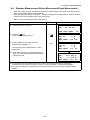
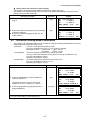
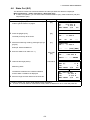
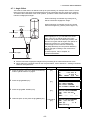
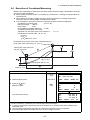
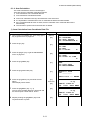
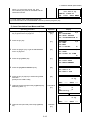
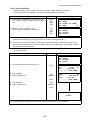
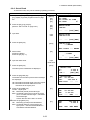
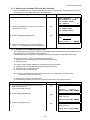
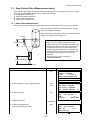
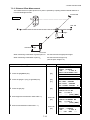
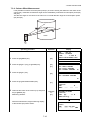
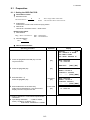
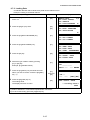
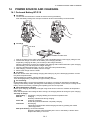
9.2.1 Measured Data Searching
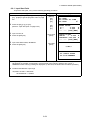
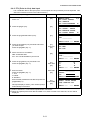
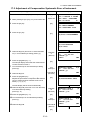
Example: Point number searching
Operating procedure
Operation
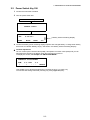
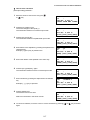
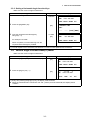
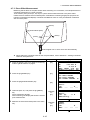
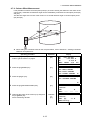
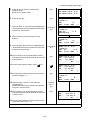
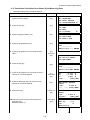
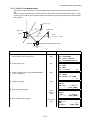
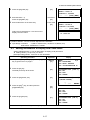
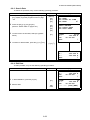
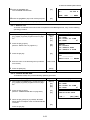
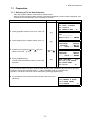
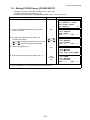
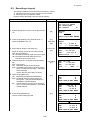
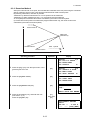
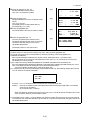
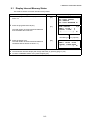
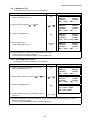
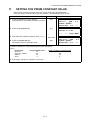
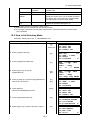
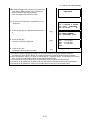
1 Press the [F3](MEMORY MGR.) key from the
Display
[F3]
MEMORY MGR.
1/3
F1:FILE STATUS
F2:SEARCH
F3:FILE MAINTAN P↓
2 Press the [F2](SEARCH) key.
[F2]
SEARCH
F1:MEAS. DATA
F2:COORD. DATA
F3:PCODE LIB.
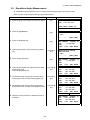
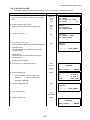
3 Press the [F1](MEAS. DATA) key.
[F1]
SELECT A FILE
FN:_________
menu 1/3.
INPUT LIST ––– ENTER
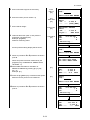
4 Press the [F1](INPUT) key and enter File Name.
Press the [F4](ENT) key. *1),2)
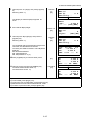
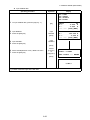
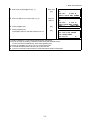
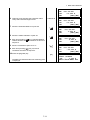
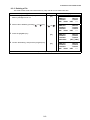
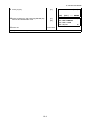
5 Press the [F3](PT# DATA) key.
[F1]
Enter FN
[F4]
[F3]
MEAS. DATA SEARCH
F1:FIRST DATA
F2:LAST DATA
F3:PT# DATA
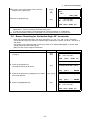
PT# DATA SEARCH
PT#:_________
INPUT –––
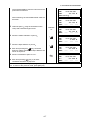
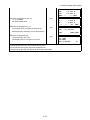
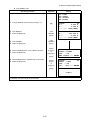
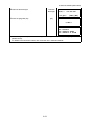
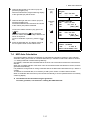
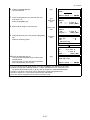
6 Press the [F1](INPUT) key and enter PT#.
[F1]
Enter PT#
[F4]
Press the [F4](ENT) key. *1)
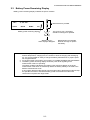
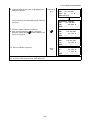
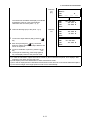
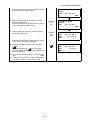
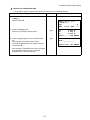
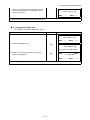
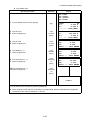
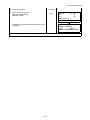
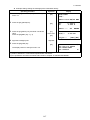
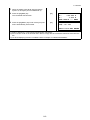
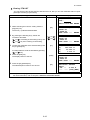
7 Press the [F4](↓) key to scroll data for selected
[F4]
point.
*1)
*2)
z
z
z
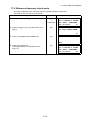
Refer to Section 2.6 "How to enter alphanumeric characters".
To show the file list, press the [F2](LIST) key.
"⎦ " represents data shown on the display is the stored data.
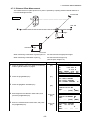
Press the [ ] or [ ] key to scroll to next or previous point.
To search MEAS. DATA of the same point number, press [ ] or [
9-3
––– ENTER
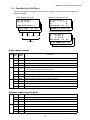
PT#⎦TOP-104
2/2
V ⎦
98°36'20"
HR⎦ 160°40'20"
0°00'00"
↓
TILT⎦
PT#⎦TOP-104
PCODE⎦
R.HT⎦ 1.200 m
EDIT
] key.
1/2
↓