1
Welcome to Perfect Layers 1
Welcome to Perfect Layers
Perfect Layers is the fast and easy way to create layered files with Adobe Photoshop® Lightroom®.
With Perfect Layers you can create and edit multilayered Photoshop files from Lightroom or use it to
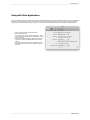
combine images from within other applications such as Apple Aperture® and iPhoto® or Adobe
Bridge®. Use it to change skies, composite multiple images together or retouch portraits.
Some of the features:
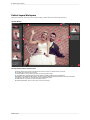
Combine multiple images into a layered Photoshop-compatible file.
Adjust layer size, position, blending mode and opacity.
Use the built-in layer masks and masking tools to blend multiple layers together.
Use the Retouch Brush to remove blemishes and dust spots.
With Perfect Layers, multiple images can be merged as separate layers of a single new file. Then
photographers can easily reorder and position each layer; As well as change blending modes and
opacity. In addition, photographers can selectively blend, or mask layers together using the Masking
Brush and Masking Bug developed originally for PhotoTools and FocalPoint. Perfect Layers saves its
work as native layered Photoshop files so users can open them directly with Photoshop for additional
editing.
Why We Created Perfect Layers
We hear from customers and photographers evaluating our products that they are relying more on
applications like Lightroom and Aperture for their digital workflow. Perfect Layers is a response to
adopting these applications to easily combine multiple images to create straightforward composites.
This is exciting for photographers who do not own Photoshop as it provides them with new creative
options for combining multiple images.
What This Means For You
Perfect Layers gives you a streamlined and efficient way to create layered files either by importing
multiple images together or by taking a single image and duplicating the original layer. Perfect Layers
gives you basic, easy to use masking tools.
Inspired by and Designed with Scott Kelby
Here at onOne, we don't think we have all the answers. That's why we worked closely with best-selling
author, trainer, and Photoshop Guru, Scott Kelby to design the perfect product to complement
Lightroom and Aperture. Our goal with Perfect Layers is to deliver the layered file functionality
photographers want in Lightroom and in Aperture.
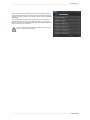
“The impact Perfect Layers is going to have
on photographers using Lightroom makes it a
game changer! This is the must-have plug-in
for Lightroom.”
-Scott Kelby
Perfect Layers