1
Contents
Getting Started
Advanced Features
yy
yy
yy
yy
yy
yy
yy
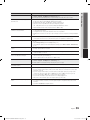
yy Media Play............................................................... 23
List of Features.......................................................... 4
Accessories............................................................... 4
Install the Stand......................................................... 5
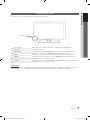
Viewing the Control Panel.......................................... 7
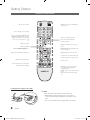
Viewing the Remote Control ..................................... 8
Connecting to an Antenna......................................... 9
Plug & Play (Initial Setup)............................................ 9
Connections
yy
yy
yy
yy
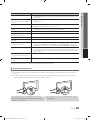
Connecting to an AV Device..................................... 10
Connecting to an Audio Device................................ 11
Connecting to a PC................................................. 11
Changing the Input Source...................................... 12
Basic Features
Connecting a USB Device
Using the Media Play Menu
23
23
Other Information
yy
yy
yy
yy
yy
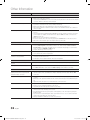
Installing the Wall Mount.......................................... 27
Anti-Theft Kensington Lock...................................... 27
Securing the Installation Space................................ 28
Securing the TV to the Wall...................................... 29
Troubleshooting....................................................... 30
yy
yy
yy
yy
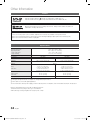
License.................................................................... 33
Specifications.......................................................... 33
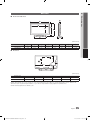
Dimensions.............................................................. 34
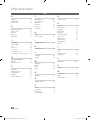
Index....................................................................... 35
Storage and Maintenance
32
yy How to Navigate Menus........................................... 13
yy Channel Menu......................................................... 13
Seeing Channels
Using Favorite Channels
Memorizing Channels
Editing Channels
Other Features
13
14
14
14
14
yy Picture Menu........................................................... 15
15
15
16
ENGLISH
Changing the Preset Picture Mode
Adjusting Picture Settings
Changing the Picture Options
yy Sound Menu............................................................ 17
Changing the Preset Sound Mode
Adjusting Sound Settings
Sound Settings
17
18
18
yy Setup Menu............................................................. 18
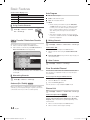
Setting the Time
Using the Sleep Timer
Setting the On/Off Timer
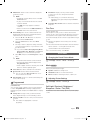
Locking Programs
Other Features
Economical Solutions
18
19
19
19
21
22
yy Support Menu.......................................................... 22
Check the Symbol!
t
This function can be used by pressing the
TOOLS button on the remote control.
Note
Indicates additional information.
Step by Step Guide
Check here for instructions on how to open
the relevant submenu within the OSD (on
screen display).
English
[PD530-ZA]BN68-03689A-01Eng.indb 3
3
2011-06-30 오후 1:18:52