1
Draft
Draft
List of Figures
2.1. Standard HyperAtlas License .................................................................................... 4
2.2. Dataset Page .......................................................................................................... 5
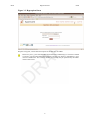
2.3. Log in Page ........................................................................................................... 5
2.4. Help ..................................................................................................................... 6
3.1. Registered status menu bar ....................................................................................... 7
3.2. Advanced status menu bar ........................................................................................ 7
3.3. Hyps upload form ................................................................................................... 8
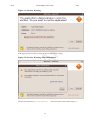
4.1. Security Warning .................................................................................................. 12
4.2. Security Warning: More Information ........................................................................ 12
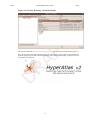
4.3. Security Warning: Certificate Details ........................................................................ 13
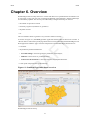
6.1. Standard HyperAtlas frame overview ........................................................................ 15
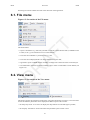
6.2. Screenshot of the File menu .................................................................................... 16
6.3. Screenshot of the View menu .................................................................................. 16
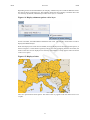
6.4. Display submenu options: cities layer ....................................................................... 17
6.5. Displayed cities .................................................................................................... 17
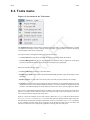
6.6. Screenshot of the Tools menu ................................................................................. 18
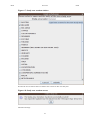
6.7. Study area creation window .................................................................................... 19
6.8. Study area creation success ..................................................................................... 19
6.9. Map of the new study area ..................................................................................... 20
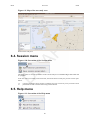
6.10. Screenshot of the Session menu ............................................................................. 20
6.11. Screenshot of the Help menu ................................................................................. 20
7.1. Study area fields ................................................................................................... 23
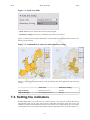
7.2. Combination of study area and elementary zoning ....................................................... 23
7.3. Indicators box ....................................................................................................... 24
7.4. Numerator, denominator and ratio tabs ...................................................................... 24
7.5. Contexts box ........................................................................................................ 25
7.6. Deviations maps tabs ............................................................................................. 25
7.7. Synthesis map options ............................................................................................ 26
7.8. Synthesis map tab ................................................................................................. 27
7.9. A deviations synthesis histogram for a regiion ............................................................ 27
7.10. Legend of the dual synthesis map ........................................................................... 29
7.11. Dual synthesis map: red units ................................................................................ 30
7.12. Dual synthesis map: blue units ............................................................................... 31
7.13. Dual synthesis map: yellow units ........................................................................... 32
7.14. Dual synthesis map: final typology ......................................................................... 33
8.1. Details box for the synthesis map ............................................................................. 35
8.2. Options for proportional circles ............................................................................... 36
8.3. Options for deviation maps ..................................................................................... 37
8.4. Spatial zoom slider ................................................................................................ 38
8.5. Screenshot of a generated report .............................................................................. 39
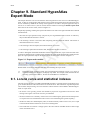
9.1. Expert mode enabled ............................................................................................. 40
9.2. Lorenz curve, statistical indexes and explanations ....................................................... 41
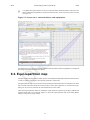
9.3. Equi-repartition map .............................................................................................. 42
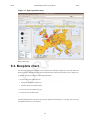
9.4. Boxplots chart ...................................................................................................... 43
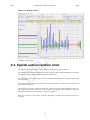
9.5. Spatial autocorrelation chart .................................................................................... 44
10.1. Standard HyperCarte Workflow ............................................................................. 47
11.1. MIF file header ................................................................................................... 49
11.2. Example of two "Region" entries in the MIF file Data section ...................................... 51
12.1. Number S of needed sheets for n units .................................................................... 63
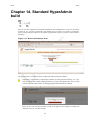
14.1. Dataset information form ...................................................................................... 69
14.2. Successfull build ................................................................................................. 70
A.1. Java console: stroke shape error .............................................................................. 71
C.1. Mathematical formula of the relative deviation ........................................................... 75
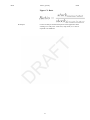
C.2. Ratio .................................................................................................................. 77
v