1
Programming BraVo! By Computer
to the included system wide distribution list (list 099), which includes all
mailboxes.
Note: You can only add an existing mailbox, whether real or virtual,
to a distribution list.
Each distribution list is assigned a designating list number up to three digits
in length. You can select a different number for the first digit of the
distribution list. Make sure that you select a number that does not interfere
with your PBX’s numbering plan. The default number is 0.
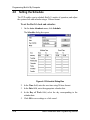
To create a distribution list:
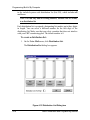
1. On the Voice Mail menu, click Distribution List.
The Distribution List dialog box appears.
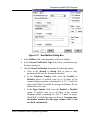
Figure 4-12 Distribution List Dialog box
4-14
BraVo Installation and Programming Manual