1
6
Administration: General Information
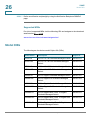
System Information
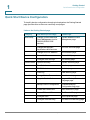
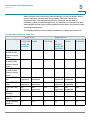
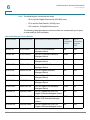
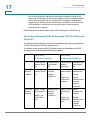
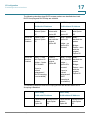
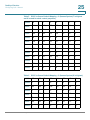
Stackable Managed Device Models (Continued)
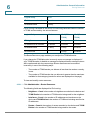
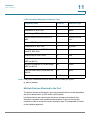
Model Name
Product ID (PID)
Description of Ports on Device
Power
Dedicated
to PoE
No. of
Ports that
Support
PoE
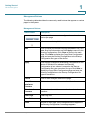
SG500X-48P
SG500X-48P-K9
48-Port Gigabit with 4-Port 10Gigabit PoE Stackable Managed
Switch
375W
48
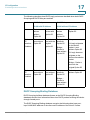
ESW2-550X-48
ESW2-550X-48K9
48-Port Gigabit with 4-Port 10Gigabit Stackable Managed Switch
N/A
N/A
ESW2-550X48DC
ESW2-550X48DC-K9
48-Port Gigabit with 4-Port 10Gigabit Stackable Managed Switch
N/A
N/A
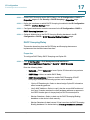
System Information
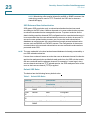
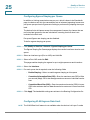
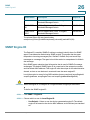
The System Summary page provides a graphic view of the device, and displays
device status, hardware information, firmware version information, general PoE
status, and other items.
Displaying the System Summary
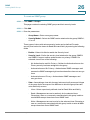
To view system information, click Status and Statistics > System Summary.
The System Summary page contains system and hardware information.
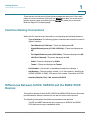
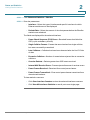
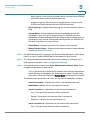
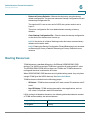
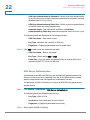
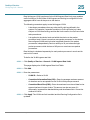
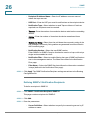
System Information:
•
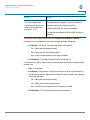
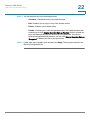
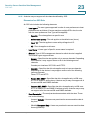
Base MAC Address—Device MAC address. If the system is in stack mode,
the base MAC address of the master unit is displayed.
NOTE If the system is in Native Stacking mode, the Firmware Version
number shown is based on the version of the master.
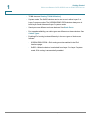
•
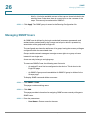
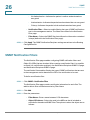
Firmware Version (Non-active Image)—Firmware version number of the
non-active image. If the system is in Native Stacking mode, the version of
the master unit is displayed.
Cisco 500 Series Stackable Managed Switch Administration Guide Release 1.3
84