1
20
Security
Configuring TACACS+
•
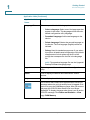
Server IP Address/Name—Enter the IP address or name of the TACACS+
server.
•
Priority—Enter the order in which this TACACS+ server is used. Zero is the
highest priority TACACS+ server and is the first server used. If it cannot
establish a session with the high priority server, the device tries the next
highest priority server.
•
Source IP Address—(For SG500X devices and other devices in Layer 3
system mode). Select to use either the default device source address or one
of the available device IP addresses for communication with the TACACS+
server.
•
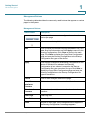
Key String—Enter the default key string used for authenticating and
encrypting between the device and the TACACS+ server. This key must
match the key configured on the TACACS+ server.
A key string is used to encrypt communications by using MD5. You can
select the default key on the device, or the key can be entered in Encrypted
or Plaintext form. If you do not have an encrypted key string (from another
device), enter the key string in plaintext mode and click Apply. The
encrypted key string is generated and displayed.
If you enter a key, this overrides the default key string if one has been
defined for the device on the main page.
•
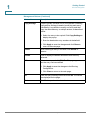
Timeout for Reply—Enter the amount of time that passes before the
connection between the device and the TACACS+ server times out. Select
Use Default to use the default value displayed on the page.
•
IP Port—Enter the port number through which the TACACS+ session
occurs.
•
Single Connection—Select to enable receiving all information in a single
connection. If the TACACS+ server does not support this, the device reverts
to multiple connections.
STEP 7 To display sensitive data in plaintext form in the configuration file, click Display
Sensitive Data As Plaintext.
STEP 8 Click Apply. The TACACS+ server is added to the Running Configuration file of the
device.
Cisco 500 Series Stackable Managed Switch Administration Guide Release 1.3
372