1
Section 3: Preparing for Deployment
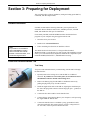
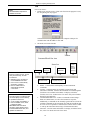
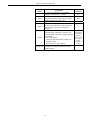
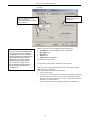
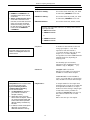
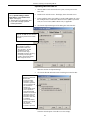
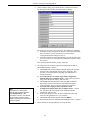
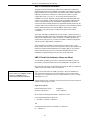
Following are the Toolbar buttons applicable to the SBE 35:
Toolbar
Button
Description
Equivalent
Command*
Re-establish communications with SBE 35.
(press Enter
key)
Computer responds with S> prompt.
Display instrument setup and status (number of
Status
measurements to take and average per sample,
DS
number of samples in memory, etc.).
Coefficients Display calibration coefficients.
DC
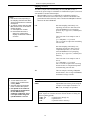
Capture instrument responses on screen to file.
File has .cap extension. Press Capture again to
Capture
—
turn off capture. Capture status displays in
Status bar.
DDb,e
Upload data stored in SBE 35’s memory,
(use Upload to
along with status, calibration coefficient, and
user-input header information. Uploaded file has include status,
calibration
.asc extension.
Upload
coefficient and
Before using Upload:
user-input
• Configure upload and header parameters in
header
Configure menu.
information
• Remove power to stop sampling.
in file)
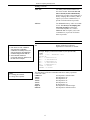
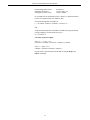
Free computer COM port used to communicate
Disconnect with SBE 35. COM port can then be used by
—
another program.
*See Command Descriptions in this section.
Connect
11