1
PAGE 2
OME-RESA INSIGHT
STUDENT SERVICES UPDATE
SIS E-newsletter
DASL Update
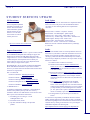
OME-RESA’s Student
Services department publishes
a monthly E-newsletter on our
website. These E-newsletters
contain information, updates,
and tips and tricks in each
edition. To view the most
current release or archived
releases please visit:
Congratulations to all of our districts that have completed the SIS to
DASL conversion!! The present count of OME-RESA districts
converted is 30. The following districts have completed their
conversion:
http://www.omeresa.net/e-newsletter.htm
Support Contact Info
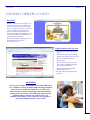
OME-RESA Helpdesk – District POC’s (points of contact) should
use the OME-RESA Helpdesk when emailing for support. The
helpdesk can be found on the OME-RESA Web Page under
“Support Services”. Click on “OME-RESA Helpdesk”. Click on
“Submit a Request” and complete the form to submit your
request. Please be sure to select the correct department under
“How would you categorize this request?”
Buckeye JVSD—Carrollton—Claymont—Garaway
Harrison Hills—New Philadelphia—Quaker Digital
Southern Local—Tusky Valley—Indian Valley—Dover
Coshocton City—Coshocton Opp—River View—Franklin Local
Franklin Digital—Buckeye Local—Indian Creek
Jefferson JVSD—Newcomerstown—East Guernsey
Belmont JVS—Toronto—Coshocton JVS—Steubenville
Bellaire St. John HS—Mid-East JVS-Martins Ferry-Cambridge
St. Clairsville
DASLr
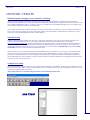
DASLr is now available. DASLr is a read-only database with views
that will access your district’s DASL data. Information retrieved via
DASLr can be used with an ODBC compliant application of your
choosing to produce data files and customized reports in countless
ways that may be helpful to your district. The steps to follow in using
DASLr are as follows:
1. You must be LIVE on DASL to use DASLr.
Knowledge Books - We are currently populating the Knowledge
Books with additional information. If you click on “Student
Services” you will see items entered under DASL and SIS. Please
check this on a regular basis.
2. Your district must submit the District Authorization for
DASLr Access. Once received, OME-RESA will setup the
account and provide the information needed for connection
to the district contact.
POC’s can still email:
3. Follow the instructions for Setting up the ODBC Connection
for DASLr to setup the DSN necessary for use with an
ODBC compliant application. Some examples of ODBC
compliant applications are Microsoft Excel, Filemaker Pro,
Access, etc.
Assistance with DASL – [email protected]
Assistance with SIS – [email protected]
Assistance with Progress Book – [email protected]
Assistance with Special Services – [email protected]
Assistance with EMIS – [email protected]
***IMPORTANT***
A reminder for Student Data Coordinators - when emailing for
assistance with problems please provide ALL necessary
information. With the new email addresses we do not know what
district you are from without this information!
1) the building you are working in - Use the
building BUNNY code
2) the student's name, SIS ID
3) any other information relating to the particular
problem
4. Print the DASLr views documentation. This document
contains information regarding the views available in
DASLr. Views are categorized views of the data contained
within the DASL database. While many views are available,
you may find that you need something that isn’t available
yet. If so, please send a request to [email protected] so
that we can formally request this from the state level.
5. Use the application of your choosing to access data via
DASLr.
It is the district’s responsibility to familiarize themselves with the
ODBC compliant application of their choice in order to use DASLr.
Information regarding the forms and instructions referenced above are
available either by clicking on the links above or by accessing the
OME-RESA helpdesk at the following link:
https://helpdesk.omeresa.net/index.php?pg=kb.chapter&id=40