1
90
CHAPTER 8. SCORING
parameter is set to TRUE those steps with step length zero will
not be taken into account.
– GmG4PSCellCharge This class scores the total charge of particles which have stopped or have been created in the volume, i.e.
the tracks that enter count as +1 and the tracks that exit count
as -1.
– GmG4PSTrackCounter This class scores the number of tracks
in a cell.
• for Event Biasing
Scoring for event biasing is a very specific use case whereby particle
weights and fluxes through importance cells are required. The goals
of the scoring technique are to:
– appraise particle quantities related to special regions or surfaces,
– be applicable to all ”cells” (physical volumes or replicas) of a
given geometry,
– be customizable.
A number of scorers have been created for this specific application:
– GmG4PSNofCollision This scorer records the number of collisions that occur within a scored volume/cell.
– GmG4PSPopulation This scores the number of tracks within
in a given cell per event. A particle weight is not applied by
default.
– GmG4PSTermination This scores the number of tracks that
are terminated in a given cell per event. A particle weight is not
applied by default.
8.2
Filter classes
See section on Filters and classifiers.
8.3
Scorer printers
A scorer printers serves to select the format of the output of a scorer. These
classes are unique to GAMOS, as Geant4 does not provide this functionality.
As mentioned above, several printers can be associated to the same scorer.
The general use printer scorers currently in GAMOS are the following:
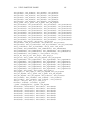
• GmPSPrinterDefault Prints in the standard output the summary
of scoring in the following format: