1
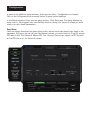
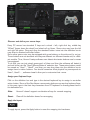
Note: You can adjust both Deadzone and ADS Deadzone on the fly with Venom-X mouse
buttons or by your keyboard. Refer to the Venom-X User’s Manual for the details
about the function button command list.
Range: 16-96.
Auto Firing:
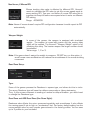
Auto Fire is also referred to as Rapid Fire. This feature is used in game when players
have semi-auto weapon but want to fire as an automatic weapon or trigger. When
engaged this also allows fully automatic weapons less recoil and tighter groupings.
Burst:
When Auto Fire is turned on, mouse fires 2-4 burst rounds automatically on each click
when Burst 2, 3 or 4 is selected;
When the “Full Auto” is selected mouse would continuously fires as long as the trigger
button is pressed.
The firing rate can be adjusted from 2 to 10 rounds per second.
Note: The actual firing rate also depends on the weapon, some weapons may not
reach the speed you have set. This is due to its maximum re-coil speed assigned
in game is slower than your setting. In this case, you can set a slower rate so
that the burst firing functions correctly.
Stability Assistance:
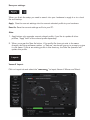
The bullets impact point will spread out
due to the re-coil force. This feature is for
“holding” the weapon against the re-coil
force to for a more precise focus on a
target. Stability Assistance function will
assist a players firing dampening recoil.
The higher factor number tightens the
impact group more.
Aim Down Sight lock:
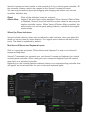
Lock the Aim scope on sight so users do not need to hold the button while snipe aiming
for long periods of time.
Note: Some games have the Aim Down Sight Lock function already, so this function
needs to be turned off in this case.