1
MOUSE SETUP
You can setup Venom-X mouse hardware options for performance and your own preference.
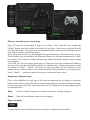
Mouse resolution:
Venom-X mouse stores 3 preset resolution settings in its memory block. User can switch to
any of them on the fly by pressing the DPI button on top of the mouse, refer to the “Venom-X
User’s Manual” for details.
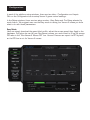
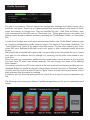
The preset resolution setting is indicated with the wheel LED color. The Resolution Setup
slider has 3 color bars for adjusting their DPI value corresponding to the wheel color. Click
on each of the color slider bar to adjust and assign their DPI value.
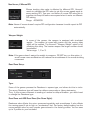
Independent X-Y DPI:
Active DPI:
X and Y axis DPI can be set to different value.
The mouse current working DPI.
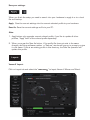
Mouse Polling Rate:
Polling rate also referred to as re-fresh rate, the faster polling rate, the less response time.
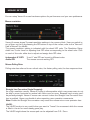
Straight Line Correction (Angle Snapping):
As a high resolution mouse, Venom-X mouse is ultra-sensitive which may cause users to not
be able to move horizontal or vertical with little room for error. Because hand moving can’t
be perfectly straight. Venom-X mouse can correct it when the Straight Line Correction function is enabled. Users may disable it when expecting more precision movements.
Note: Enable the Straight line correction may cause the mouse micro move precision loss.
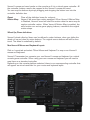
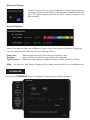
Lift-Off:
The Lift-Off function is very useful when you want to “freeze” the movement while the mouse
is lifted in the air for more steady game play.
The Lift-Off height above the mouse pad can be adjusted from 0.5 - 3mm.