1
1. DESCRIPTION OF THE SCENARIO
Application note 5 described how to connect a Phoenix Mobile audiocodec to a 3G network by
means of a modem in order to establish communications in mobile scenarios. Even if that
document is still valid, technology has made a great leap forward and now many service
providers are offering mobile internet accesses that are not only faster, but also more and more
reliable and affordable.
Actually, one of the 3G or “UMTS” technology limitations consists on the reduction of the
bandwidth when the number of active users on the same cell grows up, what in practice means
that it is nearly impossible to broadcast events where a large audience is present, as in the case
of sports competitions, live concerts, etc.
4G (or “LTE”, Long Term Evolution) technology appears to reduce this issue by, among many
other things, a complete redesign of the radio interface and, at the same time, manages to
provide larger available data bandwidths, that can get up to 300 Mb/s downstream, and 80 Mb/s
upstream for a certain type of high-end terminals. By using readily available modems that are
even provided by the ISP, up to 100Mb/s downstream with 50Mb/s upstream can be achieved
with good coverage conditions, what means more than 100 times higher bitrate than what you
really need to transmit two full-duplex high quality audio channels.
This application note explains the way to connect a Phoenix audiocodec (Mobile, Studio, Stratos,
Mercury, Venus or Alio) to a 3G/4G network in order to make audio calls. The most typical
scenario could be a reporter using the latest-generation Phoenix Alio audiocodec to transmit
audio via IP to a remote studio that counts with an AEQ Phoenix stationary audiocodec, such as
Studio, Stratos, Mercury or Venus.
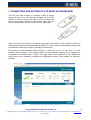
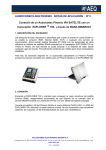
We have homologated the ZTE MF823 USB modem, due to its wide availability, the fact that it is
homologated by many international network operators, its small size and reasonable price.
All Phoenix devices count with a 10/100Mbps Ethernet port (except for Phoenix Mobile that has a
10Mbps port, only), so some kind of adaptor is required in order to connect this USB modem to
that port.
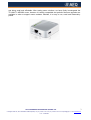
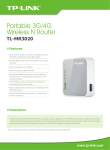
For this purpose, a portable 3G/4G router that supports the used 4G USB modems is proposed.
At the time of writing this manual, after a market survey we reached the conclusion that very little
routers support auto-detection of LTE modems while at the same time offering an Ethernet port
APLICACIONES ELECTRONICAS QUASAR S.A.
2
C/ Margarita Salas 24, 28919 LEGANÉS. MADRID (SPAIN) Tel.:(34) 91 686 13 00 * FAX: (34) 91 686 44 92 .E-mail: [email protected] . Web: www.aeq.eu
N.I.F. :A-28620649