1
APPENDIX: Using the TP-LINK MR3020 router as a Wi-Fi adapter
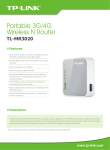
The presented router is quite flexible, and another interesting options it offers is its utilization as a
Wi-Fi adapter, allowing an Ethernet connected unit to access any existing Wi-Fi network that,
having proper connectivity and permissions, can connect it to Internet.
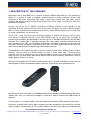
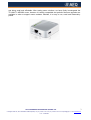
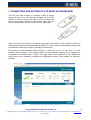
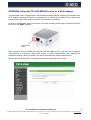
In order to configure the router in this mode, move the operating mode switch, located at a side of
the unit, to the “WISP” position.
Mode selector
switch
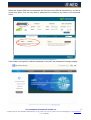
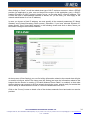
Next, connect it using a straight (non crossed) Ethernet cable to a PC, and open the IP address:
192.168.0.254 in a browser, what gives access to router administration. After entering the
credentials (admin / admin by default), we will be presented the general status screen.
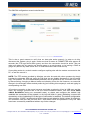
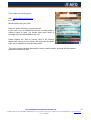
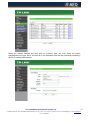
Select the Quick Setup option (it appears by default anyway) and click on Next.
APLICACIONES ELECTRONICAS QUASAR S.A.
23
C/ Margarita Salas 24, 28919 LEGANÉS. MADRID (SPAIN) Tel.:(34) 91 686 13 00 * FAX: (34) 91 686 44 92 .E-mail: [email protected] . Web: www.aeq.eu
N.I.F. :A-28620649