1
Digital Signage Media Player
Digital Signage Media Player Overview
(* Only for LY540S series)
The Digital Signage Media Player can play content produced and distributed by SuperSign Elite-W.
Supported content types consist of photographs, videos, external inputs such as TV broadcasts, texts,
and music.
(1 ) Executable content
yy*.cts : These files can be played at any time.
yy*.sce : These files can be played at any time like *.cts files or they can be played to a specific schedule.
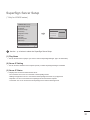
(2) Using the My Media menu to play files
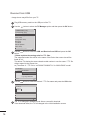
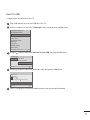
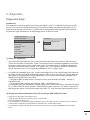
yyAfter inserting the USB storage device, access the My Media menu and select an executable content file under the
“All Media” tab or the “Contents List” tab to play the file.
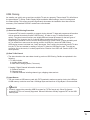
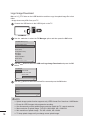
(3) Auto-play on USB insertion
yyFiles with executable content in a specific folder are automatically played when Power On is selected or when a
USB drive is inserted after Power On.
yyIf a USB storage device is already inserted when Power On is selected, files with executable content in the “normal”
folder are played by default. If the “normal” folder does not exist, files with executable content in the “AutoPlay”
folder are played instead.
yyIf a USB storage device is inserted some time after Power On has been selected, files with executable content in
the “AutoPlay” folder are played by default. If the “AutoPlay” folder does not exist, files with executable content in
the “normal” folder are played instead.
yyAuto-play on USB insertion is only supported by USB port #1.
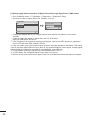
(4) Distributing and playing content via SuperSign Elite-W
If a USB storage device is inserted in USB port #1, the LAN cable is connected and the SuperSign Server settings
yy
are configured, content can be received from the SuperSign Elite-W server.
yySchedules can be set to play a variety of specific content or media files, including photos and videos, from
SuperSign Elite-W whenever the user wants.
yyMessages created by the user can be sent to the player via SuperSign Elite-W.
yyFor more information, see the SuperSign Elite-W manual.
3