1
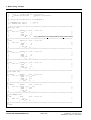
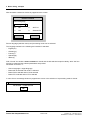
3 Basic dialog, example
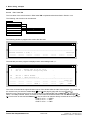
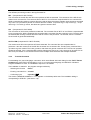
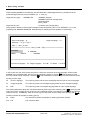
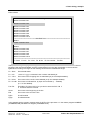
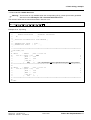
The different processing modes in the log file stand for:
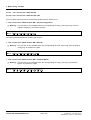
MP: (Component ID: MP-E-KOM)
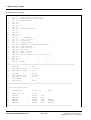
The comments of the MP file and all function packets of MP are extracted. The comments of the MP file are
written into a comment file. The comment files of all FP´s of one PN are comprehended to one comment file.
While comprehending existing comment files are used as filters that means multiple used comments are saved
only ones. For 8 processors per MP 9 comment files are created: <mp-name>.kgr, 1<mp-name>.kgr,...8<mpname>.kgr. The index gr means, that these are german comment files.
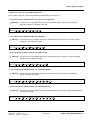
PN: (Component ID: PN-E-KOM)
The comments of all function packets are extracted. The comment files of all FP of one PN are comprehended
to one comment file. While comprehending several existing comment files are saved only ones. Thereby all for
the selected MP existing comment files are used as a filter. If the processor 1 is selected, then the comment
file of the MP is generated additionally.
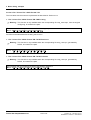
All FP of PN:(Component ID: PN-FP-E-KOM)
The comments of all function packets of PN are extracted. The comment files are comprehended. In
processor 1 also the comments of the MP file are written into a comment file. Thereby many comment files n:
<fp-name>.kgr are created. The index gr means, that these are german comment files. This kind of operation
should be selected, if the comprehended comment files become too big or if only comment of singular FPs do
have to be processed. In the comment file there are multiple used comments also multiple extracted.
3.9.2
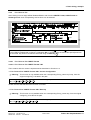
Translate Comment
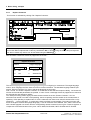
For translating the „source language“ comments, which were filtered with basic dialog function FILE / Extract
Comment out of a STRUC configuration V4.x or V3.x, into the target language, the MS-DOS / WindowsProgram KOMEDIT is used. The installation sequence is as follows:
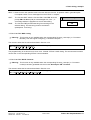
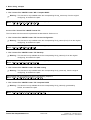
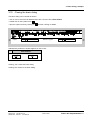
The installation is started in the program manager window by:
−
Selecting the function
filerun
−
Entering command line
a:install
−
Confirming input
input key
.
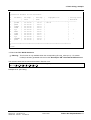
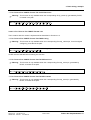
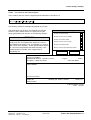
The window „SIEMENS KOMEDIT L 4.2.1“ appears on the desktop after start. The installation dailog is
corresponding to STRUC L (see section 1.6).
Siemens AG 465 982.7101.21
SIMADYN D STRUC L User Manual
Edition 06.95
Fehler! Nur Hauptdokument-47