1
Multicompany Financials
Set up intergroup transactions
To set up intergroup transactions:
1 In the Group Company Parameters (tfgld0101s000) session, define to which base company the
group company belongs. You can only enter another company number if the company table is
shared. (For details about data sharing refer to "Multicompany Data Sharing" on page 173.
2 In the Intergroup Relations (tfgld2501m000) session, specify the financial companies for which you
want LN to generate intergroup transactions.
Financials > General Ledger > Intercompany Transaction Processing > Intergroup Relations
(tfgld2501m000)
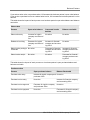
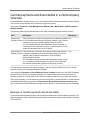
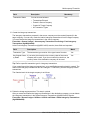
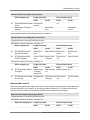
The Intergroup Relations (tfgld2501m000) session comprises these fields:
Field
Description
Company
Number
The company number is the company in which the financial trans- Yes
action is created.
Ledger Account
The ledger account of the other group company for which the
transactions will be created. The ledger account must be of the
type Intercompany and is created in the current company.
Related Com- The company number of the company for which the transactions
pany
are intended.
Mand.
Yes
Yes
Related Ledger The ledger account of the current company from which the transac- Yes
Acc.
tions are created. The ledger account must be of the type Intercompany and is created in the related company.
You can print the defined intergroup relations with the Print Intergroup Relations (tfgld2401m000)
session.
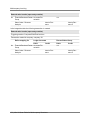
Processing intergroup transactions
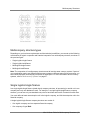
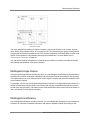
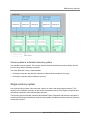
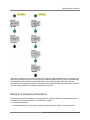
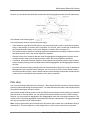
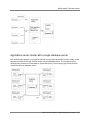
The following diagram shows the intergroup transactions processing procedure:
98 | Infor LN User Guide for Multicompany Structures