1
Navboxes
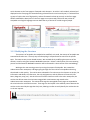
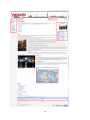
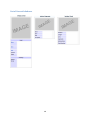
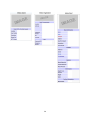
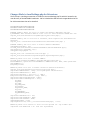
The purpose of navboxes is to connect the user to articles similar to the current page. Navboxes, like
infoboxes, are created and handled through the use of MediaWiki’s Template system. We have
implemented the structure of navboxes by using Wikipedia’s navbox templates as a model. In all, we
created 4 navboxes. These can be found at the following location:
http://venipedia.org/index.php?title=Category:Navbox_templates
Implementation
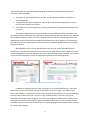
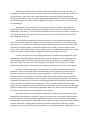
We’ve developed a brief procedure describing how we added the navbox feature in Venipedia. This
should not have to be done again, unless something unexpected happens to the navbox feature.
Requirement: Documentation templates from Wikipedia
12.
13.
14.
15.
16.
17.
18.
19.
20.
21.
22.
Go to http://en.wikipedia.org/wiki/Template:Navbox
Click View Source at the top right of the page
Copy the code
Make a page in Venipedia titled Template:Navbox
Paste the code into the page and save the page
The documentation subpage should also be included, so go to
http://en.wikipedia.org/wiki/Template:Navbox/doc
And repeat steps 2-5, except replace Template:Navbox with Template:Navbox/doc
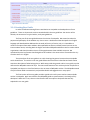
Go to the Template:Navbox page in Venipedia. There will most likely be many red links present.
This means that the current template refers to other templates which don’t exist in Venipedia
since the code was copied from Wikipedia.
Parse through the document and pick out the red links that seem to be required for the actual
structure of the navbox. There will be many unnecessary red links that are Wikipedia exclusive,
which is why the Import and Export feature is not desirable in this situation.
Repeat steps 2-5 for each red link that is dependent upon the structure for navboxes.
Troubleshoot: It will take time and patience to figure out which red links are required. Refer to
Wikipedia’s template page on navboxes (http://en.wikipedia.org/wiki/Template:Navbox) if
necessary.
Creating a Navbox
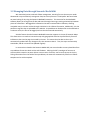
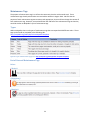
Refer to the Template:Navbox page in Wikipedia. It has detailed instructions on how to create a navbox.
Also refer other premade navboxes, such as Template:Bridges, Template:Convents, Template:Islands,
and Template:Palaces in Venipedia for the formatting of both the template page and the documentation
subpage. To give a brief explanation:
7. Go to http://en.wikipedia.org/wiki/Template:Navbox
8. Copy the generalized navbox code from the heading Usage
9. Create a page titled Template:Infobox Foo in Venipedia where Foo is the unique name of your
navbox.
10. Paste the code into the page, and fill out the title and appropriate group and list fields.
51