1
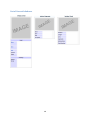
Appendix E: Importing Data One of the goals for our project was to explore and implement methods to manage the VPC’s data. During our time consuming and in-depth research, we found an extension called DataTransfer that allows the user to import CSV and XML formatted files into Venipedia. The CSV format is very common and is supported by most operating systems and programs, so we felt that this extension would be worthwhile to implement. In order to accomplish this, we converted Microsoft Database files into CSV format using Microsoft Access. We then had to format the data so that the extension would understand where all the data should be placed within the wiki article. We’ve devised a procedure describing how we accomplished this, so that more data can be imported by future students. We hope that this will be a major breakthrough in centralizing a location for VPC data. Note: This guide assumes the reader has prior knowledge of designing Infoboxes and the functions of all four of the installed semantic extensions (Semantic MediaWiki, Semantic Maps, Semantic Result Formats, and Semantic Compound Queries). If you don’t understand these concepts, please refer to: the Help:Infobox article in Venipedia and Appendix D: Semantic Extensions located in this report. Verifying the Installation of DataTransfer The first step is to install the DataTransfer extension. The Venipedia team has already installed the extension, so this step should not be necessary unless someone tampers with the currently installed extensions. To verify that the extension is installed, go to the page Special:Version in Venipedia and make sure that DataTransfer is listed. If for some reason it is not listed, then search for the extension on the MediaWiki website and follow the installation directions there. Defining Templates DataTransfer takes advantage of and relies on MediaWiki’s template concept to transclude data into wiki entries. Therefore, the first real step in this process is to define and populate all of the templates for the data. There are 4 kinds of templates that we have used during our importing process: Infobox, named Template: Infobox Data Page, named Template:Page Data Map, named Template:Map Data Gallery, named Template:Image Data where “Data” represents the generic title of data that you want to import. Template:Infobox Data Locate the Help:Infobox article in Venipedia, and use that to design your infobox. The process is no different than the regular design of and infobox. 69