1
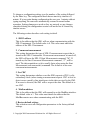
To change a configuration setting, type the number of the setting followed
by the Enter key. The configuration mode has an inactivity timeout of 1
minute. If at any point during configuration the user goes 1 minute without
typing anything, the converter automatically returns to normal online
operation. Setting changes are saved as they are entered, so any changes
completed during the configuration session will not be lost if a inactivity
timeout occurs.
The following section describes each setting in detail.
1. SDI12 address
This is the address that the SM1 will use when communicating with the
SDI-12 instrument. The default value is 0. This value must match the
address of the SDI-12 instrument.
2. Concurrent measurement
This setting determines the type of SDI-12 measurement request that is
issued to the SDI-12 instrument. If concurrent measurement is turned off,
the SM1 will issue the SDI-12 Start Measurement command, “M”. If
turned on, the Start Concurrent Measurement command, “C”, will be
used. The data acquisition cycle is usually faster when using the Start
Measurement (non-concurrent) command. The default is to use nonconcurrent measurements.
3. Use CRC
This setting determines whether or not the SM1 requests a CRC (cyclic
redundancy check) when issuing a measurement request. CRC is used to
detect errors caused by line interference in the data received by the SM1.
If an error is detected, the SM1 will re-request the data. The default is to
use CRC.
4. Modbus address
This is the address that the SM1 will respond to on the ModBus interface.
The default value is 1. This value must match the address that the
ModBus master uses when communicating with the SM1.
5. Restore default settings
This selection resets all configuration parameters to the factory-default
settings.
© Copyright 2009 Instrumental Solutions Inc. All Rights Reserved.
6