1
Preface
Copyright
This publication, including all photographs, illustrations and software, is protected under international copyright laws, with all rights reserved. Neither this manual, nor any
of the material contained herein, may be reproduced without written consent of the author.
Version 2.2
Disclaimer
The information in this document is subject to change without notice. The manufacturer makes no representations or warranties with respect to the contents hereof and
specifically disclaims any implied warranties of merchantability or fitness for any particular purpose. The manufacturer reserves the right to revise this publication and to
make changes from time to time in the content hereof without obligation of the manufacturer to notify any person of such revision or changes.
Trademark Recognition
Microsoft, MS-DOS and Windows are registered trademarks of Microsoft Corp.
MMX, Pentium, Pentium-II, Pentium-III, Celeron are registered trademarks of Intel
Corporation.
Other product names used in this manual are the properties of their respective owners
and are acknowledged.
Federal Communications Commission (FCC)
This equipment has been tested and found to comply with the limits for a Class B digital device, pursuant to Part 15 of the FCC Rules. These limits are designed to provide
reasonable protection against harmful interference in a residential installation. This
equipment generates, uses, and can radiate radio frequency energy and, if not installed and used in accordance with the instructions, may cause harmful interference
to radio communications. However, there is no guarantee that interference will not occur in a particular installation. If this equipment does cause harmful interference to
radio or television reception, which can be determined by turning the equipment off
and on, the user is encouraged to try to correct the interference by one or more of the
following measures:
−
−
−
−
Reorient or relocate the receiving antenna.
Increase the separation between the equipment and the receiver.
Connect the equipment onto an outlet on a circuit different from that to which
the receiver is connected.
Consult the dealer or an experienced radio/TV technician for help.
Shielded interconnect cables and a shielded AC power cable must be employed with
this equipment to ensure compliance with the pertinent RF emission limits governing
this device. Changes or modifications not expressly approved by the system's manufacturer could void the user's authority to operate the equipment.
Declaration of Conformity
This device complies with part 15 of the FCC rules. Operation is subject to the following conditions:
−
−
This device may not cause harmful interference, and
This device must accept any interference received, including interference
that may cause undesired operation.
Canadian Department of Communications
This class B digital apparatus meets all requirements of the Canadian Interferencecausing Equipment Regulations.
Cet appareil numérique de la classe B respecte toutes les exigences du Réglement
sur le matériel brouilieur du Canada.
About the Manual
The manual consists of the following:
Chapter 1
Describes features of the motherboard,
and provides a shipping checklist.
Introducing the Motherboard
Go to ⇒ page 1
Chapter 2
Describes installation of motherboard
components.
Installing the Motherboard
Go to ⇒ page 7
Chapter 3
Provides information on using the BIOS
Setup Utility.
Using BIOS
Go to ⇒ page 27
Chapter 4
Describes the motherboard software.
Using the Motherboard Software
Go to ⇒ page 53
ii
TABLE OF CONTENTS
Preface
i
CHAPTER 1
1
Introducing the Motherboard
1
Introduction ...................................................................................................1
Features........................................................................................................2
Choosing a Computer Case .........................................................................4
Motherboard Components............................................................................5
CHAPTER 2
7
Installing the Motherboard
7
Safety Precautions .......................................................................................7
Quick Guide ..................................................................................................7
Installing the Motherboard in a Case ...........................................................8
Checking Jumper Settings ...........................................................................8
Setting Jumpers...................................................................................................8
Checking Jumper Settings ..................................................................................9
Jumper Settings...................................................................................................9
Connecting Case Components..........................................................................10
Front Panel Connector ......................................................................................12
Installing Hardware.....................................................................................13
Installing the Processor.....................................................................................13
Installing Memory Modules .............................................................................15
Installing a Hard Disk Drive/CD-ROM ...........................................................17
Installing a Floppy Diskette Drive ...................................................................20
Installing Add-on Cards....................................................................................21
Connecting Optional Devices...........................................................................22
Connecting I/O Devices..............................................................................26
CHAPTER 3
27
Using BIOS
27
About the Setup Utility................................................................................27
The Standard Configuration .............................................................................27
Entering the Setup Utility .................................................................................28
Updating the BIOS ...........................................................................................29
Using BIOS .................................................................................................29
Standard CMOS Features .................................................................................30
Advanced BIOS Features .................................................................................32
Advanced Chipset Features ..............................................................................35
Integrated Peripherals .......................................................................................39
Power Management Setup Option....................................................................44
PNP/PCI Configurations ..................................................................................48
PC Health Status ...............................................................................................49
iii
Frequency/Voltage Control...............................................................................49
Load Fail-Safe Defaults Option .......................................................................51
Load Optimized Defaults Option .....................................................................51
Set Password .....................................................................................................51
Save & Exit Setup Option ................................................................................52
Exit Without Saving..........................................................................................52
CHAPTER 4
53
Using the Motherboard Software
53
About the Software CD-ROM.....................................................................53
Auto-installing under Windows 98/ME/2000/XP ........................................53
Running Setup ..................................................................................................54
Manual Installation......................................................................................56
Utility Software Reference..........................................................................56
iv
Chapter 1
Introducing the Motherboard
Introduction
Thank you for choosing this motherboard. This motherboard is a high–
performance, enhanced function motherboard that incorporates one of the
following chipset: SiS648 or SiS648FX or SiS661FX Northbridge and SiS964
or SiS964L Southbridge chipsets. This motherboard supports Socket 478 Pentium 4 processors with system data transfer rate up to 800 MHz and “HyperThreading” technology for high-end business or personal desktop markets.
This motherboard is designed to give customers a high performance motherboard solution. The motherboard has an advanced full set of I/O ports, such
as dual channel interfaces, a floppy controller, a high-speed serial port, a VGA
port, an EPP/ECP capable bi-directional parallel port connector, four USB
(Universal Serial Bus) connector, optional LAN and 1394 port, a PS/2 keyboard and mouse connectors. A range of audio ports is also supplied such as
line-in, line-out and microphone-in.
This micro-ATX motherboard is equipped with three PCI local bus slots and
one AGP slot for high-end 3D Graphics Adapters. It supports also six USB
Ports, H/W Monitor and AC'97 audio CODEC.
Notice to user:
This manual is provided to accommodate the SF2/648, SF2/648FX and SF2/661FX
motherboards. To identify the type of motherboard you have, please refer below:
•
SF2/648 motherboard incorporates the SiS648 Northbridge and
SiS964/SiS964L Southbridge chipset.
•
SF2/648FX motherboard incorporates the SiS648FX Northbridge and
SiS964/SiS964L Southbridge chipset.
•
SF2/661FX motherboard incorporates the SiS661FX Northbridge and
SiS964/SiS964L Southbridge chipset.
Features
Processor
Chipset
The SF2 motherboard uses a micro PGA 478-pin socket that
has the following features:
•
Supports 800/533/400 MHz system bus
•
Supports “Hyper-Threading” technology CPU
“Hyper-Threading” technology enables the operating system
into thinking it’s hooked up to two processors, allowing two
threads to be run in parallel, both on separate ‘logical’ processors within the same physical processor.
The SiS648/SiS648FX/SiS661FX Northbridge and
SiS964/SiS964L Southbridge chipsets are based on an innovative and scalable architecture with proven reliability and
performance.
The motherboard may support either of the Northbridge and
Southbridge chipset mentioned above. Refer below for the
combination and respective details:
NB
SB
SiS648
SiS964/
964L
Support 533 MHz FSB, Ultra
DMA ATA 133 and DDR333
Function
SiS648FX
SiS964/
964L
Support 800 MHz FSB, Ultra
DMA ATA 133 and DDR400
SiS661FX
SiS964/
964L
Support 800 MHz FSB, Ultra
DMA ATA 133, DDR400 and
onboard VGA
Additional key features include support for eight USB ports,
Fast Ethernet MAC controller, AC’97 interface, advanced
power management, integrated DMA controller and keyboard
controller.
Memory
AGP
Audio
•
Supports DDR up to 400/333/266 MHz SDRAM memory
module
•
Accommodates two DDR 184-pin un-buffered DIMM
sockets
•
Each slot supports up to 1 GB with a total maximum
capacity of 2 GB
The motherboard includes an AGP slot that provides eight
times the bandwidth of the original AGP specification. The
AGP 3.0 (8XAGP) offers a significant increase in performance
along with feature enhancements to AGP2.0. This interface
represents the natural evolution from the existing AGP to meet
the ever-increasing demands placed on the graphic interfaces
within the workstation and desktop environments.
The motherboard supports 16-bit stereo full-duplex CODEC
with independent and variable sampling rate and advanced
power management. Incorporated with proprietary converter
technology. The digital interface circuitry operates from a 3.3V
power supply and supports an AC'97 2.3 compliant SPDIF out
function that allows easy connection from the PC to other electronic products. Further features include support for four
analog line-level stereo inputs.
2
Expansion
Options
The motherboard comes with the following expansion options:
•
Three 32-bit PCI slots
•
One AGP slot
•
Two IDE connectors which support four IDE channels and
a floppy disk drive interface
The SF2 supports Ultra DMA bus mastering with transfer rates
of 133/100/66/33 MB/sec.
Onboard LAN
(optional)
RTL8100C is a highly integrated and cost-effective single-chip
Fast Ethernet controller that complies with PC99/PC2001
standards. It integrates Fast Ethernet MAC, physical chip and
transceiver onto a single chip and supports 10 Mbps and 100
Mbps operation. It also provides PCI bus master data transfer
rate and PCI clock speed of 16.75 MHz ~ 40 MHz.
RTL8110S combines a triple speed IEEE 802.3 compliant
media access controller (MAC) with a triple-speed Ethernet
transceiver, 32/64-bit PCI bus controller and embedded memory. The devices support the PCI v2.2 bus interface and
supports 10/100/1000Mbps Ethernet. The devices support an
auxiliary power auto-detect function, and will auto-configure
related bits of the PCI power management registers in PCI
configuration space.
IEEE 1394A Controller Interface
(optional)
Integrated I/O
BIOS
Firmware
•
Compliant Single Chip PCI Host Controller for IEEE13941995 Release 1.0 and IEEE 1394a-2000
•
Provides two 1394a fully compliant cable ports at
100/200/400 Mbit per second
•
Supports 3.3V power supply with 5V tolerant inputs
•
Supports 32-bit power-managed PCI Bus interface
The motherboard has a full set of I/O ports and connectors:
•
Two PS/2 ports for mouse and keyboard
•
One serial port
•
One parallel port
•
Four USB ports
•
One LAN port
•
One VGA port
•
Audio jacks for microphone, line-in and line-out
This motherboard uses Award BIOS that enables users to
configure many system features including the following:
•
Power management
•
Wake-up alarms
•
CPU parameters
•
CPU and memory timing
The firmware can also be used to set parameters for different
processor clock speeds.
Some hardware specifications and software items are subject to change
without prior notice.
3
Choosing a Computer Case
There are many types of computer cases on the market. The motherboard
complies with the specifications for the Micro ATX system case. Some features on the motherboard are implemented by cabling connectors on the
motherboard to indicators and switches on the system case. Ensure that your
case supports all the features required. The motherboard can support one or
two floppy diskette drives and four enhanced IDE drives. Ensure that your
case has sufficient power and space for all the drives that you intend to install.
Most cases have a choice of I/O templates in the rear panel. Make sure that
the I/O template in the case matches the I/O ports installed on the rear edge
of the motherboard.
This motherboard has a Micro ATX form factor of 244 x 230 mm. Choose a
case that accommodates this form factor.
4
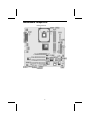
Motherboard Components
5
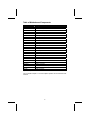
Table of Motherboard Components
Label
1394A2*
AGP1
ATX1
ATX2
AUDIO1
AUXIN1
CASFAN1
CDIN1
COM2
CPU SOCKET
CPUFAN1
DIMM1~ DIMM2
FDD1
IDE 1
IDE 2
JP1
JP3
LSIR1*
PANEL1
PCI1 ~ PCI3
SATA1 ~ SATA2*
SJ1
SPDIFO1
USB3 ~ USB4
WOL1
WOM1
Component
IEEE 1394a header
Accelerated Graphics Port
Standard 20-pin ATX power connector
ATX12V power connector
Front audio connector
Auxiliary Audio input header
Case fan connector
Primary CD-in connector
Onboard serial port header COM2
Micro PGA 478-pin socket for Pentium 4 CPUs
Cooling fan for CPU
Two 184-pin DDR SDRAM
Floppy disk drive connector
Primary IDE channel
Secondary IDE channel
Clear CMOS jumper
BIOS flash protect jumper
Serial Infrared port
Connector for case front panel switches and LED indicators
Three 32-bit add-on card slots
Two Serial ATA headers
Single color LED header
SPDIF out header
Two connectors for front panel USB ports
Wake on LAN
Wake on Modem
*Optional component
This concludes Chapter 1. The next chapter explains how to install the motherboard.
6
Chapter 2
Installing the Motherboard
Safety Precautions
Follow these safety precautions when installing the motherboard
•
•
•
•
Wear a grounding strap attached to a grounded device to avoid
damage from static electricity.
Discharge static electricity by touching the metal case of a safely
grounded object before working on the motherboard.
Leave components in the static-proof bags they came in.
Hold all circuit boards by the edges. Do not bend circuit boards.
Quick Guide
This Quick Guide suggests the steps you can take to assemble your system
with the motherboards.
The following table provides a reference for installing specific components:
Locating Motherboard Components
Go to page 6
Installing the Motherboard in a Case
Go to page 8
Setting Jumpers
Go to page 8
Installing Case Components
Go to page 9
Installing the Processor
Go to page 13
Installing Memory
Go to page 15
Installing an HDD and CD-ROM Drive
Go to page 17
Installing Serial ATA Hard Drives
Go to page 19
Installing an FDD
Go to page 20
Installing Add-on Cards
Go to page 21
Connecting Optional Devices
Go to page 22
Connecting Peripheral (I/O) Devices
Go to page 26
Installing the Motherboard in a Case
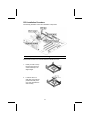
Refer to the following illustration and instructions for installing the motherboard in a case:
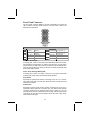
This illustration shows an example of a motherboard being
installed in a tower-type case:
Note:
Do not overtighten
the screws as this
can stress the motherboard.
Most system cases have
mounting brackets installed in
the case, which correspond to
the holes in the motherboard.
Place the motherboard over
the mounting brackets and
secure the motherboard onto
the mounting brackets with
screws.
Ensure that your case has an I/O template that supports the I/O ports and
expansion slots on your motherboard.
Checking Jumper Settings
This section explains how to set jumpers for correct configuration of the motherboard.
Setting Jumpers
Use the motherboard jumpers to set system configuration options. Jumpers
with more than one pin are numbered. When setting the jumpers, ensure that
the jumper caps are placed on the correct pins.
The illustrations below show a 2-pin jumper.
When the jumper cap is placed on both pins,
the jumper is SHORT. If you remove the
jumper cap, or place the jumper cap on just
one pin, the jumper is OPEN.
Short
This illustration shows a 3-pin
jumper. Pins 1 and 2 are SHORT.
1 2
3
Open
8
Checking Jumper Settings
The following illustration shows the location of the motherboard jumpers. Pin 1
is labeled.
Jumper Settings
Jumper
Type
Description
Setting (default)
JP1
JP1
3-pin
Clear CMOS
1-2: Normal
2-3: Clear CMOS
1
JP3
JP3
3-pin
BIOS Protect
1-2: Write Enable
2-3: Write Disable
1
JP1: Clear CMOS jumper
This jumper is to clear the contents of CMOS RAM. You may need to clear the
CMOS memory if the settings in the Setup Utility are incorrect that prevents
your motherboard from operating. To clear the CMOS RAM, disconnect all the
power cables from the motherboard and then move the jumper cap into the
CLEAR setting for a few seconds. This jumper enables you to reset BIOS.
JP3: BIOS Protect jumper
Set the jumper to enabled if you are going to update the BIOS. Set the
jumper to disabled if you are going to prevent the BIOS from being updated
(flashed).
9
Connecting Case Components
After you have installed the motherboard into a case, you can begin connecting the motherboard components. Refer to the following:
1.
2.
3.
4.
5.
Connect the CPU
cooling fan cable to
CPUFAN1.
Connect the case
cooling fan connector
to CASFAN1.
Connect the case
switches and indicator
LEDs to the PANEL1.
If there are 2 pins in
the case LED cable,
connect to SJ1.
Connect the standard
power supply connector to ATX1.
Connect the auxiliary
power supply
connector to ATX2.
CPUFAN1/CASFAN1: FAN Power Connectors
Pin
1
2
3
Signal Name
GND
+12V
Sense
Function
System Ground
Power +12V
Sensor
SJ1: Single color LED header
Pin
1
2
3
Signal Name
ACPI LED
ACPI LED
SB5V
Function
MSG LED (-) green
MSG LED (-) green
Power LED (+)
ACPI LED function:
1
SJ1
S0
S1
S3
S4/S5
Light
Blinking
Blinking
Dark
10
ATX1: ATX 20-pin Power Connector
Pin
Signal Name
Pin
Signal Name
1
2
3
4
5
6
7
8
9
10
+3.3V
+3.3V
Ground
+5V
Ground
+5V
Ground
PWRGD
+5VSB
+12V
11
12
13
14
15
16
17
18
19
20
+3.3V
-12V
Ground
PS ON#
Ground
Ground
Ground
-5V
+5V
+5V
ATX2: ATX 12V Power Connector
Pin
1
2
3
4
Signal Name
+12V
+12V
Ground
Ground
11
Front Panel Connector
The front panel connector (PANEL1) provides a standard set of switch and
LED connectors commonly found on ATX or micro-ATX cases. Refer to the
table below for information:
Pin
Signal
Function
Pin
Hard disk LED
(positive)
Hard disk active LED
(negative)
1
HD_LED_P
3
HD_LED_N
5
7
9
RST_SW_N
Reset Switch
RST_SW_P
Reset Switch
RSVD
Reserved
Signal
Function
MSG LED [dual color
or single color (+)]
MSG LED [dual color
or single color (-)]
2
FP PWR/SLP
4
FP PWR/SLP
6
8
10
PWR_SW_P
Power Switch
PWR_SW_N
Power Switch
NC
No pin
Hard Drive Activity LED
Connecting pins 1 and 3 to a front panel mounted LED provides visual indication that data is being read from or written to the hard drive. For the LED to
function properly, an IDE drive should be connected to the onboard IDE interface. The LED will also show activity for devices connected to the SCSI (hard
drive activity LED) connector.
Power / Sleep / Message Waiting LED
Connecting pins 2 and 4 to a single- or dual-color, front panel mounted LED
provides power on/off, sleep, and message waiting indication.
Reset Switch
Supporting the reset function requires connecting pins 5 and 7 to a momentary-contact switch that is normally open. When the switch is closed, the board
resets and runs POST.
Power Switch
Supporting the power on/off function requires connecting pins 6 and 8 to a
momentary-contact switch that is normally open. The switch should maintain
contact for at least 50 ms to signal the power supply to switch on or off. The
time requirement is due to internal de-bounce circuitry. After receiving a power
on/off signal, at least two seconds elapses before the power supply recognizes another on/off signal.
12
Installing Hardware
Installing the Processor
Caution: When installing a CPU heatsink and cooling fan make sure that
you DO NOT scratch the motherboard or any of the surface-mount resistors with the clip of the cooling fan. If the clip of the cooling fan scrapes
across the motherboard, you may cause serious damage to the motherboard or its components.
On most motherboards, there are small surface-mount resistors near the
processor socket, which may be damaged if the cooling fan is carelessly
installed.
Avoid using cooling fans with sharp edges on the fan casing and the
clips. Also, install the cooling fan in a well-lit work area so that you can
clearly see the motherboard and processor socket.
Before installing the Processor
This motherboard automatically determines the CPU clock frequency and
system bus frequency for the processor. You may be able to change these
settings by making changes to jumpers on the motherboard, or changing the
settings in the system Setup Utility. We strongly recommend that you do not
overclock processors or other components to run faster than their rated
speed.
Warning: Overclocking components can adversely affect the reliability of
the system and introduce errors into your system. Overclocking can permanently damage the motherboard by generating excess heat in
components that are run beyond the rated limits.
This motherboard has a Socket 478 processor socket. When choosing a
processor, consider the performance requirements of the system. Performance is based on the processor design, the clock speed and system bus
frequency of the processor, and the quantity of internal cache memory and
external cache memory.
13
CPU Installation Procedure
The following illustration shows CPU installation components:
Note: The pin-1 corner is marked with an arrow
Follow these instructions to install the Retention Module and CPU:
1.
Install your CPU. Pull up
the lever away from the
socket and lift up to 90degree angle.
2.
Locate the CPU cut
edge (the corner with the
pinhole noticeably missing). Align and insert the
CPU correctly.
14
3.
Press the lever down.
4.
Apply thermal grease on top of the CPU.
5.
Put the CPU Fan down
on the retention module
and snap the four retention legs of the cooling
fan into place.
6.
Flip the levers over to lock the heat sink in place.
7.
Connect the CPU Cooling Fan power cable to
the CPUFAN1 connector. This completes the
installation.
Notes:
•
•
To achieve better airflow rates and heat dissipation, we suggest that
you use a high quality fan with 4800 rpm at least.
CPU fan and heatsink installation procedures may vary with the type of
CPU fan/heatsink supplied. The form and size of fan/heatsink may also
vary.
Installing Memory Modules
This motherboard accommodates two 184-pin 2.5V unbuffered Double Data
Rate (DDR) SDRAM memory modules. Double Data Rate (DDR) SDRAM
doubles the rate to 1.6 GBps and 2.1 GBps.
The motherboard accommodates two memory modules. You must install at
least one module in any of the two slots. Each module can be installed with 1
GB of memory; total memory capacity is 2 GB.
15
DDR SDRAM memory module table:
Memory module
DDR 266
DDR 333
DDR 400
No. of DIMMs
2 DIMMS
2 DIMMS
2 DIMMS
Memory Bus
133 MHz
166 MHz
200 MHz
Note: We do not guarantee that all DDR 400 memory modules will work properly with your motherboard.
Do not remove any memory module from its antistatic packaging until
you are ready to install it on the motherboard. Handle the modules only
by their edges. Do not touch the components or metal parts. Always
wear a grounding strap when you handle the modules.
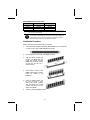
Installation Procedure
Refer to the following to install the memory modules.
1.
This motherboard supports unbuffered DDR SDRAM only. Do not attempt
to insert any other type of DDR SDRAM into the slots.
2.
Push the latches on each side of the DIMM slot down.
3.
Align the memory module with
the slot. The DIMM slots are
keyed with notches and the
DIMMs are keyed with cutouts
so that they can only be installed correctly.
4.
Check that the cutouts on the
DIMM module edge connector
match the notches in the
DIMM slot.
5.
Install the DIMM module into
the slot and press it firmly
down until it seats correctly.
The slot latches are levered
upwards and latch on to the
edges of the DIMM.
6.
Install any remaining DIMM modules.
16
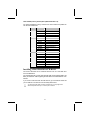
Table A: DDR (memory module) QVL (Qualified Vendor List)
The following DDR400 memory modules have been tested and qualified for
use with this motherboard.
Size
Vendor
128MB
Samsung
Infineon
Micron
NANYA
NANYA
M368L1713DTM-CC4
HYS64D16301GU-5-B
MT8VDDT1664AG-403B2
NT128D64SH4B1G-5
NT128D64SH4B1G-5T
256MB
SAMSUNG
NANYA
Micron
Infineon
Micron
NANYA
M368L3223DTM-CC4
NT256D64S88B1G-5
MT16VDDT3264AG-403B2
HYS64D32300GU-5-B
MT8VDDT3264AG-40BC4
NT256D64S88B1G-5T
Ramaxel
Infineon
512MB
SAMSUNG
NANYA
Micron
NANYA
Apacer
Apacer
Apacer
SAMSUNG
Infineon
Module Name
Infineon
HYS64D32300HU-5-C
M368L6423DTM-CC4
NT512D64S8HB1G-5
MT16VDDT6464AG-40BC4
NT512D64S8HB1G-5T
Infineon
MOSEL
PSC
M368L6423ETM-CC4
HYS64D64320HU-5-C
Installing a Hard Disk Drive/CD-ROM
This section describes how to install IDE devices such as a hard disk drive
and a CD-ROM drive.
Your motherboard has a primary and secondary IDE channel interface (IDE1 and
IDE2). An IDE ribbon cable supporting two IDE devices is bundled with the motherboard.
If you want to install more than two IDE devices, get a second IDE cable and
you can add two more devices to the secondary IDE channel.
You must orient the cable connector so that the pin 1 (color) edge of the
cable corresponds to the pin 1 of the I/O port connector.
17
IDE1: Primary IDE Connector
The first hard drive should always be connected to IDE1.
IDE2: Secondary IDE
The second drive on this controller must be set to slave mode. The configuration is the same as IDE1.
IDE devices have jumpers or switches that are used to set the IDE device as
MASTER or SLAVE. Refer to the IDE device user’s manual. When installing two
IDE devices on one cable, ensure that one device is set to MASTER and the
other device is set to SLAVE. The documentation of your IDE device explains
how to do this.
CDIN1
Pin
1
2
3
4
Signal Name
CDL
GND
GND
CDR
Function
Left CD-in signal
Ground
Ground
Right CD-in signal
18
About SATA Connectors
Your motherboard features two SATA connectors supporting a total of two
drives. SATA refers to Serial ATA (Advanced Technology Attachment) is the
standard interface for the IDE hard drives which are currently used in most
PCs. These connectors are well designed and will only fit in one orientation.
Locate the SATA connectors on the motherboard (see page 22) and follow the
illustration below to install the SATA hard drives.
Note: These connectors are available when your motherboard supports the
SiS964 Southbridge only.
Installing Serial ATA Hard Drives
To install the Serial ATA (SATA) hard drives, use the SATA cable that supports
the Serial ATA protocol. This SATA cable comes with an SATA power cable.
You can connect either end of the SATA cable to the SATA hard drive or the
connecter on the motherboard.
SATA cable (optional)
SATA power cable (optional)
Refer to the illustration below for proper installation:
1.
Attach either cable end to the connector (A) on the motherboard.
2.
Attach the other cable end (B) to the SATA hard drive.
3.
Attach the SATA power cable to the SATA hard drive (C) and connect the
other end to the power supply.
Note: This motherboard does not support the “Hot-Plug” function.
19
About UltraDMA
This motherboard supports UltraDMA 133/100/66. UDMA is a technology that
accelerates the performance of devices in the IDE channel. To maximize performance, install IDE devices that support UDMA and use 80-pin IDE cables
that support UDMA 133/100/66.
Installing a Floppy Diskette Drive
The motherboard has a floppy diskette drive (FDD) interface and ships with a
diskette drive ribbon cable that supports one or two floppy diskette drives. You
can install a 5.25-inch drive and a 3.5-inch drive with various capacities. The
floppy diskette drive cable has one type of connector for a 5.25-inch drive and
another type of connector for a 3.5-inch drive.
You must orient the cable connector so that the pin 1 (color) edge of the
cable corresponds to the pin 1 of the I/O port connector.
FDD1: Floppy Disk Connector
This connector supports the provided floppy drive ribbon cable. After connecting the single end to the onboard floppy connector, connect the remaining
plugs on the other end to the floppy drives correspondingly.
20
Installing Add-on Cards
The slots in this motherboard are designed to hold expansion cards and connect them to the system bus. Expansion slots are a means of adding or
enhancing the motherboard’s features and capabilities. With these efficient
facilities, you can increase the motherboard’s capabilities by adding hardware
which performs tasks that are not part of the basic system.
PCI Slots
AGP Slot
PCI slots are used to install expansion cards that have the 32-bit
PCI interface.
The AGP slot is used to install a graphics adapter that supports the
8X AGP specification and has a 4X AGP edge connector.
Note: Before installing an add-on card, check the documentation for the card
carefully. If the card is not Plug and Play, you may have to manually configure the card before installation.
Follow these instructions to install an add-on card:
1.
2.
3.
Remove a blanking plate from the system case corresponding to the slot you
are going to use.
Install the edge connector of the
add-on card into the expansion
slot. Ensure that the edge connector is correctly seated in the
slot.
Secure the metal bracket of the card to the system case with a screw.
Note: For some add-on cards, for example graphics adapters and network adapters, you have to install drivers and software before you can begin using
the add-on card.
21
Connecting Optional Devices
Refer to the following for information on connecting the motherboard’s optional devices:
AUDIO1: Front Panel Audio connector
This connector allows the user to install auxiliary front-oriented microphone
and line-out ports for easier access.
Pin
Signal Name
Function
1
2
3
4
5
6
AUD_MIC
AUD_GND
AUD_MIC_BIAS
AUD_VCC
AUD_FPOUT_R
AUD_RET_R
7
HP_ON
8
9
10
KEY
AUD_FPOUT_L
AUD_RET_L
Front Panel Microphone input signal
Ground used by Analog Audio Circuits
Microphone Power
Filtered +5 V used by Analog Audio Circuits
Right Channel Audio signal to Front Panel
Right Channel Audio signal to Return from
Front Panel
Reserved for future use to control Headphone Amplifier
No Pin
Left Channel Audio signal to Front Panel
Left Channel Audio signal Return from
Front Panel
22
USB3/USB4: Front Panel USB connectors
The motherboard has four USB ports installed on the rear edge I/O port array.
Additionally, some computer cases have USB ports at the front of the case. If
you have this kind of case, use auxiliary USB connector to connect the frontmounted ports to the motherboard.
Pin
1
2
3
4
5
6
7
8
9
10
Signal Name
USBPWR0
USBPWR1
USB_FP_P0USB_FP_P1USB_FP_P0+
USB_FP_P1+
GND
GND
KEY
USB_FP_OC0
Function
Front Panel USB Power
Front Panel USB Power
USB Port 0 Negative Signal
USB Port 1 Negative Signal
USB Port 0 Positive Signal
USB Port 1 Positive Signal
Ground
Ground
No pin
Over-current signal
Note: Please make sure that the USB cable has the same pin assignment as indicated above. A different pin assignment may cause damage or system
hang-up.
SPDIFO1: SPDIF out header (optional)
You can purchase an optional 24-bit digital audio extension bracket from a
third-party vendor. You can use the audio RCA jacks to connect to digital audio
devices. If your CD-ROM/DVD device has digital audio output, you can connect it to the SPDIF connector.
Pin
1
2
3
4
Signal Name
Function
SPDIF
+5VA
NC
GND
SPDIF digital output
5V analog power
Not connected
Ground
AUXIN1: Auxiliary-in header
This connector is an additional line-in audio connector. It allows you to attach
a line-in cable when your rear line-in jack is set as line out port for 4-channel
function.
Pin
1
2
3
4
Signal Name
Function
AUX_L
GND
GND
AUX_R
AUX In left channel
Ground
Ground
AUX In right channel
23
COM2: Onboard serial port connector
Connect a serial port extension bracket to this header to add a second serial
port to your system.
Pin
Signal Name
Function
1
2
3
4
5
6
7
8
9
10
NDCDB
NSINB
NSOUTB
NDTRB
GND
NDSRB
NRTSB
NCTSB
NRIB
Key
Data carry detect
Serial Data In
Serial Date Out
Data terminal ready
Ground
Date set ready
Request to send
Clear to send
Ring Indicator
Key
WOL1: Wake On LAN
If you have installed a LAN card, use the cable provided with the card to plug
into the motherboard WOL1 connector. This enables the Wake On LAN
(WOL) feature. When your system is in a power-saving mode, any LAN signal
automatically resumes the system. You must enable this item using the Power
Management page of the Setup Utility.
Pin
1
2
3
Signal Name
Function
5VSB
GND
Ring#
+5V stand by power
Ground
Wake up signal (low active)
WOM1: Wake On Modem
If you have installed a modem, use the cable provided with the modem to plug
into the motherboard WOM1 connector. This enables the Wake On Modem
(WOM1 feature. When your system is in a power-saving mode, any modem
signal automatically resumes the system. You must enable this item using the
Power Management page of the Setup Utility.
Pin
1
2
3
Signal Name
Function
5VSB
GND
Ring#
+5V stand by power
Ground
Wake up signal (low active)
24
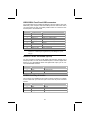
LSIR1: Serial Infrared port (optional)
Connect a serial port extension bracket to this header to add a second serial
port to your system.
Pin
1
2
3
4
5
Signal Name
VCC
EMPTY
IRRX
Ground
IRTX
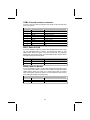
SATA1/SATA2: Serial ATA headers (optional)
These connectors are use to support the new Serial ATA devices for the highest date transfer rates (150 MB/s), simpler disk drive cabling and easier PC
assembly. It eliminates limitations of the current Parallel ATA interface. But
maintains register compatibility and software compatibility with Parallel ATA.
Pin
1
3
5
7
Signal Name
GND
TXRXGND
Pin
2
4
6
-
Signal Name
TX+
GND
RX+
-
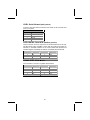
1394A2: IEEE 1394A header
Use this header to connect to any IEEE 1394A interface.
Pin
Signal Name
Pin
Signal Name
1
3
5
7
9
TPA+
GND
TPB+
Cable-power
Key
2
4
6
8
10
TPAGND
TPBCable-power
GND
25
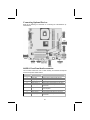
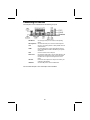
Connecting I/O Devices
The backplane of the motherboard has the following I/O ports:
PS/2 Mouse
PS/2 Keyboard
LPT1
COM1
VGA
Audio Ports
LAN Port
USB Ports
Use the upper PS/2 port to connect a PS/2 pointing
device.
Use the lower PS/2 port to connect a PS/2 keyboard.
Use LPT1 to connect printers or other parallel communications devices.
Use the COM ports to connect serial devices such as
mice or fax/modems. COM1 is identified by the system
as COM1/3.
Connect a monitor to the VGA port.
Use the three audio ports to connect audio devices. The
first jack is for stereo line-in signal. The second jack is
for stereo line-out signal. The third jack is for microphone.
Connect an RJ-45 jack to the LAN port to connect your
computer to the Network.
Use the USB ports to connect USB devices.
This concludes Chapter 2. The next chapter covers the BIOS.
26
Chapter 3
Using BIOS
About the Setup Utility
The computer uses the latest Award BIOS with support for Windows Plug and
Play. The CMOS chip on the motherboard contains the ROM setup instructions for configuring the motherboard BIOS.
The BIOS (Basic Input and Output System) Setup Utility displays the system's
configuration status and provides you with options to set system parameters.
The parameters are stored in battery-backed-up CMOS RAM that saves this
information when the power is turned off. When the system is turned back on,
the system is configured with the values you stored in CMOS.
The BIOS Setup Utility enables you to configure:
•
•
•
•
Hard drives, diskette drives, and peripherals
Video display type and display options
Password protection from unauthorized use
Power management features
The settings made in the Setup Utility affect how the computer performs. Before using the Setup Utility, ensure that you understand the Setup Utility
options.
This chapter provides explanations for Setup Utility options.
The Standard Configuration
A standard configuration has already been set in the Setup Utility. However,
we recommend that you read this chapter in case you need to make any
changes in the future.
This Setup Utility should be used:
•
•
•
•
•
when changing the system configuration
when a configuration error is detected and you are prompted to
make changes to the Setup Utility
when trying to resolve IRQ conflicts
when making changes to the Power Management configuration
when changing the password or making other changes to the Security Setup
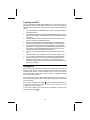
Entering the Setup Utility
When you power on the system, BIOS enters the Power-On Self Test (POST)
routines. POST is a series of built-in diagnostics performed by the BIOS. After
the POST routines are completed, the following message appears:
Press DEL to enter SETUP
Pressing the delete key
accesses the BIOS Setup Utility:
BIOS Navigation Keys
The BIOS navigation keys are listed below:
Key
Function
Esc
Exits the current menu
←↑↓→
+/–/PU/PD
Scrolls through the items on a menu
Modifies the selected field's values
F10
Saves the current configuration and exits setup
F1
Displays a screen that describes all key functions
F5
Loads previously saved values to CMOS
F6
Loads a minimum configuration for troubleshooting.
F7
Loads an optimum set of values for peak performance
28
Updating the BIOS
You can download and install updated BIOS for this motherboard from the
manufacturer's Web site. New BIOS provides support for new peripherals,
improvements in performance, or fixes for known bugs. Install new BIOS as
follows:
1.
2.
3.
4.
5.
6.
7.
8.
If your motherboard has a BIOS protection jumper, change the setting to
allow BIOS flashing.
If your motherboard has an item called Firmware Write Protect in Advanced
BIOS features, disable it. (Firmware Write Protect prevents BIOS from being
overwritten.)
Create a bootable system disk. (Refer to Windows online help for information on creating a bootable system disk.)
Download the Flash Utility and new BIOS file from the manufacturer's
Web site. Copy these files to the system diskette you created in Step 3.
Turn off your computer and insert the system diskette in your computer's
diskette drive. (You might need to run the Setup Utility and change the boot
priority items on the Advanced BIOS Features Setup page, to force your
computer to boot from the floppy diskette drive first.)
At the A:\ prompt, type the Flash Utility program name and press <Enter>.
Type the filename of the new BIOS in the “File Name to Program” text
box. Follow the onscreen directions to update the motherboard BIOS.
When the installation is complete, remove the floppy diskette from the
diskette drive and restart your computer. If your motherboard has a
Flash BIOS jumper, reset the jumper to protect the newly installed BIOS
from being overwritten.
Using BIOS
When you start the Setup Utility, the main menu appears. The main menu of
the Setup Utility displays a list of the options that are available. A highlight
indicates which option is currently selected. Use the cursor arrow keys to
move the highlight to other options. When an option is highlighted, execute
the option by pressing <Enter>.
Some options lead to pop-up dialog boxes that prompt you to verify that you
wish to execute that option. Other options lead to dialog boxes that prompt
you for information.
Some options (marked with a triangle
) lead to submenus that enable you
to change the values for the option. Use the cursor arrow keys to scroll
through the items in the submenu.
In this manual, default values are enclosed in parenthesis. Submenu items
are denoted by a triangle .
29
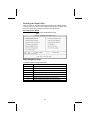
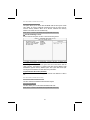
Standard CMOS Features
This option displays basic information about your system.
Date and Time
The Date and Time items show the current date and time on the computer. If
you are running a Windows OS, these items are automatically updated whenever you make changes to the Windows Date and Time Properties utility.
IDE Devices (None)
Your computer has two IDE channels (Primary and Secondary) and each
channel can be installed with one or two devices (Master and Slave). Use
these items to configure each device on the IDE channel.
Press <Enter> to display the IDE submenu:
IDE HDD Auto-Detection
Press <Enter> while this item is highlighted to prompt the Setup Utility to
automatically detect and configure an IDE device on the IDE channel.
30
Note: If you are setting up a new hard disk drive that supports LBA mode, more
than one line will appear in the parameter box. Choose the line that lists
LBA for an LBA drive.
IDE Primary/Secondary Master/Slave
Leave this item at Auto to enable the system to automatically detect and configure
IDE devices on the channel. If it fails to find a device, change the value to Manual
and then manually configure the drive by entering the characteristics of the drive in
the items described below.
Refer to your drive's documentation or look on the drive casing if you need to obtain this information. If no device is installed, change the value to None.
Note: Before attempting to configure a hard disk drive, ensure that you have the
configuration information supplied by the manufacturer of your hard
drive. Incorrect settings can result in your system not recognizing the installed hard disk.
Access Mode
This item defines ways that can be used to access IDE hard disks such as
LBA (Large Block Addressing). Leave this value at Auto and the system will
automatically decide the fastest way to access the hard disk drive.
Press <Esc> to return to the Standard CMOS Features page.
Drive A/Drive B (1.44M, 3.5 in./None)
These items define the characteristics of any diskette drive attached to the
system. You can connect one or two diskette drives.
Floppy 3 Mode Support (Disabled)
Floppy 3 mode refers to a 3.5-inch diskette with a capacity of 1.2 MB. Floppy
3 mode is sometimes used in Japan.
Video (EGA/VGA)
This item defines the video mode of the system. This motherboard has a builtin VGA graphics system; you must leave this item at the default value.
Halt On (All Errors)
This item defines the operation of the system POST (Power On Self Test) routine. You can use this item to select which types of errors in the POST are
sufficient to halt the system.
Base Memory, Extended Memory, and Total Memory
These items are automatically detected by the system at start up time. These
are display-only fields. You cannot make changes to these fields.
31
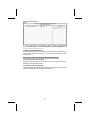
Advanced BIOS Features
This option defines advanced information about your system.
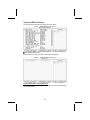
CPU Feature (Press Enter)
Scroll to this item and press <Enter> to view the following screen:
Thermal Management (Thermal Monitor 1)
This item displays CPU’s temperature and enables you to set a safe temperature to Prescott CPU.
32
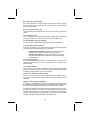
Hard Disk Boot Priority (Press Enter)
Scroll to this item and press <Enter> to view the following screen:
CPU L1 and L2 Cache (Enabled)
All processors that can be installed in this motherboard use internal level 1
(L1) and external level 2 (L2) cache memory to improve performance. Leave
this item at the default value for better performance.
Hyper-Threading Technology (Enabled)
This item is only available when the chipset supports Hyper-Threading and
you are using a Hyper-Threading CPU.
Quick Power On Self Test (Enabled)
Enable this item to shorten the power on testing (POST) and have your system start up faster. You might like to enable this item after you are confident
that your system hardware is operating smoothly.
First/Second/Third Boot Device (Floppy/Hard Disk/CDROM)
Use these three items to select the priority and order of the devices that your
system searches for an operating system at start-up time.
Boot Other Device (Enabled)
When enabled, the system searches all other possible locations for an operating system if it fails to find one in the devices specified under the First,
Second, and Third boot devices.
Swap Floppy Drive (Disabled)
If you have two floppy diskette drives in your system, this item allows you to
swap the assigned drive letters so that drive A becomes drive B, and drive B
becomes drive A.
33
Boot Up Floppy Seek (Disabled)
If this item is enabled, it checks the size of the floppy disk drives at start-up
time. You don't need to enable this item unless you have a legacy diskette
drive with 360K capacity.
Boot Up NumLock Status (On)
This item defines if the keyboard Num Lock key is active when your system is
started.
Gate A20 Option (Fast)
This item defines how the system handles legacy software that was written for
an earlier generation of processors. Leave this item at the default value.
ATA 66/100 IDE Cable Msg. (Enabled)
This item enables or disables the display of the ATA 66/100 Cable MSG.
Typematic Rate Setting (Disabled)
If this item is enabled, you can use the following two items to set the typematic
rate and the typematic delay settings for your keyboard.
•
•
Typematic Rate (Chars/Sec): Use this item to define how many
characters per second are generated by a held-down key.
Typematic Delay (Msec): Use this item to define how many milliseconds must elapse before a held-down key begins generating
repeat characters.
Security Option (Setup)
If you have installed password protection, this item defines if the password is
required at system start up, or if it is only required when a user tries to enter
the Setup Utility.
APIC Mode (Enabled)
This item allows you to enable or disable the APIC (Advanced Programmable
Interrupt Controller) mode. APIC provides symmetric multi-processing (SMP)
for systems, allowing support for up to 60 processors.
OS Select For DRAM > 64 MB (Non-OS2)
This item is only required if you have installed more than 64 MB of memory
and you are running the OS/2 operating system. Otherwise, leave this item at
the default.
HDD S.M.A.R.T Capability (Disabled)
The S.M.A.R.T. (Self-Monitoring, Analysis, and Reporting Technology) system
is a diagnostics technology that monitors and predicts device performance.
S.M.A.R.T. software resides on both the disk drive and the host computer.
The disk drive software monitors the internal performance of the motors, media, heads, and electronics of the drive. The host software monitors the overall
reliability status of the drive. If a device failure is predicted, the host software,
through the Client WORKS S.M.A.R.T applet, warns the user of the impending
condition and advises appropriate action to protect the data.
34
Video BIOS Shadow (Enabled)
This item determines whether the BIOS will be copied to RAM for faster execution.
Small Logo (EPA) Show (Disabled)
Enables or disables the display of the EPA logo during boot.
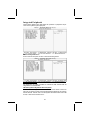
Advanced Chipset Features
These items define critical timing parameters of the motherboard. You should
leave the items on this page at their default values unless you are very familiar with the technical specifications of your system hardware. If you change
the values incorrectly, you may introduce fatal errors or recurring instability
into your system.
35
DRAM Clock/Timing Control
Scroll to this item and press <Enter> to view the following screen:
DRAM Timing Control (By SPD)
Enables you to select the CAS latency time in HCLKs of 2, 2.5, or 3. The
value is set at the factory depending on the DRAM installed. Do not change
the values in this field unless you change specifications of the installed DRAM
or the installed CPU.
DRAM CAS LATENCY (2.5T)
This item controls the timing delay (in clock cycles) before the DRAM starts a
read command after receiving it.
RAS Active Time (tRAS) (6T)
This item allows you to set the amount of time a RAS can be kept open for
multiple accesses. High figures will improve performance.
RAS Precharge Time (tRP) (3T)
This is the duration of the time interval during which the Row Address Strobe
signal to a DRAM is held low during normal Read and Write Cycles. This is
the minimum interval between completing one read or write and starting another from the same (non-page mode) DRAM. Techniques such as memory
interleaving, or use of Page Mode DRAM are often used to avoid this delay.
Some chipsets require this parameter in order to set up the memory configuration properly. The RAS Precharge value is typically about the same as the
RAM Access (data read/write) time.
RAS to CAS Delay (tRCD) (3T)
This is the amount of time a CAS is performed after a RAS. The lower the
better, but some DRAM does not support low figures.
36
For SF2 648FX motherboard only
DDR ADDR/CMD Rate (Auto)
This option allows you to set the lead off DRAM read and write cycles. When
set to Delay 1T, memory read/write commands are sent one clock cycle behind the memory address. When set to Normal, read/write and memory
address commands are sent simultaneously.
Press <Esc> to return to the Advanced Chipset Features screen.
AGP & P2P Bridge Control
Scroll to this item and press <Enter> to view the following screen:
AGP Aperture Size (128MB)
This setting controls just how much system RAM can be allocated to AGP for
video purposes. The aperture is a portion of the PCI memory address range
dedicated to graphics memory address space. Host cycles that hit the aperture range are forwarded to the AGP without any translation.
Graphic Window WR Combin (Enabled)
This item determines whether the graphic windows base address is valid or
not.
For SF2 661FX motherboard only
AGP Fast Write Support (Disabled)
This item enables and disables AGP Fast Write Support.
AGP Data Rate (Auto)
This item allows you to control AGP card data transfer rate.
Press <Esc> to return to the Advanced Chipset Features screen.
37
OnChip AGP Control
For SF2 661FX motherboard only
VGA Share Memory Size (32 MB)
This item shows the VGA memory size borrowed from main memory capacity.
In this case, 32MB is borrowed, which in the meanwhile the same the main
memory loses.
Press <Esc> to return to the Advanced Chipset Features screen.
System BIOS Cacheable (Disabled)
This item allows the system to be cached in memory for faster execution. Enable this item for better performance.
Video RAM Cacheable (Disabled)
These items allow the video BIOS and RAM to be cached in memory for faster
execution. Enable these items for better performance.
38
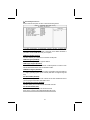
Integrated Peripherals
These options display items that define the operation of peripheral components on the system's input/output ports.
SIS OnChip IDE Device
Scroll to this item and press <Enter> to view the following screen:
Internal PCI/IDE (Both)
Use these items to enable or disable the internal PCI IDE channels that are
integrated on the motherboard.
IDE Primary/Secondary Master/Slave PIO (Auto)
Each IDE channel supports a master device and a slave device. These four
items let you assign the kind of PIO (Programmed Input/Output) was used by
the IDE devices. Choose Auto to let the system auto detect which PIO mode
is best, or select a PIO mode from 0-4.
39
IDE Master/Slave Drive PIO (Auto)
This option allows you to set the PIO (Programmed Input/Output) mode for the
two IDE devices (Master and Slave drives) attached to a particular IDE channel. Normally you should leave it as Auto and let the BIOS auto-detect the IDE
drive’s PIO mode. You should only set it manually for the following reasons:
•
•
•
If the BIOS cannot detect the correct PIO mode
If you want to try to run the IDE device with a higher PIO mode that
it was designed for
If you have over-clocked the PCI bus and one or more of your IDE
devices cannot function properly (you can correct the problem by
using a slower PIO mode)
Note: Over-clocking the PIO transfer rate can cause loss of data.
Primary/Secondary Master/Slave Drive UltraDMA (Auto)
This option allows you to enable or disable UltraDMA support (if available) for
the two IDE devices (Master and Slave drives) attached to that particular IDE
channel. Normally, you should leave it as Auto and let the BIOS auto-detect if
the drive supports UltraDMA. If it does, the proper UltraDMA transfer mode
will be enabled for that drive, allowing it to burst data at up to 100MB/s. You
should only disable it for troubleshooting purposes.
Note: Setting this to Auto does not enable the UltraDMA or any of the slower
DMA mode for IDE devices that do not support UltraDMA. Also, in order
for any of those DMA modes to work (including UltraDMA modes), you
will have to enable DMA transfer via the OS.
IDE DMA Transfer Access (Enabled)
This item allows you to enabled the transfer access of the IDE DMA.
IDE Burst Mode (Enabled)
This option, when enabled will instruct the system to send every write transaction to the write buffer. Burstable transactions then burst onto the PCI bus and
nonburstable transactions do not.
Press <Esc> to return to the Integrated Peripherals screen.
40
SIS OnChip PCI Device
Scroll to this item and press <Enter> to view the following screen:
SIS USB Controller (Enabled)
This item enables the USB controller. Leave this at the default “Enabled” if
you want to connect USB devices to your computer.
USB Ports Number (6 Ports)
This item enables you to determine the number of USB ports.
USB 2.0 Support (Enabled)
Enable this item if your system supports USB 2.0
USB Legacy Support (Enabled)
This item allows the BIOS to interact with a USB keyboard or mouse to work
with MS-DOS based utilities and non-Windows modes.
USB Mouse Support (Disabled)
Enable this item if you plan to use a mouse connected through the USB port
in a legacy operating system (such as DOS) that does not support Plug and
Play.
SIS AC97 AUDIO (Enabled)
This option allows you to control the onboard AC’97 audio. Disable this item if
you are going to install a PCI audio add-on card.
SIS Serial ATA Controller (Enabled)
This item allows you to control the SiS Serial ATA controller.
SIS Serial ATA Mode (IDE)
This item allows you to change SiS Serial ATA mode.
Press <Esc> to return to the Integrated Peripherals screen.
41
Onboard SuperIO Device
Scroll to this item and press <Enter> to view the following screen:
Onboard FDC Controller (Enabled)
This option enables the onboard floppy disk drive controller.
Onboard Serial Port 1 (3F8/IRQ4)
This option is used to assign the I/O address and interrupt request (IRQ) for
onboard serial port 1 (COM1).
Onboard Serial Port 2 (2F8/IRQ3)
This option is used to assign the I/O address and interrupt request (IRQ) for
onboard serial port 2 (COM2).
Onboard Parallel Port (378/IRQ7)
This option is used to assign the I/O address and interrupt request (IRQ) for
the onboard parallel port.
Parallel Port Mode (ECP)
Enables you to set the data transfer protocol for your parallel port. There are
four options: SPP (Standard Parallel Port), EPP (Enhanced Parallel Port),
ECP (Extended Capabilities Port) and ECP+EPP.
SPP allows data output only. Extended Capabilities Port (ECP) and Enhanced
Parallel Port (EPP) are bi-directional modes, allowing both data input and output.
ECP and EPP modes are only supported with EPP- and ECP-aware peripherals.
ECP Mode Use DMA (3)
When the onboard parallel port is set to ECP mode, the parallel port can use
DMA 3 or DMA 1.
Onboard 1394 Device (Enabled)
Enable this item if you plan to use the 1394 device.
Onboard LAN Device (Enabled)
Enables and disables the onboard LAN.
42
Onboard LAN Boot ROM (Disabled)
Use this item to enable and disable the booting from the onboard LAN or a
network add-in card with a remote boot ROM installed.
IDE HDD Block Mode (Enabled)
Enable this field if your IDE hard drive supports block mode. Block mode enables BIOS to automatically detect the optimal number of block read and
writes per sector that the drive can support. It also improves the speed of access to IDE devices.
Init Display First (PCI Slot)
Use this item to specify whether your graphics adapter is installed in one of
the PCI slots or is integrated on the motherboard.
43
Power Management Setup Option
This option lets you control system power management. The system has various power-saving modes including powering down the hard disk, turning off
the video, suspending to RAM, and software power down that allows the system to be automatically resumed by certain events.
Power Management Timeouts
The power-saving modes can be controlled by timeouts. If the system is inactive for a time, the timeouts begin counting. If the inactivity continues so that
the timeout period elapses, the system enters a power-saving mode. If any
item in the list of Reload Global Timer Events is Enabled, then any activity on
that item will reset the timeout counters to zero.
Wake Up Calls
If the system is suspended, or has been powered down by software, it can be
resumed by a wake up call that is generated by incoming traffic to a modem, a
LAN card, a PCI card, or a fixed alarm on the system realtime clock.
ACPI Suspend Type (S3(STR))
Use this item to define how your system suspends. In the default, S1(POS),
the suspend mode is equivalent to a software power down. If you select S3
(STR), the suspend mode is a suspend to RAM, i.e., the system shuts down
with the exception of a refresh current to the system memory.
Suspend Mode (Disable)
The CPU clock will be stopped and the video signal will be suspended if no
Power Management events occur for a specified length of time. Full power
function will return when a Power Management event is detected. Options are
from 1 Min to 1 Hour and Disable.
44
Video Off Option (Susp, Stby --> Off)
This option defines if the video is powered down when the system is put into
suspend mode.
Video Off Method (DPMS Supported)
This item defines how the video is powered down to save power. This item is
set to DPMS (Display Power Management Software) by default.
MODEM Use IRQ (Auto)
If you want an incoming call on a modem to automatically resume the system
from a power-saving mode, use this item to specify the interrupt request line
(IRQ) that is used by the modem. You might have to connect the fax/modem
to the motherboard Wake On Modem connector for this feature to work.
HDD Off After (Disabled)
The IDE hard drive will spin down if it is not accessed within a specified length
of time. Options are from 1 Min to 15 Min and Disable.
Power Button Override (Instant Off)
Under ACPI (Advanced Configuration and Power management Interface) you
can create a software power down. In a software power down, the system can
be resumed by Wake Up Alarms. This item lets you install a software power
down that is controlled by the power button on your system. If the item is set
to Instant-Off, then the power button causes a software power down. If the
item is set to Delay 4 Sec. then you have to hold the power button down for
four seconds to cause a software power down.
Power On After Power Fail (Always Off)
This item enables your computer to automatically restart or return to its last
operating status after power returns from a power failure.
PM Wake Up Events
Scroll to this item and press <Enter> to view the following screen:
This item opens a submenu that enables you to set events that will resume
the system from a power saving mode.
45
IRQ [3-7, 9-15], NMI (Enabled)
This option determines whether any activity for IRQ 3-7/9-15 will cause the
system to wake from a power saving mode.
IRQ 8 Break Suspend (Disabled)
Determines whether the system will monitor IRQ 8 activity and wake the system from a power saving mode when IRQ 8 is activated.
Resume by Ring (Disabled)
An input signal on the serial Ring Indicator (RI) line (in other words, an incoming call on the modem) awakens the system from a soft off state.
Resume by PCI PME (Enabled)
This item specifies whether the system will be awakened from power saving
modes when activity or input signal of the specified hardware peripheral or
component is detected.
USB Port Wakeup from S3 (Disabled)
This option allows you to specify whether the system will be awakened from
power saving modes when activity or input signal of the specified hardware
peripheral or component is detected.
PS2KB Wakeup from S3 (Hot Key)
This option allows you to set hot key combination to turn on the system by
keyboard.
PS2MS Wakeup from S3 (Disabled)
This option allows you to set the mouse action to turn on the system.
Power Up by Alarm (Disabled)
When set to Enabled, the following three fields become available: Month
Alarm, Day of Month Alarm, and Time Alarm Upon arrival of the alarm time, it
will instruct the system to wake up.
When set to 0 (zero) for the day of the month, the alarm will power on your
system every day at the specified time.
** Reload Global Timer Events **
These fields determine which events waken the system from power saving
mode.
Primary/Secondary IDE (Disabled)
When this item is enabled, the system power will resume the system from a
power saving mode if there is any activity on primary or secondary IDE channels 0 or 1.
FDD, COM, LPT Port (Disabled)
When this item is enabled, the system will restart the power-saving timeout
counters when any activity is detected on the floppy disk drive, serial ports, or
the parallel port.
46
PCI PIRQ[A-D]# (Disabled)
When this item is enabled, any activity from one of the listed devices wakes
up the system.
Press <Esc> to return to the Power Management Setup screen.
Delay Prior to Thermal ( None)
Enables you to set the delay time before the CPU enters auto thermal mode.
47
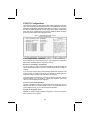
PNP/PCI Configurations
These options configure how PnP (Plug and Play) and PCI expansion cards operate in your system. Both the ISA and PCI buses on the Motherboard use system
IRQs (Interrupt ReQuests) and DMAs (Direct Memory Access). You must set up
the IRQ and DMA assignments correctly through the PnP/PCI Configurations
Setup utility for the motherboard to work properly. Selecting PnP/PCI Configurations on the main program screen displays this menu:
Reset Configuration Data (Disabled)
If you enable this item and restart the system, any Plug and Play configuration
data stored in the BIOS Setup is cleared from memory.
Resources Controlled By (Auto(ESCD))
You should leave this item at the default Auto(ESCD). Under this setting, the
system dynamically allocates resources to Plug and Play devices as they are
required.
If you cannot get a legacy ISA (Industry Standard Architecture) expansion card
to work properly, you might be able to solve the problem by changing this item
to Manual, and then opening up the IRQ Resources submenu.
In the IRQ Resources submenu, if you assign an IRQ to Legacy ISA, then that
Interrupt Request Line is reserved for a legacy ISA expansion card. Press
<Esc> to close the IRQ Resources submenu.
PCI/VGA Palette Snoop (Disabled)
This item is designed to overcome problems that can be caused by some nonstandard VGA cards. This board includes a built-in VGA system that does not
require palette snooping so you must leave this item disabled.
INT Pin 1-8 Assignment (Auto)
Identifies the interrupt request (IRQ) line assigned to a device connected to
the PCI interface of your system.
48
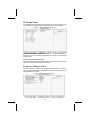
PC Health Status
On motherboards that support hardware monitoring, this item lets you monitor
the parameters for critical voltages, critical temperatures, and fan speeds.
Shutdown Temperature (Disabled)
Enables you to set the maximum temperature the system can reach before
powering down.
System Component Characteristics
These fields provide you with information about the systems current operating
status. You cannot make changes to these fields.
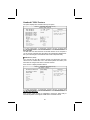
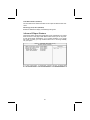
Frequency/Voltage Control
This item enables you to set the clock speed and system bus for your system.
The clock speed and system bus are determined by the kind of processor you
have installed in your system.
49
CPU Clock Ratio ( 0 X)
Use the CPU Host/SDRAM/PCI Clock to set the frontside bus frequency for
the installed processor (usually 133 MHz, 100 MHz or 66 MHz). Then use
CPU Clock Ratio Jumpless to set a multiple. The multiple times the frontside
bus must equal the core speed of the installed processor e.g., 3.5 (multiple) x
100 MHz (frontside bus) = 350 MHz (installed processor clock speed).
Auto Detect DIMM/PCI Clk (Enabled)
When this item is enabled, BIOS will disable the clock signal of free DIMM and
PCI slots.
Spread Spectrum (Enabled)
If you enable spread spectrum, it can significantly reduce the EMI (ElectroMagnetic Interference) generated by the system.
Clock Control By (Auto)
This item allows you to set the CPU frequency.
Async AGP/PCI/SRC Clk Disabled
This item allows you to set the your AGP/PCI/SRC clock in asynchronous
status.
CPU Frequency (100)
This item allows you to set the CPU frequency.
CPU: DRAM Frequency Ratio (SPD)
This item controls the ratio of the CPU FSB clock and DRAM Frequency to
enable the CPU and DRAM to run at different frequency combination.
DRAM Frequency
This item displays the memory (DRAM) frequency. This is a display-only item.
50
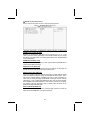
Load Fail-Safe Defaults Option
This option opens a dialog box that lets you install fail-safe defaults for all appropriate items in the Setup Utility:
Press <Y> and then <Enter> to install the defaults. Press <N> and then <Enter> to not install the defaults. The fail-safe defaults place no great demands
on the system and are generally stable. If your system is not functioning correctly, try installing the fail-safe defaults as a first step in getting your system
working properly again. If you only want to install fail-safe defaults for a specific option, select and display that option, and then press <F6>.
Load Optimized Defaults Option
This option opens a dialog box that lets you install optimized defaults for all
appropriate items in the Setup Utility. Press <Y> and then <Enter> to install
the defaults. Press <N> and then <Enter> to not install the defaults. The optimized defaults place demands on the system that may be greater than the
performance level of the components, such as the CPU and the memory. You
can cause fatal errors or instability if you install the optimized defaults when
your hardware does not support them. If you only want to install setup defaults
for a specific option, select and display that option, and then press <F7>.
Set Password
When this function is selected, the following message appears at the center of
the screen to assist you in creating a password.
ENTER PASSWORD
Type the password, up to eight characters, and press <Enter>. The password
typed now will clear any previously entered password from CMOS memory.
You will be asked to confirm the password. Type the password again and
press <Enter>. You may also press <Esc> to abort the selection.
To disable password, just press <Enter> when you are prompted to enter
password. A message will confirm the password being disabled. Once the
password is disabled, the system will boot and you can enter BIOS Setup
freely.
PASSWORD DISABLED
If you have selected “System” in “Security Option” of “BIOS Features Setup”
menu, you will be prompted for the password every time the system reboots
or any time you try to enter BIOS Setup.
If you have selected “Setup” at “Security Option” from “BIOS Features Setup”
menu, you will be prompted for the password only when you enter BIOS
Setup.
Supervisor Password has higher priority than User Password. You can use
Supervisor Password when booting the system or entering BIOS Setup to
modify all settings. Also you can use User Password when booting the system
or entering BIOS Setup but can not modify any setting if Supervisor Password
is enabled.
51
Save & Exit Setup Option
Highlight this item and press <Enter> to save the changes that you have
made in the Setup Utility and exit the Setup Utility. When the Save and Exit
dialog box appears, press <Y> to save and exit, or press <N> to return to the
main menu:
Exit Without Saving
Highlight this item and press <Enter> to discard any changes that you have
made in the Setup Utility and exit the Setup Utility. When the Exit Without Saving dialog box appears, press <Y> to discard changes and exit, or press <N>
to return to the main menu.
Note: If you have made settings that you do not want to save, use the "Exit
Without Saving" item and press <Y> to discard any changes you have
made.
This concludes Chapter 3. Refer to the next chapter for information on the
software supplied with the motherboard.
52
Chapter 4
Using the Motherboard Software
About the Software CD-ROM
The support software CD-ROM that is included in the motherboard package
contains all the drivers and utility programs needed to properly run the bundled products. Below you can find a brief description of each software
program, and the location for your motherboard version. More information on
some programs is available in a README file, located in the same directory
as the software.
Note: Never try to install software from a folder that is not specified for use with
your motherboard.
Before installing any software, always inspect the folder for files named README.TXT, INSTALL.TXT, or something similar. These files may contain
important information that is not included in this manual.
Auto-installing under Windows 98/ME/2000/XP
The Auto-install CD-ROM makes it easy for you to install the drivers and software for your motherboard.
Note: If the Auto-install CD-ROM does not work on your system, you can still install drivers through the file manager for your OS (for example, Windows
Explorer). Refer to Utility Folder Installation Notes later in this chapter.
The support software CD-ROM disc loads automatically under Windows
98/ME/2000/XP. When you insert the CD-ROM disc in the CD-ROM drive, the
autorun feature will automatically bring up the install screen. The screen has
three buttons on it, Setup, Browse CD and Exit.
Note: If the opening screen doesn't appear, double-click the file "setup.exe" in
the root directory.
53
Setup Tab
Setup
Click the Setup button to run the software installation program.
Select from the menu which software you want to install.
Browse
CD
The Browse CD button is the standard Windows command that
allows you to open Windows Explorer and show the contents of
the support CD.
Before installing the software from Windows Explorer, look for a
file named README.TXT, INSTALL.TXT or something similar.
This file may contain important information to help you install the
software correctly.
Some software is installed in separate folders for different operating systems, such as DOS, WIN NT, or WIN98/95. Always go
to the correct folder for the kind of OS you are using.
To install the software, execute a file named SETUP.EXE or
INSTALL.EXE by double-clicking the file and then following the
instructions on the screen.
Exit
The Exit button closes the Auto Setup window.
Application Tab
Lists the software utilities that are available on the CD.
Read Me Tab
Displays the path for all software and drivers available on the CD.
Running Setup
Follow these instructions to install device drivers and software for the motherboard:
1.
Click Setup. The installation program begins:
54
Note: The following screens are examples only. The screens and driver lists will
be different according to the motherboard you are installing.
The motherboard identification is located in the upper left-hand corner.
2.
Click Next. The following screen appears:
3.
Check the box next to the items you want to install. The default options
are recommended.
Click Next run the Installation Wizard. An item installation screen appears:
4.
5.
Follow the instructions on the screen to install the items.
Drivers and software are automatically installed in sequence. Follow the onscreen instructions, confirm commands and allow the computer to restart a
few times to complete the installation.
55
Manual Installation
Insert the CD in the CD-ROM drive and locate the PATH.DOC file in the root
directory. This file contains the information needed to locate the drivers for
your motherboard.
Look for the chipset and motherboard model; then browse to the directory and
path to begin installing the drivers. Most drivers have a setup program
(SETUP.EXE) that automatically detects your operating system before installation. Other drivers have the setup program located in the operating system
subfolder.
If the driver you want to install does not have a setup program, browse to the
operating system subfolder and locate the readme text file (README.TXT or
README.DOC) for information on installing the driver or software for your
operating system.
Utility Software Reference
All the utility software available from this page is Windows compliant. They are
provided only for the convenience of the customer. The following software is
furnished under license and may only be used or copied in accordance with
the terms of the license.
Note: These software(s) are subject to change at anytime without prior notice.
Please refer to the support CD for available software.
AWARD Flash Memory Utility
This utility lets you erase the system BIOS stored on a Flash Memory chip on
the motherboard, and lets you copy an updated version of the BIOS to the
chip. Proceed with caution when using this program. If you erase the current
BIOS and fail to write a new BIOS, or write a new BIOS that is incorrect, your
system will malfunction. Refer to Chapter 3, Using BIOS for more information.
WinFlash Utility
The Award WinFlash utility is a Windows version of the DOS Award BIOS
flash writer utility. The utility enables you to flash the system BIOS stored on a
Flash Memory chip on the motherboard while in a Windows environment. This
utility is currently available for WINXP\ME\2000\98SE. To install the WinFlash
utility, run WINFLASH.EXE from the following directory:
\UTILITY\WINFLASH 1.51
PC-CILLIN 2002
The PC-CILLIN 2002 software program provides anti-virus protection for your
system. This program is available for Windows 2000/ME/98SE/XP and Windows NT. Be sure to check the readme.txt and install the appropriate anti-virus
software for your operating system. We strongly recommend users to install
this free anti-virus software to help protect your system against viruses.
This concludes Chapter 4.
56