1
Initial Setup:
Camera:
1. Setup your network camera while attached to a network. Please refer to the
manufacturer’s instructions provided by the camera.
2. Ensure the video from the camera can be viewed on a networked PC.
3. To optimize the camera for use over a wireless link please see camera
performance FAQ at www.avalanwireless.com/support.
Housing:
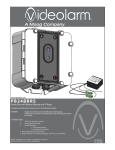
1. Install the Videolarm ACH13HBWM housing using the supplied 120VAC to 24VAC
transformers. Please contact Videolarm for installation support on the housing.
www.videolarm.com 1-800-554-1124.
2. Mount the network camera within the housing according to Videolarm’s
instructions.
3. Attach antenna to the housing.
Wireless Setup:
1.
2.
3.
4.
5.
6.
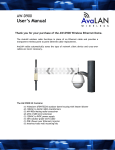
Install in the AW-900x Mate.
Attach the antenna to the AW-900x. (see Appendix A for polarization guide, page 6)
Attach the white power injector to the end of the Ethernet Cable
Attach the 120VAC to 9VDC power supply to the white power injector.
Connect an Ethernet cable from the injector to your network(or directly to a PC).
The AvaLAN radios automatically select the best radio channel, encrypt the
Ethernet data and transports the data wirelessly to its mate.
7. Use an internet browser on a networked PC to view the video from the camera.
Ensure that the subnet/IP addresses of the PC and the camera are compatible.
8. For radio/network troubleshooting see page 3.
Power supply
Ultra Long Range
Digital Ethernet
900 MHz Radio Link
2x 120VAC to 24VAC
(Included)
24VAC
AW-900x Mate
Ethernet
RJ45 10BT
Power
over
Ethernet
Injector
(Included)
Power supply
120VAC to 9VDC
9-48VDC
(Included)