1
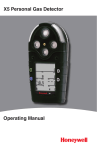
CO2 RESPONDER
Operating Manual
Activating the detector
To activate the detector press
.
Self-Test
Once the detector is activated, it performs self-tests on
the sensors, battery, audible visual alarms and circuit
integrity.
Deactivating the detector
To deactivate the detector, press and hold
while it
beeps and flashes to the corresponding countdown. At
the end of the countdown the detector emits an
extended beep and flash, and displays 0 before
deactivating.
User Options Menu
If the detector is passcode protected, a passcode must
be entered to access the user options menu. For more
information, refer to Passcode Protect.
The available user options are as follows:
1. Exit
2. Options: backlight, confidence beep, due-lock,
latch, passcode, safe, and fast pump;
3. Sensors: sensor enable/disable, span gas, STEL
period, TWA method, resolution, % vol CH4,
correction factor, and automatic O2 calibration;
4. Logger
5. Clock
6. Language: English, French, German, Spanish, and
Portuguese;
To enter the user options menu, press and hold
and
simultaneously as the detector beeps and flashes to
the corresponding countdown.
Options Menu
Each feature within the Options menu is enabled or
disabled by pressing
to toggle the checkbox.
Backlight
The backlight (Backlght) option is used to enable the
LCD backlight to activate automatically in low-light
conditions. If disabled, the backlight is activated only
when the detector is in alarm mode. The detector is
shipped with the backlight option enabled.
6