1
Control and configuration
5.2.4. Serial Tunnel (NETIO-230CS only)
NETIO-230CS supports
Serial Tunnel, allowing control of another RS-232 device over serial line. Such device
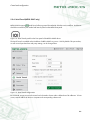
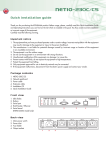
should be connected to port marked with tunnel symbol on the NETIO front panel.
Figure 14. Serial Tunnel symbol on the front panel of the NETIO-230CS device
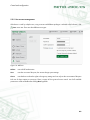
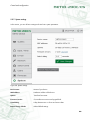
The Serial Tunnel is available on the IP address of NETIO-230CS on port no. 1235 by default. This port number,
as well as serial port baud rate and parity settings, can be changed here.
Figure 15. Serial Tunnel configuration
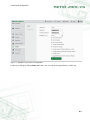
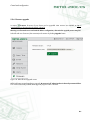
For increased security, access to the tunnel can be limited to clients within a defined set of IP addresses. To limit
access, enter IP address of device or computer and corresponding subnet mask.
21