1
Play Lists
Export a Play List
You can export a play list and use it on other projectors.
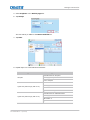
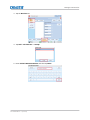
1. Insert a USB flash drive in the USB port on the side of the touch panel controller (TPC).
2. Tap Menu > Christie IMB > Play Lists.
3. Tap Import/Export in the Play List Tasks list.
4. Tap the Export tab.
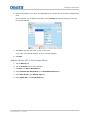
5. Select a play list.
6. Tap Export.
7. Enter a name for the play list. Tap Enter.
8. Tap OK.
Copy a Play List
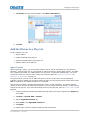
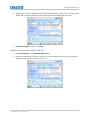
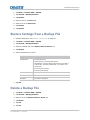
1. Tap Menu > Christie IMB > Play Lists.
2. Select a play list in the Selected Play List list.
3. Tap Copy this Play List in the Play List Tasks list.
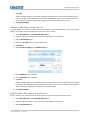
4. Tap Clear Text.
5. Enter a name for the play list.
6. Tap Enter.
7. Tap Save Changes.
Rename a Play List
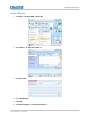
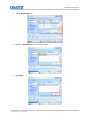
1. Tap Menu > Christie IMB > Play Lists.
2. Select a play list in the Selected Play List list.
3. Tap Rename this Play List in the Play List Tasks list.
4. Tap Clear Text.
5. Enter a name for the play list.
6. Tap Enter.
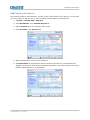
Add Content to a Play List
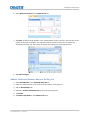
1. Tap Menu > Christie IMB > Play Lists.
2. Select a play list in the Selected Play List list.
Christie Integrated Media Block User Manual
020-100845-09 Rev. 1 (04-2015)
77