1
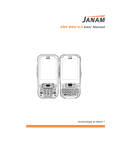
XT85 User Manual
9
10
Camera
CH–PG
Introduction
9–1
Activate the Camera
9–1
Adjustments and Options
9–1
Taking Photos
9–3
Recording Video
9–3
View Photos and Video
9–5
Photo and Video Management
9–5
802.11 Wireless Configuration
Access Wireless LAN
CH–PG
10–1
10-x
11
GPS
GPS Function Setup
12
Bluetooth
Overview
13
CH–PG
11–1
CH–PG
12–1
Turning Bluetooth On and Off
12–2
Making a Bluetooth Device Visible
12–2
Bluetooth Partnerships
12–2
Bluetooth Beam
12–5
Bluetooth Virtual COM Ports Overview
12–5
Setting up Bluetooth COM Port
12–6
Regulatory and Maintenance
Regulatory and Safety Approvals
CH–PG
13–1
FCC and Canadian Compliance
13–1
XT Series Batch Terminal
13–2
XT Series RF Terminals with 802.11
WLAN and Bluetooth
13–2
Class B digital apparatus complies
with the Canadian ICES-003
13–3
Care and Cleaning of Terminals
13–4
Waste Electrical and Electronic
Equipment (WEEE) Information
13-4
Battery Warning
13-4
Battery Safety Guidelines
13-4
Battery Charger Safety Guidelines
13-4
Janam Technologies LLC
Contents―2