1
4
2.
EPIFLEX Software
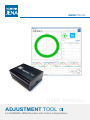
The EPIFLEX software was especially designed for the ADJUSTMENT TOOL. It offers the user versatile
possibilities to bring the encoder into service. It also allows the user to display the sensor signals and
evaluate them without using an oscilloscope or other expensive hardware. Furthermore it is possible
to program respectively optimize the encoder to the existing mounting conditions automatically.
The EPIFLEX software is available for free via download on the NUMERIK JENA website under
www.numerikjena.de. Furthermore, one can order the software with an optional USB flash drive
(see chapter 9).
The EPIFLEX software is suitable for the following operating systems:
•
Windows 7 / 8 (32 or 64 bit)
2.1
EPIFLEX - Installation Guide
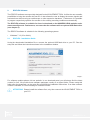
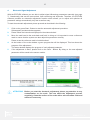
Unzip the downloaded installation file or connect the optional USB flash drive to your PC. Run the
setup file and follow the instructions shown in the installation window.
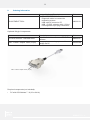
Image 1
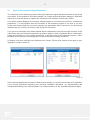
For software updates please visit our website. In our download portal you will always find the latest
version for free. We provide these software packages usually as a zipped folder. Please unzip this
folder after the download, run the setup file and follow the installation instructions. If an older software
version is installed, it is not necessary to uninstall it before.
ATTENTION! Please installl the software first, only then connect the ADJUSTMENT TOOL to
your PC!
SIMPLY PRECISE