1
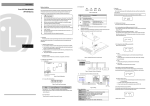
z How to move to other groups at the 1st code of each group
1
-. The 1st code in Drive group “0.00” will be displayed when AC input
power is applied.
-. Press the right arrow (X) key once to go to Function group 1.
2
-. The 1st code in Function group 1 “F0” will be displayed.
-. Press the right arrow (X) key once to go to Function group 2.
3
-. The 1st code in Function group 2 “H0” will be displayed.
-. Press the right arrow (X) key once to go to I/O group.
4
-. The 1st code in I/O group “I0” will be displayed.
-. Press the right arrow (X) key once again to return to Drive group.
5
-. Return to the 1st code in Drive group “0.00”.
♣ If the left arrow key (W) is used, the above will be executed in the reverse order.
z How to move to other groups from any codes other than the 1st code
Pressing left or
right arrow key in
any code will
return to first
code of each
group.
Drive group
FU group 1
FU group 2
To move from the F15 to function group 2
1
-. In F15, press the Left (W) or Right arrow (X) key. Pressing the key goes to
the first code of the group.
2
-. The 1st code in function group 1 “F0” is displayed.
-. Press the right arrow (X) key.
3
-. The 1st code in function group 2 “H0” will be displayed.
38