1
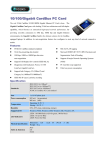
Chapter 1 Introduction 1.1 Overview of the product Congratulations on your purchase of this 10/100/1000Mbps PCIe LAN Card. The Adapter provides the bandwidth capability to support high-end servers and workstations. With Auto-negotiation, this card can run on three different speeds: 10Mbps at half and full duplex, 100Mbps at half and full duplex, and 1000 Mbps at full duplex. When running at 1000Mbps, it provides a network throughput of 2 Gbps in full-duplex mode. Instructions for installing and configuring this product can be foun d in this manual. Before you install and use this product, please read this manual carefully for full exploiting the functions of this product. 1.2 Features Compliance with IEEE802.3ab 1000BASE-T Gigabit Ethernet standards, IEEE802.3u Fast Ethernet standards Plug-and-Play installation Support half and full duplex at 10Mbps, half and full duplex at 100Mbps,and full duplex operation at 1000Mbps One build-in RJ45 connector Auto-Negotiation to the highest available speed Support IEEE802.1P Layer 2 Priority Encoding Support Full Duplex flow control (IEEE 802.3x) Support IEEE 802.1Q VLAN tagging Build-in FIFO buffers reduce overhead of memory transfers Support Microsoft NDIS5 Checksum Offload (IP, TCP, UDP) and large send offload Support Jumbo Frame transfers Two LED indicators: 10/100/1000M Link, 10/100/1000M Act Driver support for: Microsoft Windows Series. Linux Novell Netware Series MacOS 1.3 LED Status The Adapter features two LED indicators: LINK/ACT: Steady green indicates good linkage between the adapter and its supporting server or switch. Flashing green indicates activity (transmitting or receiving) between the adapter. 1000M : The LED indicator lights green when one 1000 Mbps device is connected to the adapter. 2