1
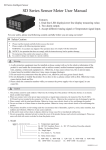
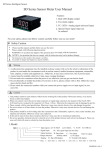
SD Series Intelligent Sensor
SD Series Sensor Meter User Manual
Features:
1. Dual LED display output,
lower line display measuring value;
2. Two alarm output;
3. Special linear signal input can
be ordered;
For your safety, please read follow content carefully before you use our meter!
Safety Caution
*
Please read the manual carefully before you use the meter
Please comply with following inportant points:
WARNING: An accident may happen if the operation does not comply with the instruction
NOTICE: An operation that does not comply with the instruction may lead to product damage
The instruction of the symbol in the manual is as follow.
An accident or danger may happen in a special condition.
Warning
1. A safty protection equipment must be installed or please contact with us for the relative information if the
product is used under the circumstance such as nuclear control, medical treatment equipment, automobile,
train, airplane, aviation and equipment etc.. Otherwise, it may cause serious loss, fire or person injury.
2. A panel must be installed, otherwise it may cause creepage (leakage).
3. Do not touch wire connectors when the power is on, otherwise you may get an electric shock.
4. Do not dismantle or modify the product. If you have to do so, please contact with us first. Otherwise it may
cause electric shock and fire.
5. Please check the connection number while you connect the power supply wire or input signal, in case
cause fire.
Caution
1. This product cannot be used outdoors. Otherwise the working life of the product will become shorter, or an electric
shock accident may happen.
2. When you connect wire to the power input connectors or signal input connectors, the moment of the No.20 AWG
(0.50 mm2) screw tweaked to the connector is 0.74n.m - 0.9n.m. Otherwise the connectors may be damaged or get fire.
3. Please comply with the rated specification. Otherwise it may cause electric shock or fire, and damage the product.
4. Do not use water or oil base cleaner to clean the product. Otherwise it may cause electric shock or fire and damage the
product.
5. This product should be avoid working under the circumstance that is flammable, explosive, moist, under sunshine, heat
radiation and vibration. Otherwise it may cause explosion.
6. In this unit it must not have dust or deposit, otherwise it may cause fire or mechanical malfunction.
7. Do not use gasoline, chemical solvent to clean the cover of the product because such solvent can damage it. Please use
some soft cloth with water or alcohol to clean the plastic cover.
2
1.Model
SD □ □ □ □ □
B: 24V DC Auxiliary
A: 12V DC Auxiliary (can be ordered) Null: No Auxiliary Power
10 :One signal input
Alarm function:
C:Two alarm
Output function:
Size: 4: 48Wx96H
A: No alarm
R:Relay alarm Output
7: 72Wx72H
8: 96Wx48H
9: 96Wx96H
80: 160Wx80H (can be ordered) 16: 80Wx160H (can be ordered)
Note:SD8-RC10 is the used name of SD8-RC10B, with DC 24V/30mA auxiliary power supply
KKSDE01-A/3--1
2.Model Description
Alarm
No
Two Relay Alarm
Auxiliary Voltage
SD□-RC10B Normal Model
DC 0~ 10V or 4 ~20mA(other model can be ordered)
DC 0~ 10V or 4 ~20mA(other model can be ordered)
SD□-RC10A(special order)
DC 0~ 10V or 4 ~20mA(other model can be ordered)
Two Relay Alarm
DC 12V/30mA
Model
Input Signal
Normal Model
SD□-A10
No
DC 24V/30mA
Special Note: Normal Model with 4-20mA or 0-10V signal input before EX-factory, customer who want to change the signal between
those two different signals, they should change “INP” menu (please refer to Setting Menu), and just change insert needle according to
following instruction:
1 2 3 4 5
0-10V input: connect 2-7, 4-9; 4-20mA input: connect 3-8, 5-10 (with insert needle cap connect)
6 7 8 9 10
mV/R V mA V mA
3.Main Technical Parameters
Measuring Accuracy
Display Range
±0.5%F.S
-1999~ 4000(over than 4000 can not make sure the measuring accuracy)
Relay 1 output capacity: AC 1A/250V Relay 2 output capacity: AC 3A/250V
AC 110/220V±10%
SD4: AC/DC 100~240V
<30mA(220VAC)
0~50℃
45~85%RH
Alarm Output
Power Supply
Total Current
Ambient temperature
Ambient humidity
4.Panel Indication
SD8 DIGITAL METER
AL1 output indication lamp
AL1
AL2 output indication lamp
AL2
Measurment Display
Display of Unit or Menu Parameter Value
SET function key
Menu Modify Key
Increase key
Decrease key
5.Panel Key Operation
▲
(1) Under normal measuring statues, shortly press can enter into Unit choose model, through
press ▲ Key or Key can change measuring value ’s unit.
▲
(2)In normal display status, press SET key for a few seconds to show setting menu.
In setting menu, press SET key for a few seconds to quit setting menu.
(3)Press ◄ key before changing value.
(4)Press ▲ or ▼ key to change value.
(5)After parameters are changed, press SET key to confirm and save.
6.Operation Sequence
→
Power on
Measuring Status
AL1
AL2
#2 Alarm Mode
AL2
→
SET
#2 Alarm
Hysteresis
AL1
#1 Alarm Value
AL2
AL2
→
→
SET
#1 Alarm Mode
Display lowest limit
AL2
SET
AL1
AL2
SET
AL1
→
AL1
AL2
→
→
Press SET key for 3s
AL1
Input signal
choose
AL1
AL1
PV Bias
AL2
SET
AL1
Display highest limit
AL2
→
→
SET
AL1
AL1
AL2
·
AL1
·
AL2
Filter Constant
→
#1 Alarm
Hysteresis
AL2
SET
SET
AL1
→
→
SET
SET
#2 Alarm Value
AL2
AL2
→
→
SET
Menu lock password
Decimal point
selection
AL1
AL1
AL2
SET
KKSDE01-A/3--2
7.Setting Menu
Menu
Description
Function name
Under measuring
status lower line
display
Measurement unit
choose
AL1
#1 Alarm Value
AD1
#1 Alarm Mode
HY1
#1 Alarm Hysteresis
AL2
#2 Alarm Value
AD2
#2 Alarm Mode
HY2
#2 Alarm Hysteresis
Null、M,CM,MM,Kg,g,mg,MPa,Pa,ba,
mba,N,W,KW,RPM,HZ,KHZ,mV,V,KV,mA,A,KA,Ω,℃,
° F,can be choosed
No Unit Display
#1 Alarm Value Setting
#1 Alarm Mode select between lowest and highest limit
FL-FH
200
HL/HH
HH
#1 Alarm Hysteresis value setting
#2 Alarm Value Setting
FT
Filter Constant
Digital filter for input signal
DP
Decimal point
selection
Decimal point setting
To bias meter display because of sensor
1
FL-FH
600
HH
0-1000
1
-1000-1000
0
1-250
20
0-3
0
#2 Alarm Hysteresis value setting
PV Bias
0-1000
HL/HH
#2 Alarm Mode select between lowest and highest limit
PS
Ex-factory
setting
Setting range
FL
Display lowest limit
Display lowest limit setting
-1999-9999
-1999
FH
Display highest limit
Display highest limit setting
-1999-9999
4000
INP
Input signal choose
LCK
:0~10V;
:4~20mA;
:0~50mV;
:0~400Ω
Password setting, the menu was forbade to
change when setting “11”
Menu lock password
0
0-250
8.Outlook & Installation dimension
Mounting size
Side face size
Front size
A
G+0.5
-0
C
E
D
H
J +0.5
-0
B
Model
A
B
K
F
C
D
E
F
91
45
H(Min)
J
K(Min)
45.5
25
45.5
25
G
4:(48*48)
48
48
97.5
6.5
6:(96*48)
48
96
97.5
9
88.5
89.5
45
25
90
25
7:(72*72)
72
72
97.5
9
88.5
67
67.5
25
67.5
25
8:(48*96)
96
48
97.5
9
88.5
44.5
90
25
45
25
9:(96*96)
96
96
97.5
9
88.5
91.5
92
25
92
25
80:(80*160)
160
80
96
13
83
75.5
155.5
30
76
30
16:(160*80)
80
160
96
13
83
155
76
30
155.5
30
Notes
Unit:(mm) tolerance ±0.5%(except special marked)
9.Connection drawing
SD4
Power supply:AC/DC 100-240V
Relay output:AC 250V 1A
SD7
Power supply:AC 110/220V±10%
Relay output:AC 250V 1A
24V/30mA
24V/30mA
KKSD101-A/3--3
SD9
Power supply:AC 110/220V±10%
Relay output:AC 250V 1A
SD6/SD8
Power supply:AC 110/220V±10%
Relay output:AC 250V 1A
24V/30mA
24V/30mA
SD16/SD80
Power supply:AC 110/220V±10%
Relay output:AC 250V 1A
24V/30mA
Note:Please subject to the drawing on the products as final if there is any different from the above
10.Simple Problem Shooting
Display Message
Display HHHH/LLLL
Shooting Method
To check input signal connection well or not.
To check FH, FL value;
To check working temperature is OK or not.
To check input signal selection is right or not.
KKSDE01-A/3--4