1
TM
ure
ath
Operational Guide
&MM (and Much More!)
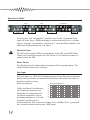
Selects a different shape to the compression curve which musically
emulates the best of my past designs.
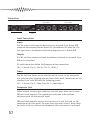
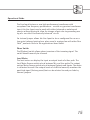
Output Gain
Using compression causes the output signal level to be reduced. This drop in
the output level is therefore compensated for using the output gain
control. The gain range is -6dB to +18dB.
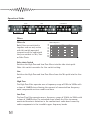
In
Switches the Compressor into the signal path. The default is Compressor in
the Mic path with the Mic signal presented to the Side-Chain.
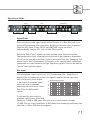
Line
Switches the Compressor into the Line path with the Line signal presented
to the Side-Chain.
Key
Switches the Side-Chain input to the “other” signal path, e.g. if the
Compressor is in the Mic path, the Line path feeds the Side-Chain and vice
versa.
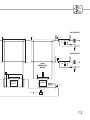
In many circumstances the CIB will be used with either the Mic or Line path
for the primary signal flow but not both. This allows the secondary path to
be used as an external Key input to the Side-Chain.
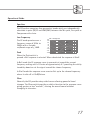
Link
When enabled, identical gain reduction can take place when two or more
CIBs are linked together. The gain reduction applied is derived from
whichever path has the greatest signal.
Gain Reduction Meter
If the signal exceeds the compression threshold, the amount of gain
reduction is displayed.
21