1
FlightAssistant User Guide
Doc v2.20
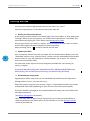
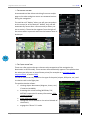
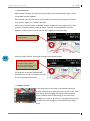
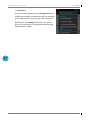
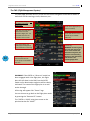
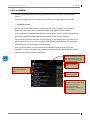
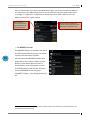
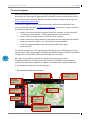
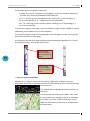
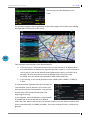
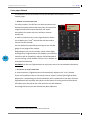
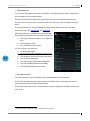
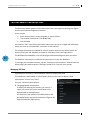
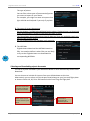
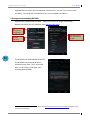
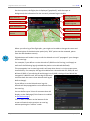
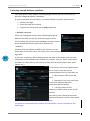
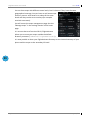
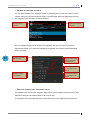
Once you have installed maps from the map store, you can organize them thru the
"Manage maps" page.
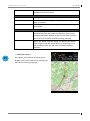
You can mix FlightAssistant maps with your own maps (see "Creating your own maps"
below).
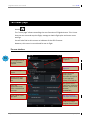
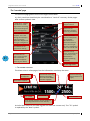
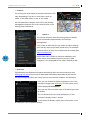
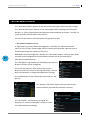
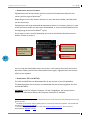
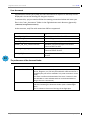
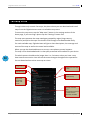
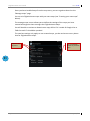
The manage maps screen allows you to define the settings of the maps you have
created and organise them amongst the FlightAssistant maps.
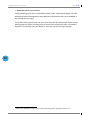
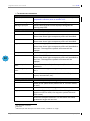
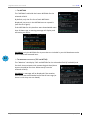
You will be able to activate or deactivate a map, define if it is made of Google tiles or
TMS tiles and if it should be upscaled.
The two last settings only apply to user created maps, you do not have to worry about
that for FlightAssistant maps.
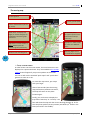
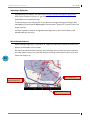
Map
the
User from
defined
map
store
map
Use up and down
buttons to prioritize
maps
51
FlightAssistant v1.0.5
Page 51/69