1
DI-500/510 Series and DI-750/760 Series Hardware Manual
All Other DI-500/510 and DI-750/760 Series Instruments
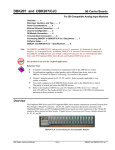
This displays the channel selection grid:
Each box in this grid represents an input channel. An input channel is enabled by clicking the desired box. Where in
the grid you click, which mouse button you click with, and how many times you click the mouse button determines
whether the input channel is enabled for differential operation, for operation defined by the 5B module (if used), or
for differential operation between a pair of channels (automatically defined by the grid). Since there are so many variables, each instrument will be presented individually.
DI-500-16 and DI-750-16 Instruments Used with “Slaves”
Channels 1 through 16 are enabled on the top row of the grid.
When other instruments are connected as a slave to the DI-500-16, their channels are enabled starting with row
“MUX A” (and “B,” etc. when more than 32 channels are multiplexed). Using an ordinary pencil, label all slave
Enabling Channels for Acquisition
16