1
HiSoft C
=============================================
Fast Interactive Compiler for the Sinclair ZX Spectrum
=============================================
System Requirements:
Any ZX Spectrum Computer including the Spectrum +3
Copyright © HiSoft 1984 – 1990
Printing History:
1st Edition
November 1984 Reprinted, frequently
2nd Edition February 1988 Reprinted
July 1990
Set using an Apple Macintosh™ with Microsoft Word™ & Aldus PageMaker™
All Rights Reserved Worldwide, No part of this publication may be reproduced or Transmitted in
any form or by any means, including photocopying and recording without the written permission of
the copyright holder. Such written permission must also be obtained before any part of this nature
publication is stored in a retrieval system of any.
It is an infringement of the copyright pertaining to HiSoft C and its associated documentation to
copy, by any means whatsoever, any part of HiSoft C for any reason other than for the purposes of
making a security back-up copy of the object code as detailed within this manual.
Table of Contents
Welcome
1
-------------------------------------------------------------------------------------------------------------------------Plus 3 Version
1
Chapter 1 Introduction
3
------------------------------------------------------------------------------------------Getting Started - Read this First
Cassette Version
Disk Version
Loading and Running the Compiler on the Plus 3
General
The Spectrum Keyboard
Files on the Spectrum
Screen Colours
Making a Backup
Making a Backup on the Plus 3
Prices, Royalties, Publishing, and Copying
Example Programs
The Sieve of Eratosthenes
Numeric Conversion
RS-232 system
Bibliography
3
3
4
4
4
5
6
7
7
8
8
9
9
10
10
13
Chapter 2 The Editor
15
------------------------------------------------------------------------------------------Introduction to the Editor
Cassette and Microdrive Commands
An Example Session using the Editor
Chapter 3 HiSoft C Language Reference
15
19
20
23
-------------------------------------------------------------------------------------------------------------------------Differences from Kernighan & Ritchie
23
1. Introduction
23
2 Lexical Conventions
23
3. Syntax notation
24
4. What's in a name?
24
5. Objects and ivalues
6. Conversions
7. Expressions
8. Declarations
9. Statements
10. External definitions
11. Scope rules
12. Compiler control lines
13. Implicit declarations
14. Types revisited
15. Constant expressions
16. Portability considerations
17. Anachronisms
The Compiler Preprocessor
#define <Identifier> <macro>
#error
#list
#direct
#include
#include ?filename?
#translate filename
Other Preprocessor Commands
Explanatory Notes
Type Checking
Low-Level Interface
Chapter 4 HiSoft C Standard Function Library
24
24
25
26
28
29
29
29
33
33
33
33
33
33
34
34
34
34
36
36
36
36
36
36
36
39
-------------------------------------------------------------------------------------------------------------------------Arithmetic functions
39
int max (n...)auto
39
int min (n...) auto
40
int abs (n)
40
int sign (n)
40
An Illustration of How to Grub Around In a Store
40
char peek (address)
40
void poke (address, value)
40
Format conversion routine
40
int atoi (s)
40
Sorting function - a Shell sort
41
void qsort (list, num_items, size, cmp_func)
41
String Handling Functions
41
char *strcat(base, add)
41
int strcmp (s,t)
char *strcpy (dest, source)
unsigned strlen (s)
char *strncat (base, add, number)
int strncmp (s, t, n)
char *strpbrk (s1,s2)
int strspn (s1,s2)
int strcspn (s1,s2)
Character Test and Manipulate Functions
int isalnum ( c )
int isalpha ( c )
int isascii ( c )
int iscntrl ( c )
int isdigit ( c )
int islower ( c )
int isprint ( c )
int ispunct ( c )
int isspace ( c )
int isupper ( c )
char tolower ( c )
char toupper ( c )
int isgraphic ( c )
int isxdigit ( c )
char toascii ( c )
char *strncpy (dest, source, number)
char *strchr (string, ch)
char *strrchr (string, ch)
Storage Allocation and and Freeing (Heap Management)
char *calloc (n, size)
char *malloc (n)
void free (block)
char *sbrk (n)
Miscellaneous Functions
void swap (p, q, length)
void move (dest, source, length)
Input-Output Functions
Character-level Input-Output Functions
FILE *fopen (name, mode)
int fclose (fp)
int getc (fp)
int ungetc (c, fp)
int putc (c, fp)
int getchar ( )
int putchar ( c )
41
41
42
42
42
42
42
42
42
42
43
43
43
43
43
43
43
43
43
43
44
44
44
44
44
44
45
45
45
45
45
45
46
46
46
46
47
47
47
47
47
48
48
48
Complex-level I-O Functions
void exit (n)
char *fgets (s, n, fp)
void fputs (s, fp)
char *gets (s)
void puts (s)
void printf (control,argl.arg2....)
void fprint (fp,control,argl.arg2....)
void sprintf (s,control,argl.arg2....)
int scanf (control,argl.arg2....)
int fscanf (fp,control,argl.arg2....)
int sscanf (s, control, arg1, arg2 ...)
Raw-Level I/O Functions
int rawin ( )
int keyhit ( )
Port I/O
int imp (port_number)
int out (data, port_number)
System Interface
void_exit (n)
Some Functions for 32 bit number arithmetic
void long_multiply (c, a, b)
void long_add t (c, a, b)
void long_init (a, n1, n0)
void long_set (a, n, d)
void long_copy (c, a)
Pseudo-Random Number Generator
int rand ( )
void srand (n)
Spectrum Graphics and Sound Functions
void plot (on, x, y )
void line (on, dx, dy)
int ink (colour)
int paper (colour)
void cls ( )
void beep (duration ,pitch)
48
48
48
48
48
49
49
49
49
49
51
51
51
51
52
52
52
52
52
52
52
52
52
52
53
53
53
53
53
53
53
54
54
54
54
54
Chapter 5
55
Errors
-------------------------------------------------------------------------------------------------------------Introduction
55
The List of Error Messages
56
ERROR - 0 -missing x
56
ERROR
ERROR
ERROR
ERROR
ERROR
ERROR
ERROR
ERROR
ERROR
ERROR
ERROR
ERROR
ERROR
ERROR
ERROR
ERROR
ERROR
ERROR
ERROR
ERROR
ERROR
ERROR
ERROR
ERROR
ERROR
ERROR
ERROR
ERROR
ERROR
ERROR
ERROR
ERROR
ERROR
ERROR
ERROR
ERROR
ERROR
ERROR
ERROR
ERROR
ERROR
ERROR
ERROR
ERROR
- 1 - RESTRICTION floats not implemented
- 2 - bad character constant
- 3 - not a preprocessor command
- 4 - LIMIT macro buffer full
- 5 - can only define identifiers as macros
- 6 - RESTRICTION macros may not have parameters
- 7 - cannot open file
- 8 - RESTRICTION cannot nest includes
- 9 - missing while
- 10- not in loop or switch
- 11- not in loop
- 12- not In switch
- 13- LIMIT too many case statements
- 14- multiple default statements
- 15- goto needs a label
- 16- multiple use of identifier
- 17- direct execution not possible when translating
- 18- LIMIT name table full
- 19- LIMIT too many types
- 20- duplicate declaration type mismatch
- 21- duplicate declaration storage class mismatch
- 22- LIMIT global symbol table full
- 23- LIMIT too much global data
- 24- duplicate declaration
- 25- LIMIT local symbol table full
- 26- the variable was not in parameter list
- 27- undefined variable (s)
- 28- bad function return type
- 29- no arrays of functions
- 30- LIMIT expression too complicated
- 31- LIMIT expression too complicated
- 32- bad type combination
- 33- bad operand type
- 34- need an ivalue
- 35- not a defined member of a structure
- 36- expecting a primary here
- 37- undefined variable
- 38- need a type name
- 39- need a constant expression
- 40- can only call functions
- 41- does not follow a ? properly
- 42- Destination of an assignment must be an ivalue
- 43- need a : to follow a ? - check bracketing
- 44- need a pointer
56
56
56
57
57
57
57
57
57
57
57
57
58
58
58
58
58
58
58
58
59
59
59
59
59
59
59
59
60
60
60
60
60
60
60
60
61
61
61
61
61
61
61
62
ERROR ERROR ERROR ERROR ERROR ERROR ERROR ERROR ERROR ERROR ERROR ERROR ERROR ERROR ERROR ERROR ERROR ERROR ERROR ERROR ERROR Common Mistakes In C
Appendix A
45 - Illegal parameter type
62
46 - RESTRICTION Floating Point not implemented
62
47 - cannot use this operator with float
62
48 - bad declaration
62
49 - storage class not valid in this context
62
50
62
51 - duplicate declaration of structure tag
62
52 - use a predeclared structure for parameters
62
53 - structure cannot contain itself
63
54 - bad declarator
63
55 - missing ) in function declaration
63
56 - bad formal parameter list
63
57 - type should be function
63
58
63
59
63
60 - LIMIT no more memory
63
61 - RESTRICTION assignment or move ( ) to init automatics 64
62 - Cannot initialize this (disallowed storage class)
64
63 - Cannot initialize this (disallowed typo)
64
64 - too much initialization data
64
65 - bad initializer (need a 1)
64
Programs
64
The Plus 3
Technical Details or the Files Stored
New Library Routines
Graphics Library
ROM Floating Point Routines
The Reverse Polish Calculator
Converting Cassette HiSoft C Programs To +3 Disks
Appendix B Breaking Into Running Programs
BASIC Listing of BREAK Program
67
67
67
67
68
70
70
71
72
Welcome
Congratulations on buying the HiSoft C compiler. We hope that you will find a product that meets
your needs and that you are pleased to have bought. We arc proud to have made another popular
language available to many new friends.
We have tried to make this product useful, reliable, and easy-to-use and with your help we will
constantly improve it in the future. Your comments will play a very important part in deciding what
direction to follow in its development. We welcome any feedback, whether it is praise or criticism.
We need to know which features you like, which you don't. and what new ones you'd like to see.
This C compiler is a substantial and complex program and whilst we hope that it is perfect we
recognize that in practice there may be some teething troubles. We ask you in particular to take the
trouble to write to or phone us with a clear description of any problems as soon as you can, so that
we can find and fix as many as possible before the next version.
We will be offering our normal upgrade service as we produce new versions.
In the meantime we wish you all the best and hope that you find as much pleasure and new
knowledge in using the compiler as we have found in developing it.
Plus 3 Version
The Plus 3 version of HiSoft C is supplied on disk. For details on the additions and changes
relevant to the Plus 3, please see Appendix A.
HiSoft ZX C User Manual
Page 1
Page 2
HiSoft ZX C User Manual
Chapter 1 Introduction
This manual describes an implementation of the programming language C on the Sinclair ZX
Spectrum (48K. 128K and Plus 3 models).
The manual is divided into a number of chapters which each discuss one major aspect of the
compiler This first chapter provides a general introduction.
Following that is a chapter on the editor and how to create programs. The third chapter is a
detailed description of the C dialect accepted by the HiSoft C compiler. in the fourth is a
description of the extensive range of functions supplied with the compiler in the standard
library. Finally there is a chapter devoted to errors - the messages they produce and how to
find them.
The C Programming language is the title of a book by Brian Kernighan and Dennis Ritchie,
which currently provides the only real definition of the language. It is also a good tutorial
introduction to C. in the second capacity it is very useful to any user of C. and in the first
capacity it is absolutely essential. This manual is written on the understanding that you have a
copy of the book. Full details of the book are given in the Bibliography.
C Itself is a general purpose programming language that places the emphasis on concise
programs and flexible expressions. The user is provided with little protection - it is possible to
write elegant, powerful programs but it is also possible to write amazingly obscure bugs - this
is what makes it so powerful.
The HiSoft implementation of C is a compiler designed with small home computers very much
in mind. It creates a useful tool on a system that has only RAM and a cassette tape available.
Other extras are also supported.
The key to providing a useful tool is the same as with other HiSoft language products. The
compiler is based entirely in RAM. Together, with an editor, the source text which is being
developed and the resulting machine code There is no intermediate pass through assembly
language or linkers such as is normally found in C compilation systems. This means that
program development can be very rapid indeed.
The implementation is designed to be as close to the definition given in the C Reference
Manual as possible. The C Reference Manual is Appendix A of the Kernighan & Ritchie book
mentioned above. There is a chapter in this manual - HiSoft C Language Reference Manual which describes in detail the differences between this implementation and the definition. There
is one main omission - floating point arithmetic. There is an area of difference - linkage of
modules. There are some minor differences for technical reasons. And there is a significant
extension - direct execution.
Direct execution or statements has been provided in this implementation. It takes advantage
of the immediate compilation to let the user type in c and execute it Straight away. Just like
BASIC.
Getting Started
-
Read this First
Cassette Version
To start running the HiSoft C compiler, load the cassette into your recorder with the label
COMPILER facing upwards and type. in normal Spectrum fashion:
HiSoft ZX C User Manual
Page 3
LOAD "" [ENTER]
Press PLAY on the cassette recorder.
After the compiler has loaded it will ask you. Whether you want to make a copy on Microdrive.
Type r. for the moment.
Disk Version
Firstly, make a copy of the disk we supplied you with and then put it away in a safe place:
never use the original disk for programming, keep it as a master so that you will always be
able to make a new copy if anything goes wrong.
Now put your copy of HiSoft C in drive A and type: load "HISOFT C" [enter]
Loading and Running the Compiler on the Plus 3
Reset your Spectrum +3 and enter +3 BASIC - Then type
LOAD "DISK"
and the compiler will be loaded and executed. We do not recommend running the compiler
using Loader from the menu since if you attempt to exit to BASIC for any reason you are
returned to the Loader rather than BASIC.
The +3 version uses standard +3DOS filenames: the use of drive letters is optional. Thus for
example
p1,9999,test.c
will save the current program as test.c on the current drive (normally A:) but you can use say
g..m:myprog.c
To load a file from drive M.
The same names are used by both the compiler for #include and #translate and also by the
library in the fopen routine. Note that you cannot use cassette directly from the compiler: but
see below for how to convent tape source programs to disc.
General
After loading in the above way, the compiler will be executed automatically and will produce its
sign-on message:
HiSoft C Compiler v1r3 copyright ( c ) 1984 HiSoft
Alter the sign-on message you will see a flashing cursor, and you can now type a C program.
Try a short one (using [SYMBOL SHIFT] F for (and [SYMBOL SHIFT] G for)
main ( )
printf ("Hello world");
Now type [SYMBOL SHIFT] I [for End Of File] and the compiler will ask your Type y to run
program:
Page 4
HiSoft ZX C User Manual
Type y and you will set the program run and prompt you again You can rerun the program any
number of times by typing y but this, time Just press [ENTER] and it will then go back to its sign-on
message:
hello world
Type y to run program:
HiSoft C compiler v1.3 Copyright ( c ) 1984 HiSoft
You will probably now want to try a longer program (perhaps out of Kernighan and Ritchie) and to
do that we suggest that you turn to the next chapter on using the editor, rather than typing straight
to the compiler.
By now we hope that you have seen that the compiler is sitting just behind your keyboard and
everything you type is sent straight to it. One thing that you will often want to type to the compiler is:
#include
to make it compile a program that you have created using the editor, or if you have put the program
onto a tape as a file called fred then just type:
#include fred
When calm prevails again please read the chapters on the language and on the library * or at least
skim through them so that you have a general idea what is there. You can read the chapter on
errors when the need arises [of course you may never need it ...).
The Spectrum Keyboard
The keyboard is used in lower-case mode all the time. Pressing one of the keys delivers the ASCII
code of the corresponding lower case letter or the digit The space key is unaltered. However,
pressing the [Enter] key delivers a value of 10 (corresponding to NEWLlNE or LINE-FEED) rather
than a value of 13 (corresponding to CARRIAGE-RETURN). This is because C uses the NEWLINE
character in as a line terminator rather than the CARRIAGE-RETURN \r.
Symbol shift is altered slightly: pressing [SYMBOL SHIFT] together with another key always delivers
the ASCII code of the red symbol engraved on or by the key rather than the BASIC keyword.
This Includes the <=, <> and >= symbols on the Q M. and E keys which have been assigned values
of 29. 31 and 30 respectively. They can be used in your programs instead of the two character
combinations <=. != and >=.
[Symbol SHIFT] pressed with the I key returns the end-of-file value [EOF) -1 and is echoed as Chr$
(137) on the display. This is used to terminate files typed in from the keyboard, particularly source
which is input to the compiler.
On output to the display the value of 255 is made to produce a CHR$ [137] symbol rather than the
COPY keyword. This is so that if a program tries to output the C EOF value an obvious pattern
results (C end-of-file. or EOF, has the value -1 and an attempt to output this causes it first to be
truncated to 255).
[CAPS SHIFT] is also altered slightly Pressing [CAPS SHIFT] together with 6 normally delivers a
value of 10 but this value is now delivered by the [ENTER] key: [CAPS SHIFT] and 6 now produces
16. The values delivered by pressing [CAPS SHIFT] together with 0 or 5 are reversed so that
[CAPS SHIFT] 0 ([DELETE] delivers 8. whilst [CAPS SHIFT] 5 (cursor left) delivers 12.
HiSoft ZX C User Manual
Page 5
Files on the Spectrum
This section discusses the way in which HiSoft C has been fitted to the Spectrum and focuses on
the input-output system which is the main part of the tailoring, we start out with a basic knowledge
of the Spectrum and of the C input-output functions.
The functions provided in the standard library are modeled after those provided on Unix systems.
Input and output in C is done serially via files. These files cover not only what is normally thought of
as files [on tape, disc etc) but also input from the keyboard and output to the display.
Input and output on the Spectrum is organized in a similar way via streams The notable exception
on the Spectrum is cassette tape, which has no stream. However the HiSoft C compiler provides
access to the cassette in the same way as access to other devices, This goes some way towards
making input and output appear to be device independent as far as the C programmer is
concerned.
There are three standard files in a C program, These arc the standard input stdin, the standard
output stdout and the standard error output stderr. These are assigned to the keyboard stream, the
upper display screen and the upper display screen [again] respectively. Some translations are
done on the characters.
Input and output to other devices is done to files using file-pointers. The file-pointers used for input
and output in C are used to represent stream numbers on the Spectrum, They have type pointerto-file so that they are compatible with file pointers on other systems, but actually their value (as a
bit pattern) is just the Spectrum stream number. Characters are input from the keyboard using the
standard function getchar ( ) and output to the display using putchar ( c ). These correspond to
getc (0) and putc (c, 0) respectively.
Before using putc or getc you must make sure that you have a file-pointer. You can use 0 as a filepointer for the display and keyboard as mentioned above. You can also use streams 1 for the
keyboard/lower screen, 2 for the upper screen, and 3 for the printer
For cassette and Microdrive you must call fopen as described below to get the file-pointer. The filepointer for cassette will be a special one (16). For Microdrive it will be the highest unopened
stream number {i.e. normally 15. and if that is already open then 14).
In addition, you can open streams in some other way - from BASIC or by a machine code routine and then just pass the stream number to getc or putc Do not try this with cassette or Microdrive
because the I/O system will get very confused!
All input and output on cassette at Microdrive (both referred to as tape} is done by programs at
character level using the functions getc (fp) and putc (c,fp). The characters are collected into
blocks by the C runtime functions before being put on the tape in a file. The input and output done
by the compiler is done in the same way as by user programs so you can create or read C source
files.
Before reading from or writing to tape it is necessary to call the standard library routine fopen
(filename, mode). On output this constructs a header block and writes it to tape, whilst on input it
searches the tape for a matching header block, getc and putc can then be used to read or write
characters and finally fclose tidies up and writes the last block of an output file. The memory for a
block buffer is also arranged by fopen and fclose.
Page 6
HiSoft ZX C User Manual
When the system is about to write to cassette it changes the border colour to red for about five
seconds before doing so. The cassette should be started in RECORD when this happens. On input
a red border is displayed for about a second to indicate that the cassette should be started in
PLAY. When the program has read a block, the cassette should be stopped so that the program
can process the contents of the block, and then restarted when it requests the next block. The
compiler is capable of compiling source from a block even if the cassette is left running.
Screen Colours
The HiSoft C compiler uses the Spectrum temporary colour attributes to control the ink and paper
colours on screen. These colours are set up from the permanent colour attributes when the
compiler displays its sign-on message.
If you want to use a differently coloured screen (i.e. not black ink on white paper} then simply set
up the colours that you want with INK and PAPER commands before loading the C compiler (or
use the editor B command to get back to BASIC]. The INK and PAPER commands should not be
embedded in a PRINT command.
Making a Backup
Your cassette is supplied with a lifetime guarantee, so if you have any problems loading the tape or
if the cassette is damaged just get in touch with us and we will exchange it for an identical working
copy. Compare this with the guarantee that you get with your copy of Kernighan & Ritchie or with
your Spectrum.
There are two sorts of copy which you might wish to make and we give details here. You may want
to copy the function library so that you can change the functions or add new ones: and if you have
Microdrives then you may well want a working copy on Microdrive.
The compiler will automatically ask you whether you want to make a working copy on Microdrive
when you first load it from tape. Make sure that you have a formatted cartridge in Microdrive 1 and
answer y to its question. The compiler will save itself onto Microdrive and then start up. You will
see its sign-on message. When you want is reload the compiler from Microdrive you can do so by
typing:
LOAD *"m";1;"cc"
or LOAD *"m";2;"cc" etc
The function library is supplied as a normal C source text file, and you can use the compiler itself
to make a copy. The function library comes in two parts: the header and the library proper. We
start by making a copy of the header. Press [EDIT] ([CAPS SHIFT] and l) and then [ENTER]. You
will now see the message edit: and the editor prompt >. We are going to read the library into the
editors buffer and write it out again so at this stage turn the cassette over so that the label which
says Library is uppermost, and rewind the cassette. Now type:
g.stdio.h
[ENTER]
The border will turn red to warn you that the compiler is going to use the tape. Press PLAY on the
tape recorder now. You will see the border flashing as the compiler reads in the function library
header. Press STOP when the cursor reappears and the border Stops flashing, because there is
another file on this side of the cassette. Now save the header by typing:
pl,9999.stdio.h
[ENTER]
[to save to cassette - have a blank One ready) or:
pl,9999,1stdio.h [ENTER] [to save to Microdrive 1]
HiSoft ZX C User Manual
Page 7
Wait until the cursor reappears again.
Now we will repeat this process to save the library itself; but first we need to clear the editors buffer
so that there is room Type:
dl,9999 [ENTER]
Now read the cassette file:
g.stdio.lib
[ENTER]
Press PLAY and wait for the library to be loaded. Now save it by typing:
pl, 9999,stdio.lib [ENTER] [to cassette]
or:
pl.9999,1;stdio.lib
[ENTER]
[to Microdrive]
and wait for the cursor again. That's it.
Keep the original tape that we supply since you will need it for any upgrades.
Making a Backup on the Plus 3
Before using HiSoft C please make a backup: don't use your master disc - if you destroy your
master disc we will have to charge you for re-recording; It. First format a disk using.
FORMAT "A:"
and then copy the files using
COPY
"A:*.*
X) 'B"
with the master disc in the drive and you will be prompted to swap discs when necessary. Now you
can put the master disc away somewhere safe,
YOU ARE ONLY ENTITLED TO MAKE ONE WORKING COPY.
Prices, Royalties, Publishing, and copying
We are often asked by people whether they would have to pay royalties if they were to sell
programs compiled by our compilers The answer is a resounding No! After all, that's what the
compiler is for!
We are very happy for people to sell compiled programs and we wish you every success. We want
to help you in every way we can. and are very happy to talk to you about products that you are
writing. We may offer to publish the program for you. if we feel that it fits in with our range land is of
a high enough quality!!. Or we may be able to suggest another publisher.
Any compiled programs will include our runtime routines, and we do require you to acknowledge
our copyright of these on any programs that you publish. We'd also be very grateful if you
mentioned that the program was written using our products.
Page 8
HiSoft ZX C User Manual
What we don't like is theft We sell our products at prices that are very low compared with similar
products on other machines. The only way that we can do this and continue to produce more
products in the future is by selling in volume. So please don't make copies for other people. The
ugliest form of this is copying for money -piracy. We will do everything we can to stop this. and
would appreciate being told of any pirate copies that you act Finally. I would like to apologize to the
vast, honest majority of our customers for belaboring this point Nuff said.
I would now like to make our own acknowledgment to Leor Zolman at BD Software. This compiler
was originally written entirely in BDS C (and a good C it is). It has been rewritten in assembler to
achieve the size, but there are still a few C functions left in there. The runtime support for those
functions is copyright of Leor Zolman. The functions themselves are copyright of HiSoft,
Example Programs
To demonstrate a few of the more basic techniques of C programming to the beginner, we have
produced a few short example programs here which may be typed In, compiled and executed, or
simply examined for reference. You may find stunt of the functions and techniques used may
come in handy In more complex applications.
The Sieve of Eratosthenes
This program uses the famous algorithm known as the Sieve of Eratosthenes to calculate all the
prime numbers up to 3190. If you wrote a similar program In Spectrum BASIC you would be
pleased at the dramatic speed Increase offered by C.
The listing of the Sieve program is on the next page.
HiSoft ZX C User Manual
Page 9
Numeric Conversion
This program is not particularly elegant but allows the user to enter a decimal number of up to five
digits, which will subsequently be printed out in both hexadecimal [base 16] and binary [base 2],
The readn function, which reads the decimal number in, is very unsophisticated and surprisingly
easy to crash. If more than five digits are entered, or if one or more of the characters read in are
not digits, then the results are quite unpredictable. Herein lies one of the golden rules of C - you
can do literally anything, but any bugs are entirely your problem!
RS-232 system
This program must be used as follows:
Before loading the C compiler, set the baud rate of the RS-232 using
FORMAT 'baudrate'
from Basic, and then open channel 4 to the serial line as follows:
OPEN#4;"b"
Page 10
HiSoft ZX C User Manual
Now load the compiler and enter (or Load) this program. Once it has been compiled files may be
sent and received along the RS-232 line as required.
This program is ideal if you create your source files on another machine, such as a QL or BBC
Micro, and have no other way of sending the text to the Spectrum. Remember that if you ever
leave the compiler and return to BASIC then you can return to the compiler without losing any text
in memory by typing
RANDOMIZE USR 25200 and pressing [ENTER],
HiSoft ZX C User Manual
Page 11
These examples are small pieces of C programming designed to impart the flavour of the
language. Once you have studied them and know how they work the whole world is open to you.
Remember that there is just about nothing that you can't do in C!
Page 12
HiSoft ZX C User Manual
Bibliography
The C Programming Language
Brian Kernighan & Dennis Ritchie
Prentice-Hall 1978 ISBN 0-13-110163-3
Contains the essential C Reference Manual and is a useful tutorial text.
Learning to Program In C
Thomas Plum
Prentice -Hall 1983 ISBN 0-13-527847-3
A good tutorial book which starts from first principles,
The Complete Spectrum ROM Disassembly
Ian Logan & Frank O'Hara
Melborne House 1983 ISBN 0 86161 116 0
Indispensable if you want to call the Spectrum ROM routines.
Master Your ZX Microdrive
Andrew Pennell
Sunshine Books 1983 ISBN 0 946408 19 X
A useful equivalent (to Logan & O'Hara for the Interface 1 ROM
C at a Glance
Adam Denning
Chapman & Hall ISBN 1-85058-035-9
An excellent beginner's tutorial book at a reasonable price (£8.95)-
HiSoft ZX C User Manual
Page 13
Page 14
HiSoft ZX C User Manual
Chapter 2 The Editor
Introduction to the Editor
The editor supplied with HiSoft C is a simple line-based editor designed to be easy to use and to
give the ability to edit programs quickly and efficiently.
The editor allows you to work on a program without using cassette (or Microdrive) except when
you want to save the program, This means that you can type in a program using the editor, then
compile it and test its returning to the editor to correct it and add more features until your whole
program is finished. The editor keeps the text of your program in memory and allows you to add
more, or change what is there, or delete some. The compiler can then read and compile the text
[by #Include]. The editor can also put the text onto cassette or Microdrive (by p) and reed it back
(by g), The compiler is also able to read these files directly from tape or MICRODRIVE (by
#Include filename).
In order to start using the editor when you are already using the compiler you should press [cap
shift] and 1 simultaneously followed by the |ENTER] key (or [edit] on the Spectrum + and 128K
machines]. You will see a vertical block when you press the [EDIT] key, and the message edit:
when you press the [ENTER] key. followed by the editor prompt >.
There is a special way of entering the editor after an error message has been printed which
makes it easier to correct mistakes. After the compiler has printed the error message it stops and
waits for you to press a key. If you press the .[EDIT] key then the editor will perform an E
command [edit line} on the last line compiled. You can make a correction immediately and carry
on. You will go back to the compiler if you press any other key after an error message.
In response to the prompt you may enter a command line of the following format:
C N1, N2, S1, S2 followed by [ENTER]
for example, to replace fred by tom. in lines 1-50 of the file, you would type;
Fl,50,fred,tom [ENTER]
C
N1
N2
S1
S2
Is the command to be executed
Is a number in the range 1 - 32767 inclusive.
Is a number in the range 1 - 32767 inclusive.
is a string of characters with a maximum length of 20.
is a string of characters with a maximum length of 20,
Very few of the editor commands need or expect all five pans of a command line and in some
cases most would be inappropriate anyway.
To return to the C compiler you should type C followed by [ENTER]. You can also exit to BASIC
by typing B followed by [ENTER].
The editor uses line numbers in many of the commands. These line numbers are only used by
the editor and are not stored in files on cassette or Microdrive, nor are they used by the compiler.
Lines are given numbers automatically by the editor when it reads them from tape or when you
type them in with the I command. It is therefore best to regard these line numbers as notional,
provided only for your benefit when using the editor,
HiSoft ZX C User Manual
Page 15
The comma is used to separate the various arguments (although this can be changed -see the S
command) and spaces are ignored, except within the strings. None of the arguments are
mandatory although some of the commands (e.g. the Delete command) will not proceed without
N1 and N2 being specified. The editor remembers the previous numbers and strings that you
entered and uses these former values, where applicable. If you do not specify a particular
argument within the command line. The values of N1 and N2 are initially set to 10 and the strings
are initially empty.
If you enter an illegal command line such as F-1,100, hello then the line will be ignored and the
message Pardon? displayed - you should then retype the line correctly e.g. F1,100, hello. This
error message will also be displayed if the length of S2 exceeds 20; if the length of S1 is greater
than 20 then any excess characters are ignored.
Commands may be entered in upper or lower case.
The various commands available within the editor are described below - note that wherever an
argument is enclosed by the symbols < > then that argument must be present for the command
to proceed.
Text may be inserted into the text-file either by typing a line number, a space and then the
required text or by use of the I command. Note that if you type a line number followed by [ENTER]
(i.e. without any text) then that line will be deleted from the text if it exists.
Text is typed in lines, and each line can have up to eighty characters in it. If you get to the end of
a screen line then the screen will be scrolled up and you may continue typing on the next screen
line.
The (DELETE) ([CAPS shift: 0] key can be used to delete the character just to the left of the
cursor, and can be pressed repeatedly to delete more characters [but not beyond the beginning
of the text line]. The text is kept in memory and it is possible to fill up the memory. When this
happens the compiler will produce a normal error message:
ERROR 60
LIMIT: no more memory
To save memory you can put some of the text to cassette or Microdrive, or you can use the
compilers #error feature to sacrifice the error messages, and then re-enter the editor.
Once some text has been created there will inevitably be a need to edit some lines. Various
commands are provided to enable lines to be amended, deleted, moved and renumbered. Most
commands are executed immediately, but the [EDIT] E command selects a particular line for
further special editing commands:
INSERT TEXT Command: I m,n
The editor will display line numbers, and you can type in text. The line numbers start with
m and go up in steps of n. You enter the required text alter the displayed line number,
using the various control codes if desired and terminating the text line with [ENTER].
When you have typed as many lines as you want, press [EDIT] ([Caps shift] 1) and if you enter
a line with a line number that already exists in the text then the existing line will be deleted
and replaced with the new line, after you have pressed [ENTER]. If the automatic
incrementing of the line number produces a line number greater than 32767 then the
insert mode will exit automatically.
Page 16
HiSoft ZX C User Manual
LIST TEXT ON THE DISPLAY Command: l,m,n
This lists the current text to the display from line number m to Line number n inclusive. The
default value for m is always 1 and the default value for n is always 32767 i.e. default values
are not taken from previously entered arguments. To list the entire textile simply use L without
any arguments.
After listing a number of lines the list will pause and you can press [EDIT] to stop the listing
early or press any other key to continue the listing. The number of screen, lines listed on
the display at once may be controlled by the K command below.
LIST LENGTH CONTROL
Co mma n d: K, n
K sets the number of screen lines to be listed to the display before the display is paused as
described in L above. For example use K5 if you wish a subsequent list to produce five screen
lines at a time. The editor starts off with a K value often. The K value cannot be greater than
255.
WRITE TEXT TO PRINTER
Command: W, m,n
The W command causes the section of text between lines m and n inclusive to be listed on
the printer. If both m and n are defaulted then the whole text-file will be printed. You may hit
the [break] key [[CAPS shift; and [Space] to abort the printing and return to the editor
VIEW DEFAULTS
Co mma nd: V
The V command displays the current delimiter and the current values of the two default
line numbers and the default strings N1, N2, S1 and S2. This is useful before entering any
command in which you are going to use default values, to check that these values are
correct.
The command also displays the start and end address of the text-file in decimal This is
useful if you wish to save the tent from within BASIC. or if you want to see how much
memory you have left after the text-file.
SET DELIMITER
Command: S,d
This command allows you to change the delimiter which is taken as separating the arguments
in the command line. On entry to the editor the comma , is taken as the delimiter this may be
changed by the use of the S command to the first character of the specified string d.
Remember that once you have defined a new delimiter it must be used [even within the S
command! until another one is specified. Use V to discover the current delimiter.
Note that the delimiter may not be a space.
RETURN TO THE C COMPILER
Co mma n d: C
When you have finished editing the text and want to compile it. Just type C and press [ENTER].
RETURN TO BASIC C o m m a n d : B
You can return to BASIC by typing B and [ENTER]. This can be useful if you want to open or
close a stream (to the serial channel, for example) or load or save some data. To re-enter
the C compiler afterwards type:
RANDOMIZE USR 25200 [ENTER]
If you don't want to came back, but want instead to use BASIC, you will have to reset the
Spectrum (or see the low-level Interface].
HiSoft ZX C User Manual
Page 17
DELETE LINES
Command: D (m,n)
All lines from m to n inclusive are deleted from the text-file. If m > n or less than two arguments
are specified then no action will be taken; this is to help prevent careless mistakes, a single
line may be deleted by typing dm,m [enter].
A single line can also be deleted by typing just its line number followed by [ENTER].
MOVE LINE C o m m a n d : M m , n
This causes the text at line m to he entered at line n deleting any text that already exist
there. Note that line m is left alone. So this command allows you to move a line of text to
another position within the textile. If line number m does not exist then no action is taken.
RENUMBER TEXT
Command: N <m,n>
Use of the N command causes the entire text-file to be renumbered with a first line number of
m and in line number steps of n. Both m and n must be present and if the renumbering would
cause any line number to exceed 32767 then the original numbering is retained.
EDIT LINE
Command: En
Edit the line with line number n, If n does not exist then no action is taken: otherwise the line is
displayed on the screen (with the line number), and the line number is displayed again
underneath the line. The cursor appears after this line number and the special editing commands
can then be used to edit the line:
=>
([CAPS SHIFT] 8 -not [symbol shift] E) step along to the next character on the
You cannot step beyond the end of the line.
line.
<=
([CAPS SHIFT] 5 - not [symbol SHIFT] Q]) step back to the previous
character on the line. You cannot step backwards beyond the beginning of the
line.
[ENTER] end the edit of this line keeping all the changes made.
Q
QUIT the edit of this line ignoring all the changes made and leaving the line as it was
before the edit.
R
RESTORE the Line as it was originally, forgetting all changes made on this line.
L
LIST the rest of the line being edited- You remain in the Edit mode with the
re-positioned at the start of the Line.
K
cursor
KILL (delete) the character at the current cursor position.
Z
delete all the characters from (and including) the current cursor position to the
the line.
end of
I
INSERT characters at the current cursor position. You will remain in this submode
until you press [ENTER] - this will return you to the main Edit mode with the
cursor
positioned after the last character that you inserted. Using [delete] within this sub-mode will
cause the character to the left of the cursor to be deleted. In
this mode the cursor changes to
a*
X
this advances the cursor to the end of the line and automatically enters the Insert
sub-mode described above.
Page 14
HiSoft ZX C User Manual
C
CHANGE the character at the current cursor position and then step along to the next
character. The next character that you type will overwrite those already in the
line until you
press [enter] whence you are taken back to the Edit mode with the
cursor positioned after
the last character you changed- The [DELETE] key just moves the cursor back one character in
this mode. Whilst in Change mode the cursor changes to a + .
F
FIND the next occurrence of the find string previously defined using the F
command below. This sub-command will automatically end the edit on the current
line
(keeping the changes) if it does not find another occurrence of the find string
in the current
line. If an occurrence of the find string is d string in the current line.
If an occurrence of the
find string is detected in a subsequent line (within the
previously specified line range) then the
Edit mode will be entered for the line in which the string is found- Note that the text cursor is
always positioned at the start
of the found stringS
SUBSTITUTE the previously defined substitute string for the find string where the
Cursor is and then search for the next occurrence of the find string. This, together
with the F sub-command above. is used to step through the text-file optionally
replacing occurrences of the find string with the substitute string.
FIND STRING
Command: F m,n,f,s
Text in the line range m to n is searched for an occurrence of the string f - the find string. If such
an occurrence is found then the relevant text line is displayed and the Edit mode is entered - see
above. You may then use commands within the Edit mode to search for Subsequent occurrences
of the string f within the defined line range or to substitute the string 5 [the substitute string] for the
current occurrence of f and then search for the next occurrence off; see the E command above.
Note that the line range and the two strings may have been set up previously by any other
command so that it may only be necessary to type F {ENTER].
Cassette and Microdrive Commands
These commands use the same simple scheme as the compiler to distinguish between cassette
files and Microdrive files. If you want to use a Microdrive file called - say - FRED which is on
Microdrive 2 then put the drive number and a colon before the filename when giving commands thus; 2 :FRED
PUT TEXT TO CASSETTE OR MICRODRIVE
Command:
P m,n,s
Text in the line range m to n is put onto cassette or Microdrive, using the filename specified by the
string s. Remember that these arguments may have been set by a previous command. The line
numbers are not put into the file. Before entering this command make sure that your tape
recorder is switched on and in RECORD mode.
GET TEXT FROM CASSETTE OR MICRODRIVE
Command: G,,s
The cassette or Microdrive is searched for a file with a filename of s. when found. it is loaded at
the end at the current text.
Line numbers are attached to the lines of the file as they are read in, The line numbers go up in
steps of 10- They start at 10 If there is no existing text and otherwise the text from tape is put at
the end of the already resident text.
HiSoft ZX C User Manual
Page 19
An Example Session using the Editor
As a simple example of using the editor provided with the C compiler, we'll write a short program
and attempt to compile it, We won't explain the program in too much detail here as it is not
appropriate.
Load the C system and enter the editor by pressing [edit] followed by [ENTER]. You will be
presented with a > prompt and a flashing L cursor. Type:
i10,10 [ENTER]
to start inserting text at line 10 with a line increment of 10. The line number is displayed on the
screen along with a space and the cursor. Type in the lines below exactly as you see them,
pressing the [enter] key at the end of each line. Blank lines are entered into the text-file by simply
typing [ENTER] with no text.
Page 20
HiSoft ZX C User Manual
Now, this program contains four errors, three of which could be described as syntax errors. See if
you can spot them before going any further.
Once the program is entered, leave INSERT mode by pressing [EDIT] and then return to the
compiler by typing c and pressing [ENTER]. Now compile the program by typing #include and
pressing [ENTER].
The first thing we see is that the compilation stops at the line containing the call to fopen with
error 32 - bad type combination. Seasoned C programmers will immediately notice that the
declaration of fp in line 120 is wrong - it should be a pointer, so we have to put an asterisk
immediately in front of fp. To do this, re-enter the editor by hitting [ENTER] and entering the editor
in the usual way. Now edit line 120 by typing;
E120 [ENTER]
The line appears on the screen along with its line number, and below this is the line number again
followed by a flashing cursor. We want to step along the line and insert a * before :p. so
repeatedly press [CAPS SHIFT] B (or a E) until the cursor is directly below the f of fp. Now press i
and watch the cursor change to a flashing * to indicate INSERT sub-mode. Now type the asterisk
and press [ENTER]- The cursor stays where it is but changes back to a flashing L again. Press
[ENTER] again and the altered line is entered as it is displayed on the screen. The cursor returns
to the main editor and the machine awaits another command.
Go back to the compiler (C and [ENTER]) and try compiling the program again. It progresses
quite smoothly but suddenly stops with error 0 - missing ; right after displaying count. It does this
because the while immediately above this line is the terminating condition of a do...while loop, and
unlike simple while loops, there must be a semi-colon after the while condition. So we must edit
this line. Use the E command to edit the line as before but rather than stepping along the line,
press X. The cursor jumps straight to the end of the line and automatically enters INSERT submode. This is indicated by the cursor turning into a flashing *, We can now insert characters at
the end of the line, so type In a semi-colon and press [ENTER] twice to get back to the main
editor.
Compile the program again. This time It stops at line 350 with error 0 missing ). Why? Well, this is a very obscure bug that frequently catches programmers out,
especially if they are used to other languages like Pascal. It stems from the #define statement on
line 30.
#define allows macros to be used in C programs. In this context a macro is any amount or text
from the first separator after the identifier up to the next end of line marker. Whenever the
identifier is used in the program. It is substituted for the entire macro text. This means that
whenever we use EOF it is replaced by the rest of the line - -1.. This is where the problem lies the semi-colon after the -1 is confusing the compiler It shouldn't be there. So we'll have to edit it
out
HiSoft ZX C User Manual
Page 21
We're going to demonstrate a technique which is not at first sight the most obvious way to do the
editing, but it is the quickest.
Use E30 [ENTER] to edit line 30, and then press x as before to enter the insert sub-mode at the
end of the line. Now press [DELETE] [CAPS SHIFT] and 0) to delete the semicolon and press
[ENTER] to leave the insert sub-mode and press [ENTER] once more to leave the edit mode, if
we look at the line we set that it no longer has the offending semi-colon. so we can attempt
compilation yet again!
It works! Or at least it seems to. Don't execute the program yet. but press [SYMBOL shift] I to
indicate end-of-source-file to the compiler. Up springs another error message - error 27 undefined variable (s). The offending identifier is print on Line 470. It should of course be printf.
Edit the line using E 470 [ENTER] and insert the requisite f in the proper place using the
techniques already discussed.
The final compilation now produces an error-free program - at least as far as the compiler is
concerned - and it can be run by pressing [SYMBOL SHIFT] I followed by Y. k counts the words
in a given file.
The other features of the editor are all in their turn useful and it is a good idea to experiment with
it as much as possible. As the editor is such a powerful program-building tool, it is vital that you
can use it with familiarity and ease.
Page 22
HiSoft ZX C User Manual
Chapter 3 HiSoft C Language Reference
Differences from Kernighan & Ritchie
Note the following overriding restriction not otherwise mentioned .
Floating point is not implemented, which means that use of types float and double will cause the
error restriction: floats not implemented to be produced, and compilation will terminate.
1 Introduction
HiSoft C is designed to be very close to the language described in the book The C Programming
Language by Kernighan and Ritchie. That book is the reference work on C and we recommend
that all users of HiSoft C should have a copy of it. Because it is recommended that all users of
HiSoft C should have a copy of it. Because it is close to that definition of C, HiSoft C is also close
to other dialects of C that exist which are also based on it. Other possible reference works are
listed in the Bibliography In Chapter 1.
Most parts of the Kernighan and Ritchie book apply directly to HiSoft C and we do not repeat the
full description here. This chapter describes the differences between HiSoft C and the language
described in the C Reference Manual which is Appendix A of Kernighan and Ritchie. That
Appendix is a concise definition at the language and this chapter is a concise definition of the
differences. More explanation of some aspects is given elsewhere in the manual.
This chapter is given section numbers in just the same way as the C Reference Manual so that
the comments here apply to the corresponding section in that book. Where the section heading is
given with no comments HiSoft C is just as described in the book. We start now with the
comments on section 1 ...
HiSoft C is implemented on the Sinclair ZX Spectrum computer and the Amstrad Z80 computers
and CP/M machines which use the Z80 microprocessor.
2 Lexical Conventions
2.1 Comments
2.2 Identifiers (Names)
External identifiers are used only for forward declaration of the type of a function in HiSoft C.
otherwise identifiers are just as described.
2.3 Keywords
No differences- Note that keywords must be lower case.
HiSoft ZX C User Manual
2.4 Constants
Page 23
2.4.1 Integer constants
No differences, but note that long is the same as int (see 2.6).
2.4.2 Explicit long constants
As for 2.4.1.
2.4.3 Character constants
2.4.4 Floating constants
2.5 Strings
2.6 Hardware characteristics
Z80
char
int
short
long
ASCII
8 bits
16
16
16
=
=
=
=
1 byte
2 bytes
2 bytes
2 bytes
tool double range
Note that short, long, int are all the same.
3 Syntax notation
4 What's in a name?
There are two differences in the storage classes. The first is that register variables are always
treated just like automatic variables because there are not enough registers available to allocate
any to variables! The keyword register is accepted but ignored so there is actually no difference
in the language which the HiSoft compiler accepts. The second difference is that all local
variables must be declared at the head of a function body and may not be declared at the head of
nested compound statements. This is not a serious restriction in practice and can be defended
on the grounds of ease of understanding of programs - but it also helps keep the compiler small.
All the fundamental types are provided, but as noted above short is the same as int, as is long.
5. Objects and Ivalues
6 . Conversions
6 . 1 Character and integers
Sign extension is not performed when converting characters to integers, so characters appear as
integers in the range 0...255.
6.2 Float and double
Floating-point numbers are not yet available so this section has no relevance.
Page 24
HiSoft ZX C User Manual
6.3 Floating and integral
6.4 Pointers and integers
6.5 Unsigned
6.6 Arithmetic conversions
7. Expressions
The compiler generally computes expressions from the inside-out and from left to right but. as
stated in the reference manual, this should not be relied upon as it may change between
releases of the compiler.
Integer overflows are ignored as are attempts to divide by zero. Floating point error handling,
when implemented, will depend on that provided by the machine.
7.1 Primary expressions
Function arguments are evaluated in left to right order and are pushed on the stack as they are
evaluated. As the reference manual says, this order should not be relied upon. See the notes for
section 7.
7.2 Unary op erators
The syntax of the type-conversion operator is different to that described In the reference manual,
in order to simplify the compiler (and make the programs more readable). The operator has a
name - CAST - and must be given a predefined type or a type def-name as argument; it will not
accept an anonymous type-name such as (int *.* ( ) ). To move an exiting C program to this
compiler, give the type a name in a typedef declaration and add the word cast before the
parentheses. to compile a program using this syntax with another compiler define the word cast
to mean nothing thus:
#define cast
The sizeof operator has a similar syntax and only accepts a predefined type or a type def-name.
It will not accept an anonymous type or an expression.
So the syntax is.
unary-expression:
cast ( type-specifier ) expression
sizeof ( type-specifier )
These differences do not restrict the programs that can be written, but simply require them to be
written in a particular style.
7.3 Multiplicative operators
This compiler is like those described in the reference manual in that the remainder of a division
operation has the same sign as the quotient. Thus truncation is towards zero.
7.4 Additive operators
7.5 Shift operators
An arithmetic shift is performed when an int is right-shifted, so that the result has the same sign
as the original A logical (zero-fill) shift is performed when an unsigned is right-shifted.
HiSoft ZX C User Manual
Page 25
7.6 Relational operators
7.7 Equality operators
Just like most other compilers, the nil pointer (or null pointer) is actually 0 (zero) as well as
conceptually so and in consequence pointers which may point at location zero in memory cannot
be easily tested against NIL
7.8 Bitwise AND operator
7.9 Bitwise exclusive OR operator
7.10 Bitwise Inclusive OR operator
7.11 Logical AND operator
7.12 Logical OR operator
7.13 Conditional operator
7.14 Assignment operators
The compiler does not allow the assignment or pointers to Integers or vice-versa except for the
assignment of 0 (zero) to pointers as NIL. This restriction is designed to make it less likely that
the wrong value will be assigned to a pointer (e.g. missing * or & operator) and thus less likely
that the store is overwritten in consequence An explicit type conversion can be used to make
pointers point at particular areas of memory:
typedef integer *
location ; location ptr ;
ptr - cast ( location) 0xbc00 ;
7.15 C o m m a o p e r a t o r
The comma operator is not implemented.
8. Declarations
In accordance with normal C programming style, any storage class specifier in a declaration
must come before any type specifier (s). So the syntax for a deci-specifier is:
deci-specifiers:
sc-specifier
opt
decl-specifiers
Page 26
type-specifier
HiSoft ZX C User Manual
8.1 Storage class specifiers
The extern specifier has a restricted use since there are no separate files. It is used in the
special case of library functions of non-int type. These functions have not been defined when
they are used in a program, because they will be defined when the library file is searched at the
end of the program (see section 12.2]. However, their type must be declared before they are
used otherwise they will be implicitly declared as function-returning-int. So an extern declaration
must be made at the start of the program. This declaration is made in the library header file for
the standard library functions. This declaration does not cause the function to be loaded from the
library. only actual use of the function does that
The register specifier is accepted but ignored since the compiler has no registers available for
variables.
8.2 Type specifiers
The specifiers: long and short are accepted but ignored. A long Int and a short int are the same as an
int (i.e. 16 bits).
8.3 Declarators
8.4 Meaning of declarators
8.5 Structure and union declarations
Fields, often called bitfields, .are not implemented. It is necessary to use bitwise operators and
shifts to access particular bits in a byte.
The names of structure, tags and members share the same name-space as ordinary variables
so a structure cannot have the same name as an integer, for example.
8.6 Initialization
Initializers are provided for static and external variables but not for automatic variables. The
initialization of automatic scalar-variables should just be replaced by an assignment statement. The
initialization of automatic aggregates (i.e. stack-based local arrays and structures) is not permitted
in C: but HiSoft C provides move ( ) in the function library, and this can be used to initialize a
local array or structure by copying the contents of a static array. Note that a static variable is
preferable to an automatic one unless the function is recursive or space allocation dictates an
automatic. A structure initializer is a series of constants which generate bytes like inline (see
9.14). They are not aligned on field boundaries. Initialization is performed each time the complete
program is run. It is not performed in direct mode.
8.7 Type names
The only type names permitted are those of the predefined types, and those declared In a
typedef declaration. Abstract declarators are not allowed. They can be replaced by a typedef
declaration where they occur in existing programs, with a resulting increase in clarity and type
security.
8.6 Typedef
HiSoft ZX C User Manual
Page 27
9. Statements
9.1 Expression statement
9.2 Compound statement
Declarations are only permitted at the head of a function body, and are not allowed in other
compound statements.
9.3 Conditional statement
9.4 W hile statement
9 5 Do statement
9.6 For Statement
9.7 Switch statement
There can be no declarations at the head of the enclosed statement.
9.8 Break statement
9.9 Continue statement
9.10 Return statement
9.11 Goto statement
9.12 Labeled statement
9.13 Null statement
9.14 Inline Statement
HiSoft C provides the ability to incorporate machine code into C programs, A new type of
statement (which looks like a function call) is used:
inline
(
k1, k2, k3, );
k1, k2 etc is a list or constant expressions which will be put into the output code. An expression
which has a value in the range 0 to 255 inclusive will cause a single byte in be generated and
any other number will cause two bytes to be generated. Any constant expression may be used
(see section 15) For example. to jump to location 0:
inline (0xC3,0,0): /1 CxC3 is the Z80 JP instruction */
or to call location 1601 (hex) with 3 m the A register (open stream 3 on a Spectrum]:
#define CHAN OPEN0x160:
#define ld a with 0x3E
#define call0xCD
inline ( ld_a_with,3, call CHAN_OPEN);
and to Store an input character in a global variable c:
#define ld_mem_from_hl 0x22
inline ( call, getchar, ld_mem_from_hl, &c);
Page 28
HiSoft ZX C User Manual
Be careful when using this facility. Consult the low-level section in this manual to find out which
registers need saving etc.
10. External definitions
10.1 External function definitions
There is an addition to the syntax of function definitions which provides a way of defining
functions which take a variable number of actual arguments [these are called variadic functions).
The reserved word auto can follow the function-declarator before the function-body i.e. between
the f (...) and the int arg; (..)].
The effect is to cause the compiler to place the number of bytes or actual arguments as an
additional argument after the rest. The function can access this argument and use it to work
out how many other arguments there were. The standard library functions min and max make
use of this faculty and the source code in the library HEADER file stdio.h provides anexample of how
to write such a function.
10.2 External data definitions
11. Scope rules
In HiSoft C an entire program is compiled at once so that there is no linkage of precompiled
routines. A source library facility is provided instead and this is described in section 12.2.
11.1 Lexical scope
Identifiers associated with ordinary variables and those associated with structure and union
members and tags are not disjoint.
11.2 Scope of externals
12. Compiler control lines
12.1 To k e n r e p l a c e m e n t
Macro definition is limited to simple token replacement and no arguments are permitted.
#undef control lines are not implemented.
See the Preprocessor section (or details of allowed # commands.
12.2 File inclusion
Files may be included. the named file is searched for on the current device, so the two forms
are identical. The " or <> brackets may be omitted. So the following control lines are all
equivalent:
#include "filename" #include <filename> #include filename
In addition a library search facility is provided. A control line: #include ?filename?
HiSoft ZX C User Manual
Page 29
causes the named file is to read and searched. The file should consist of a sequence of
external function definitions. Each function will be compiled only if it has already been called in
the program (i.e. if there is a forward reference to it.). So it is possible to have a library file of
functions and automatically include only those that are needed by a particular program. Note that
if some functions In a library ( say f ( ) call other functions in the library (say g ( ) then f ( ) should
be. before g ( ). Otherwise it will be necessary to search the library again. For an example of this
kind of library look at the standard function library delivered with the compiler.
Another variation, without a filename, is used to compile source that has been prepared with
the editor and is now in its memory text buffer:
#include
#includes can only be nested once because of limited file buffer space. So from direct entry
level it is possible to #Include a program which in turn uses #Include for a header file or for
functions, but these files may not use #Include, Note that because there is only one cassette
recorder, it is not possible to have one file on tape include another file on tape.
12.3 Conditional compilation
Conditional compilation control lines are not implemented. The library search facility provides a way
to achieve conditional compilation.
12.4 Line control
#line control lines are not implemented.
12.5 Listing Control
There is an additional facility in HiSoft C to control the production of a listing by the compiler. The
compiler will normally produce A listing but:
#listwill turn it off. To turn It back on use:
#list+
These commands nest. so that as long as an included file has an equal number of #list+ and #listlines it will not affect the listing of a program that includes it.
12.6 Direct Execution
There is an additional Feature in HiSoft C that permits the direct execution of statements
compiled by the compiler. This is sometimes called immediate execution and is similar to typing
a command in BASIC without a line number. A preprocessor control line is used to enable this
feature:
#direct +
and to disable it:
#directWhen in direct mode a sequence of statements is complied, instead of the normal sequence of
external definitions. Note that after a statement has been executed, the result will not be
apparent unless it is printed] So printf ("%x", 190 *42): would be a useful statement to
execute. However, any changes to global variables will remain so it might be sensible to
execute count - 10; before some other statement. Note also that global variables will not be
initialized to zero.
Page 30
HiSoft ZX C User Manual
12.7 Object Code Translation
The compiler normally compiles a program and expects it to be executed with the compiler still
resident in memory. Often this will be contrary to requirements. as the program may be too
large to co-reside or, more: usually, it may be intended as a standalone program which would
normally be loaded and run by itself without the necessity of the compiler having been loaded
first. Use of the preprocessor command:
#translate Object_file_name
allows: for this. instructing the compiler to save the program and all the required runtime
routines to cassette or MICRODRIVE under the named file. This control line must appear at the
Start of the program. See the section on preprocessor commands for more details.
Example Stand-Alone Program
For this example it is assumed that you know how to use the editor and the compiler do not try
this example until you have tried those in Chapter 1 and Chapter 2.
Supposing you had a "Hello World" program that looks something like this:
10 main ( )
20 {
30 printf ("Hello
40}
World!");
and have saved it as the file hello.c either to cassette or Microdrive using the editor's p
command:
pl, 9999,hello.c or
pl,9999.2:hello.c
Provided that you know how to compile and run a program with the compiler present, a standalone version can he produced [using Microdrive 2 in this example) by adding an extra line:
HiSoft C Compiler 1.3 Copyright ( c ) 1984,6 HiSoft
translate 2:hello.code #include 2;hello.c main ( ) {
printf (Hello world!");
} [SYMBOL-SHIFT-I]
When you press [SYMBOL-SHIFT-I]. the compiler saves the stand-alone program to a file on
Microdrive 2 called hello.code. It doesn't matter whether you save to a Microdrive or cassette.
nor does it matter what the name of the output file is. Be careful, though; any file with the same
name as the: code file to be produced will be overwritten.
The process of saving the object file unavoidable destroys the compiler in memory. The best it
can do (which it does) is to immediately run the translated program; this immediately and
rapidly illustrates the next two problems.
HiSoft ZX C User Manual
Page 31
Firstly, you can't see the output. It actually takes place and the message is displayed • n the
screen, but it is cleared from the screen almost immediately thereafter.
Secondly, the Spectrum does a full power-on reset. The reason for this is that after a program
has run it isn't likely to have much to return to in the way of a BASIC program. It seems
cleanest to do a complete reset. You can get around this if you know exactly what you are
doing, as we shall see.
The translated program performs all the output that you ask for: if it is near the end of your
program it will be cleared off the screen very quickly. The solution is simply to make the
program wait for a while after the output has been, displayed. A few ways of doing this are
shown below:
5
10
20
30
35
40
/*
sit forever
main ( )
{
}
in an infinite
printf
for
loop
* ("Hello
(;;);
*/
World!");
As explained above, the Spectrum memory may well be in a strange state after a translated C
program has run. Any BASIC program that was there is likely to have been destroyed. That is
why the C program resets the machine. If you know of a safe place to go when the C program
finishes then just put an inline jump at the end of your program. For instance, inline (0xC3,
25200); will start the C program again.
12 8 Error Message Sacrifice
The compiler produces explanatory error messages when it detects an error in the program.
These messages are held in memory. Larger programs can be compiled if this memory is
released to the compiler, and there is a compiler control line, to do
#error
After this, errors will produce only the error number until the compiler is reloaded.
Page 32
HiSoft ZX C User Manual
13 Implicit declarations
14 Types revisited
14 1 Structures end unions
14.2 Functions
14.3 Arrays, pointers, and subscripting
14.4 Explicit pointer conversion
Pointers are 16-bit Z80 memory addresses and can be converted to integers which are also 16bit. There are no alignment restrictions since the Z80 Is a true byte addressed machine.
Pointers are stored in the normal Z80 way with the least significant byte at the lower address.
15. Constant expressions
The HiSoft C compiler evaluates expressions at compile-time rather than at run-time when it
recognizes them to be constant. It recognizes individual constant operands and it recognizes
that the result of an operator is constant when all its operands are, But it does not rearrange
expressions so that while it will partially evaluate ( l + 2 + i ) at compile-time, leaving ( 3 + i ) to
be calculated at run-time. it will not evaluate any of ( i + l + 2 ) but will calculate ( ( i + 1 ) + 2 )
at run-time.
The compiler accepts as a case constant, or as an array hound, or as an inline, any expression
which it recognizes as a constant expression.
16. Portability considerations
Function arguments are evaluated left to right
Character constants can only be a single character.
The characters in a string are allocated in order of increasing memory address, as are the
elements of an array.
You are urged not to rely on unspecified features except where absolutely necessary. Details of
many implementation considerations are given to increase understanding and for those uses
where it is essential But that is not an invitation to rely on them For example it is stated above
that function arguments are evaluated 'left to right' they may not be in the next version of the
compiler!
17. Anachronisms
The compiler does not support these Anachronisms
The Compiler Preprocessor
This section gives details of the preprocessor part of the HiSoft C compiler. A preprocessor
command is one which is preceded by a # sign. The preprocessor interface is not as clearly
defined as the language itself, as different systems have different requirements. The
commands currently supported in the ZX Spectrum implementation of HiSoft C are as follows:
HiSoft ZX C User Manual
Page 33
#define
<identifier>
<macro>
This command allows for limited macro expansion, and is the means by which constants are
defined in C programs. The test following the #define command is normally a name which we
would choose to use in place of a number or expression, such as EOF rather than -1. This is the
<identifier> part of the command. The <macro> pact is the text with which the identifier is to be
replaced whenever it is used in the main program. For example, if we had the following
preprocessor commands at the head of a program
#define EOF-1
# define maximum 1000
then whenever we used EOF or maximum in the program they would be replaced by -1 and 1000
respectively. Remember that the whole of the text following the <identifier> is used in the
replacement so the very common error of putting a semi-colon after the <macro> part should
be taken particular notice of. K we had typed
#define EOF-1;
then every occurrence of EOF would be replaced by -1; which is not normally what is required!
Kernighan and Ritchie allow #define macros with arguments so if a program is transferred
from another compiler, any macros with arguments should be rewritten as functions. This
implementation does not support #define macro arguments, and the #undef preprocessor
command to make the compiler forget an earlier #define macro expansion is not available.
#error
This command effects a once-only removal of compiler error messages, releasing the space
taken up by these messages to the compiler. This would normally only be used if a program
were particularly larger Subsequent error detection will result in only the error number being
reported rather than the full text
#list
This command is followed by either a + or a - sign and switches the compiler listing on or off
as appropriate. These commands may of course be nested, so that the common practice of
having a #list- at the start of a header or library file and a #list+ at the end of it has the desired
effect.
#direct
This command is also followed by a mandatory + or - symbol and is used to turn direct
execution mode on or off. The direct execution mode is almost certainly unique to the
HiSoft C compiler and allows programs and functions to be tested as they are written. Once a
#direct + command has been issued functions can be invoked, variables can be assigned to.
loops can be run and any other statement can be executed. By typing a function name followed
by any parameters and a semi-colon the function will be executed. Normally this will only be
useful when the function prints its result;
#direct +
printf ("%u in hex is %\n", 3000,3000);
#directwill print out the decimal and hex equivalents of 3000 onto the screen. #direct- is used to
leave direct execution mode.
Page 34
HiSoft ZX C User Manual
Remember that an attempt to invoke a non-existent function results in a jump to a random
location, which almost certainly means that the machine will crash and the compiler will have to
be reloaded.
#include
This command is probably most usefully seen as a command to initiate compilation, although its
more precise effect is to include a specified file in the compilation of another. It has three major
forms, as below:
#include
This compiles the program held as source text in the integral editors memory space. This
program may itself contain further #include directives, but they will not be of this type.
#include filename or
# include "filename" or
#include <filename>
This command causes the named file to be included in the current compilation, which may
mean that the named file alone is compiled if it is issued as a stand-alone command. If the
command forms part of another file then the named file will be included in the compilation of
the calling file. A file included in the compilation of another may not itself contain further
#include directives. All three forms given above are equivalent.
#include
?filename?
This variation of the command allows for library file inclusion. In many respects it also gives
the user a conditional compilation capability, as it only compiles those functions in the named
file which have been used somewhere in the main files.
The command would normally be the last instruction in a file, and its effect is to scan through
the named library file looking for previously-invoked functions. When one is found it is
compiled into the current program. This means that if one were using the standard library to
provide certain functions for a program, it would not be necessary to separate all the
functions used into a separate file and include that as normal. However, as the compiler
only includes those functions which have been invoked but not defined, care must be taken to
ensure that any library functions which make use of of other library functions are present in the
library file before the subsidiary ones. In other words if a program uses a function f ( ) and
this, function calls a further function g ( ). in which both f ( ) and g ( ) are in the library, then
the definition of f ( ) must occur before that of g ( ) . The standard library supplied with
HiSoft C is constructed in this way so no problems should, occur in its use.
#translate filename
This preprocessor command tells the compiler that the object code it produces by compiling
your program is going to be used as stand alone code, so it must save the product of the
compilation to tape or Microdrive under the filename given This command would normally
only be given once a program has been fully tested, as there is little point in having a nonworking stand-alone program.
HiSoft ZX C User Manual
Page 35
In normal operation the compiler stays in memory along with the object code which it is
producing. In most applications this will be quite acceptable, but there are instances when it
would preferable if the program could run by itself without the need to load the compiler and
compile the program before using it. If for example, one were producing a product intended
for commercial sale, It would not be very useful unless it had the ability to run by itself,
#translate gives it this power, and the resultant file is a machine code program which can be
loaded and run by the normal use of load "filename" code and RANDOMIZE USR 25200
instruction.
Other Preprocessor Commands
Although Kernighan and Ritchie mentions a few other preprocessor commands such as #line
and #undef. they are not supported in this compiler in most cases this is because they are not
needed in the environment which the compiler produces.
Explanatory Notes
These notes are provided to explain and motivate particular aspects of the C programming
language or of the HiSoft C compiler.
Type Checking
Variables in C programs are each of a particular type, which may be one of the predefined
types, or a user-defined type declared with a typedef declaration, or an anonymous type [e.g. int
* (*f ( )) (1). The C compiler checks that the variables used in an expression are of
compatible types in order to help detect programming errors. In C this checking is by a method
known as structural equivalence. This means that two variables have the same type if their
declarations have the same structure no matter where they are declared. This notion is also
employed when operators such as ' [Indirection] and & [address] are applied. So for example
if;
Int polar (2);
typedef complex (2) ;
complex z;
int {*ptr_Cartesian) [2]:
then polar, r, and *ptr_Cartesian are all of equivalent types. This is different to some other
languages where they need to have the same named type to be equivalent or to be declared at
the same place. Structural type equivalence is more flexible, but can lead to obscure bugs if
misused and it is generally good practice to give a name to complicated types by using typedef.
Low-Level Interface
This section gives some details of the code produced by the compiler, with particular reference to
the store layout and use of the machine It is intended to help you interface other programs
to C programs and in particular to help you make use of the in-line statement.
Source Format
C source is basically just a string of ASCII characters, divided into lines by NEWLlNE characters [10,
often known as LINE-FEED]. There are no CARRIAGE-RETURN characters (13), although
these will be accepted in a source file by the compiler, so other editors and even other
computers can be used as tools with which to produce HiSoft C programs.
Page 36
HiSoft ZX C User Manual
File Format
Files are provided at the character level (i.e. fopen, getc, putc. fclose).
On cassette, files are stored as a sequence of data blocks which follows a header block. The
header block is a normal Spectrum header The data blocks are each 514 bytes long,
comprised of a character count in the first two bytes and up to 512 characters in the
remainder of the block. The top bit of the character count is set to indicate the last block in the
file.
Normal Spectrum CODE files are used on Microdrive, except that a start address and length of 0
are used. This means that most of the extended cataloging programs available for the ZX
Spectrum Microdrives will return a file length of zero.
The, compiler, and compiled programs, can open any type of Microdrive file for reading. This
is done automatically.
Function Linkage and the Stack
The Z80 processor stack [SP] is used for function linkage and local variables.
The caller evaluates each argument in left-to-right order and pushes them on the stack in
turn before calling a function (so the last argument is on the top of the stack). There must
exactly as many arguments as the function expects. The caller then enters the function with a
CALL instruction to the start of the function.
The called function then takes over and it first pushes the IX register on the stack and loads
IX with the current value of the stack pointer (SP). Space is then allocated for any automatic
local variables by decrementing SP. The function now executes, using IX to access the
arguments and its locals. Finally it recovers the previous value of IX [for the caller), salvages the
return link, and discards the local variables, linkage, and arguments from the stack.
The result of the function is returned in HL and also In BC.
There is a variation on this mechanism, which is used, for variadic functions [i.e. those that
take a variable number of arguments]. In this case, after pushing all the arguments on the
stack, the caller pushes the total number of bytes of arguments Including two bytes for the
total itself- This total appears as the last argument to the called function. The called function
can use the total to access its other argument! and must use it to discard the arguments from
the stack before returning.
Register Usage
Neither the compiler nor the compiled code use the alternate register set, the IY register, or
the I or R registers. These registers are used by the Spectrum I/O system and in particular the
IY register must always point at ERR_NR.
The compiler and the compiled code run with interrupts enabled.
The stack pointer (SP) is used normally and stack discipline should be observed. The IX
register is used as a frame-pointer as described above. The HL register is used to return the
value of expressions and particularly function results. The BC, DE, A and F registers are used as
general working registers.
Data Storage
There are three kinds of data storage; constant, static, and automatic.
Storage for constants is allocated inline with the generated code: this includes numbers,
characters, and strings.
HiSoft ZX C User Manual
Page 37
Static storage is used for global (external) variables and for all static variables. This storage is
allocated starting at the top of memory at RAM-TOP and working downwards. The stack is
below the static storage, and is moved down when necessary to keep it so. Static storage is
accessed directly by addresses in the compiled instructions.
Automatic storage is used for automatic local variables, arguments and function linkage, and
temporary working store. It is allocated on the stack and accessed using S P a n d I X
Storage for individual variables is allocated in the same way. regardless of whether automatic or
static storage is used. First is storage for the basic types, then for derived types:
char
1 byte
int
2 bytes, least significant byte at lower address
unsigned
2 bytes, least significant byte at lower address
pointer
2 bytes. least significant byte at lower address. Contains address of
pointed-to object
array
n * s bytes, where n is the array bound and s is the size or each element.
The first element (a, (0) is at the lowest address. A multidimensional array such as a [m] [n] is treated as an array with
bound m of arrays with bound n of the elements. So in the case
of a
character array element a[i] [j] is at address a+i*n+j
structure
s bytes where s is the sum of the sizes of all the members of the
structure. The first member of the structure to be declared is at the
lowest address (as described in Kernighan & Ritchie]
union
s bytes, where s is the maximum of the sizes of all the members of the
union, All members will be aligned at the lowest address (i.e. any spare
space for a particular member will be at the high end of the union)
Memory Layout
The compiler and stand-alone programs, translated using the compiler all load at 25200 and
are entered there also. This address leaves space below the compiler for two Microdrive
channels, or one Microdrive channel and a cassette pseudo-channel. There is also room for a
very small BASIC program
The compiler will use store up to RAM-TOP. and it moves RAM-TOP down beneath itself for
protection. This means that it is necessary to CLEAR to a larger value if you want to use the
Spectrum for BASIC again after leaving the compiler.
Translated programs use the memory between 25200 and the RAM-TOP value which was set
before using the compiler to translate the program. However, these programs do not move
RAM-TOP themselves.
Page 38
HiSoft ZX C User Manual
Chapter 4 The HiSoft C Standard Function Library
This chapter of the HiSoft C Reference Manual describes the functions that are provided
with the compiler.
The function library provided with a C compiler is very important since it adds to the power of the
Language. This library, like those or most other compilers. is patterned after that of the Unix C
compiler. Many of the functions are also described in Kernighan & Ritchie (some In great
detail). The library also serves to illustrate some of the features of the language, and of course
includes many functions which take advantage of the ZX Spectrum's graphics and sound
capabilities.
The descriptions of related functions are grouped together and there is also an index of all
functions. The library comes in three parts: the built-ins, the header, and the library proper.
The built-ins are functions which are in the run-time package for efficiency and are therefore
always contained in your program and can simply be called. The most important built-in is
printf - for formatted output.
The header is a C source file called stdio.h provided on the compiler tape. It contains constant
and type definitions for the library and also contains the min and max functions. It should be
included (#include "stdio.h") at the start of all programs which use the library.
The library proper is also supplied as C source in the file stdio.lib on the compiler tape. It
contains the source of most of the library functions. This file should be selectively included at
the end of each program which uses the library by means of a library-search control line
(#include ?stdio.lib?)..
The function library for the HiSoft C compiler will continue to grow and become more
powerful with time. One of the best ways for the library to grow is by new functions created by
the people who use the compiler. If you write functions that you think will be useful to other
people then send them to us. We will collect these functions and distribute them on lowpriced library cassettes so that they can be made widely available. Some of these library
functions may also be distributed in stdio.lib) with the compiler. An up-to-date copy of the library
will be sent to everybody whose functions are included in the library. If you wish to contribute to
the library, please send a cassette containing the C source of your functions and the
documentation for them (because we don't have enough time to type it all in!), Ideally, send a
printed copy as well. Put your name into the documentation and as a comment in the source,
You can put your address as well if you are happy to get comments from other users.
Arithmetic functions
Int max (n...) auto
Returns the value of the greatest of its integer arguments. The function takes any number of
arguments (it is variadic).
HiSoft ZX C User Manual
Page39
Int min (n.. . ) auto
Returns the- value of the smallest of its integer arguments. The function takes any number of.
arguments. (it is variadic).
NB - min and max are in stdio.h because they are variadic
Int abs (n)
Returns the absolute value of its argument.
Int sign (n)
Returns -1 if the argument is less than zero. 0 If the argument is zero, and 1 if the argument is
greater than zero
An Illustration of How to Grub Around in the Store
peek and poke are provided to show how to access absolute locations in store from C programs.
It is often possible to write specific functions for a particular program which are more
efficient and easier to use, A useful technique is to define a C structure which represents
the layout of the piece of store being used and then assign the address of the store area to
a pointer to the structure. These routines do this for the simple case of a single byte.
Typedef char *_char_ptr;
char peek(address)
Returns the value of the byte of store at location address.
Void poke (address, value)
Puts the low eight bits of value into store at location address. Note that the function has no
result, which is denoted by the void type.
Format conversion routine ASCII to binary Integer
Int atol (s)
char *s;
Scans the string s and returns the binary value of the ASCII number in it. The function first
scans over any white space (space, tab, or NEWLINE characters) and then converts the
number. The conversion stops when it finds the first non-digit character. The value 0 is
returned if no number is found. The number may have a + or a - sign in front of it.
Page 40
HiSoft ZX C User Manual
Sorting function - a Shell sort
void
qsort (list,
num_items,
size, cmp_func)
char *list;
int num_items, size;
int (*cmp_func) ( );
Sorts a list of items into ascending order using a Shell sort. (The Function is called qsort
because the Unix original used Hoare's quicksort). The items are all the same size - size
bytes long. There are num_items of them. They appear one after the other starting the list.
cmp_func is a pointer to a function which will compare two items in the list. For example the
standard function strcmp can be used if the items are strings, The function should take two
pointer arguments so a call looks like:
(*cmp_func) (x,y);
and the function should return an integer:
-1
0
1
if
if
if
*x<*y
*x==*y
*x>*y
A common structure for the list is a two-dimensional array. num_items long and size bytes wide:
char list (num_items) (size);
The function is described in detail in Kernighan & Ritchie.
String Handling Functions
Remember that strings in C are arrays of characters which end at the first zero byte. The array
may well have more physical store after the end.
char
*strcat (base,
add)
Char *base, *add;
Inserts a copy of the string add at the end of string base. This is a physical copying and it is
your responsibility to make sure that there are enough bytes at the end of base to take the
copy of add; otherwise whatever is next will be overwritten!! The function returns a pointer to
the start of the base string as its result.
Int strcmp (s, t)
char *s, *t;
Compares two strings, byte for byte and returns 0 if the two are identical, it returns a value >0
if s>t and a value <0 if s<t. A string is greater if the first character that differs is later in ASCII
code sequence.
char
char
*strcpy (dest, source)
*dest, *source
Makes a physical copy of the source string in the dest string.
HiSoft ZX C User Manual
Page 41
unsigned
strlen (s)
char *s;
Returns the length of a string. That is the number of characters before the terminating
zero.
char * strncat (base, add, number)
char *base, *add; int number
Behaves like strcat except that it copies at most number characters. The resulting string is
null-terminated.
int strncmp (s, t, n)
char *s, *t; int n;
Behaves like strcmp except that it checks at most the first n characters of the strings. It stops
earlier if the strings are shorter.
char *strpbrk (sl. s2)
char *s1, *s2;
Returns a pointer to the first occurrence in string sl of any character from s2. or NULL If no
character from s2 exist in sl. For example: strpbrk ("the quick brown fox jumps over the lazy
dog","wolf") ); r
Will return a pointer to the place marked with "*".
int strspn (s1, s2)
char *s1, *s2;
Returns the length of the initial segment of string s1 which consists entirely of characters from
string s2.
Int strcspn{s1, s2)
char *s1, *s2;
Returns the length of the initial segment or string s1 which consists entirely of characters not
from string s2.
Character Test and Manipulate Functions
Int Isalnum ( c )
char c;
Returns TRUE (i.e. 1) if the character is an alphanumeric [i.e. a letter or a digit) and returns
FALSE (i.e. 0) if it is not.
Page 42
HiSoft ZX C User Manual
Int Isalpha ( c )
char c;
Returns TRUE if the character is a letter and FALSE if it is not. This function is built-in.
Int Isascii ( c )
char c;
Returns TRUE if the character is ASCII (i.e. less than 0x80).
Int Iscntrl ( c )
char c;
Returns TRUE if the character is a control character
Int Isdigit ( c )
char c;
Returns TRUE if the character is a digit. This function is built-in.
Int islower ( c )
char c;
Returns TRUE if the character is a lower-case letter (a - z). This function is built-in.
Int Isprint ( c )
char c;
Returns TRUE if the character is a printing one.
Int ispunct ( c )
char c;
Returns TRUE if the character is punctuation (i.e. printable and not a letter or a digit).
Int isspace (c )
char c;
Returns TRUE if the character is whitespace. That is. if it is the space character, the
NEWLINE character or the tab character. This function is built-in.
int isupper ( c )
char c;
Returns TRUE if the character is an upper-case letter [A - Z]. This function is built-in.
char
tolower ( c )
char c;
If the character is an upper-case letter then it returns its lower-case equivalent, and otherwise
it returns the character unchanged. This function is built-in.
HiSoft ZX C User Manual
Page 43
char
toupper ( c )
char c;
If the character is a lower-case letter then it returns its upper-case equivalent, otherwise it
returns the character unchanged. This function is built-in.
Int
I s g r a ph ( c )
char c;
returns TRUE if c is a graphic printing character (greater that space and less than 0x7f).
Int i s x d i g i t ( c ) ;
char c;
Returns TRUE if the character is a hexadecimal digit
char
(0-9, a-f, A-F)
toascii ( c )
char c;
Forces the character into the range 0x00 to 0x7F by AND-ing it with 0x7F.
char
*strncpy (dest, source, number)
char
*strchr (string,
char *dest, *source;
int number;
Copies exactly number characters into dest. If source contains less than number; characters.
then it is copied in its entirety to the beginning of dest. and the remaining characters are
filled with nulls (0x00). if source contains number or more characters, then the first number are
copied to dest, and dest is not null-terminated (i.e. It's not really a string any more, just a
character array).
ch);
char *string ch;
Returns a pointer is the first occurrence of the ch in the string or NULL (0x0C) if thecharacter
does not occur. You can get a pointer to the end of a String by looking for the NULL character:
pointer_to_end
*
strchr (string,0);
You can use this function in any situations where you would use the SET type in Pascal. For
Instance to loop while hexadecimal digits are input we might write:
C
while (strchr ("-1234567890abcdefABCDEF"), (character==getchar ( ))))
do_something_with_character ( );
Pascal
while input^ in
begin
end;
Page 44
["0'.."9","a".."f",
"A".."F"
do
DoSomethingWithCharacters;
get (Input)
HiSoft ZX C User Manual
Of course C provides a much neater way of solving this particular problem:
while (isxdigit (character == getchar ( ))) do_something_with_character ( );
char
*strrchi ( stringf
char *string, ch;
ch)
Behaves like strchr except that it returns the last occurrence of ch in string rather than the
first.
Storage Allocation and Freeing (Heap Management)
These functions are explained in detail In Kernighan & Ritchie. Note that there is a small
control region allocated in stdio.h for use by these functions (it is the head of the free-store
chain).
char
*calloc (n,
p
calloc (100,
size)
unsigned n, size;
Allocate apace for n items of size bytes each. It returns a pointer to the start of the apace or
else it returns NULL if there is no space. For example:
=
sizeof (int));
allocates 200 bytes, enough for an array of 100 Integers, There are actually some more
bytes hidden before the block which are used by free when the block is finished with. These
hidden bytes must not be changed The function corresponds to new in Pascal and zeros the
store for you.
char
*malloc (n)
unsigned n;
Allocate n bytes of memory. It returns a pointer like . but it does not zero the store.
void
free (block)
char *block;
Return a block of store to the free-store chain for re-allocation later by calloc. You must return
(a copy of) the pointer supplied by calloc when the storage was obtained, and the hidden bytes
must be intact The function corresponds to dispose In Pascal.
char
*sbrk (n)
unsigned c;
This is another function associated with storage allocation, and the reasons for its existence
are a little obscure. What it does is to allocate n bytes of physical memory for use by calloc ( ).
It is not normally called from anywhere else.
HiSoft ZX C User Manual
Page 45
Why is this extra function necessary, when calloc could do it directly? Well, it allows you to
decide which area of memory should be used to provide the space for the heap. On Unix and
many other larger systems sbrk calls the operating system which makes memory available by
moving things around or by taking it from another user (etc etc). On the Spectrum it is up to
you to decide an a safe area of memory to be used.
There are several possible places to get the memory, and we have included an sbrk ( )
function which uses the safest of these. You can rewrite it if you want to use one of the other
places. The main possible places are:
1. A static variable created just for this purpose This is the safe option we have
chosen- it does restrict the amount of memory available for your program, but
only if you
actually call calloc ( ),
2. Above RAM-TOP. Move RAM-TOP down with a CLEAR nnnnn before starting the
C compiler and this will provide a safe area of memory,
25200.
3. Below 25200. If you are not going to use two files. You will have to work out
where the safe area is. The cassette uses an area from 24512 to just below
Miscellaneous Functions
void swap (p,
q, length)
char *p. *q;
unsigned length, 1
This function swaps the contents of two areas of store each length bytes long and pointed to
by p and q. It is used by qsort in particular. This function is built-in.
void
move (dest,
source,
char *dest, *source
unsigned length;
length)
This function moves the contents of the area of the store starting at source into the area
starling at dest. It moves length bytes. The copy is done to the non-destructive direction if the
areas of store overlap (i.e. starting at the low end if dest is below source and the high end if
dest is above source). This operation is similar to strcpy but it always copies the given
number of bytes including any zero bytes it finds. This function is also faster because it is
built-in.
Input-Output Functions
These functions implement +/UNIX type file input-output They are all similar to those
described, in Kernighan & Ritchie, and consequently that is a good place to find more details
There are three main groups of functions: the character-level functions, the complex-level
functions and the raw-level functions. The character-level functions are those most used In C
programs, they provide buffered input and output of single characters. The complex-level
functions use the character-level functions to provide more facilities ranging from output of a
string (puts) to flexible formatted printing (printf). The raw-level functions provide the
interface to the facilities available in the computer and are used by the character-level
functions.
Page 46
HiSoft ZX C User Manual
Input-output in C is done via files which is a fairly general concept. Files are Just a stream of
bytes which can be read one at a time using getc or written one at a time using putc. There
are three standard files which all C programs have: these are the standard input stdin. the
standard output stdout, and the error output stderr. stdin is usually the keyboard and the output
files are the screen. A program can also open other files on cassette, Microdrive etc as
available. All the files can only be accessed one character at a time [serial access). See the
introductory chapter of this manual for details of the I/O system.
Character-level
FILE
Input-Output Functions
*fopen (name,
char *name, *mode;
mode)
Opens a file for character* level Input-output. The string name is the name of the file to be
opened and the string mode tells whether the file is to be read or written. The file will be
opened the reading if the string is r and it will be opened for writing if the String is w. It is not
possible to append to an existing file, and if you open an existing Microdrive file for writing it will first
be erased. Be Careful- mode is a string and not a character.
fopen returns a file-pointer for use with the other functions to tell them which file to write to or
read from. The file-pointer will be MIL [i.e. 0) if there is any error. An example of the use of
this function can be found in the editor example section at the end of Chapter 2. This function
is built-in.
Int
fclose (fp) FILE *fp;
int
getc (fp) FILE *fp;
Close the file indicated by the file-pointer fp. If the file is being written to this ensures that
the last block of data is written. If the file is being read there is no action on the device. In
both cases the control and buffer storage becomes available to open another file. An example
of the use of this function fan be found in the editor example session at the end of Chapter 2.
This function is built-in.
The basic character-level input function, It reads the next character using the file-pointer fp.
It returns EOF (-1) if the end of the file has been reached. Note that it returns an integer,
not a character. If the result is assigned to a character variable EOF will never be seen
because the top byte is thrown away, leaving +255 instead of -1! This function is built-in.
int ungetc (c, fp)
Int c; FILE *fp;
This function puts the character c back onto the file fp- so that it is the next character to
be read with getc ( ) (or getchar ( )). There are a couple of points to note about the use of
ungetc: you can only put one character back at a time on each file: and scanf uses ungetc so
you cannot use ungetc after scanf without an intervening call to getc. This function is built-in.
HiSoft ZX C User Manual
Page 47
Int putc (c, fp)
intc;
FILE *fp;
The basic character-level output function. Sends the character c using the file pointer
fp. It returns the character as its result also. This function is built-in.
Int getchar ( )
Get a character from the standard Input - stdin. This, function does buffered input from the
keyboard. Incoming characters are collected into a line bullet until [ENTER] is pressed. Hit
[delete] key can be used to edit the characters as they are typed. A flashing cursor is
displayed and characters are echoed on the display as they are typed- This function is built-in.
Int putchar ( c )
int c;
Put a character to the standard output - stdout. The character is displayed on the screen. The
function returns the character as its result also, This function is built-in.
Complex-level
I/O Functions
void exit (n)
This function is a mixture of I/O function and system function. It closes all files which the
program has open and then exits from the program by calling exit (see below]. The
parameter n is passed out as the result of the program and it is used to indicate whether or
not the program was successful. A return value of 0 means success, other values indicate an
error by causing the corresponding Spectrum error report to be displayed.
char *fgets (s, n, fp)
char *s;
int n;
FILE *fp;
Head string s from file-pointer fp. The reading will stop when a NEWLINE character is read or
when n-1 characters have been read, whichever occurs first. [So n is the size of s ]. The
string will be terminated by a a character which is added after the newline character. The
return value is normally s but if the end of file has already been reached when fgets is called
then the return value is NULL (0).
void
fputs (s,
fp)
char *s; FILE -fp;
Outputs the string s to the file-pointer fp. char
*gets (s)
char get(s);
Reads string s from the standard input [the keyboard]. It is similar to fgets except that It has
no maximum character count and also the newline character is overwritten by the terminating
\0..
Page 48
HiSoft ZX C User Manual
void
puts (s)
char *s;
Outputs the string s to the standard output [the display] with a newline at the end of the string.
void printf (control, arg1, arg2, ...)
char *control;
This is the most important output function, as it is used for almost all kinds of printing - text,
numbers, characters, strings etc. printf converts, formats, and prints its arguments on the
standard, output stdout under control of the string control. It behaves as described in
Kernighan & Ritchie. The control string is printed files it stands except that all conversionspecifications in it are used to print the other arguments. A conversion specification starts with
a % character, then follow some optional modifiers and finally the conversion character. All the
conversion specifications are supported {except the floating point ones):
d
o
x
u
c
s
signed decimal number
unsigned octal number
unsigned hexadecimal number
unsigned decimal number (e.g. store address)
a single character
a string terminated by a \0 character
The character specification modifiers are also all supported:
0
999
.999
left justify field (default is right justify)
(a leading zero on following field) use 0 instead of [space] for padding
(a digit string ) minimum field width
the precision - max number of
characters from a string L - long data - has no effect
Note that a % character is printed by putting %% in the control string. This function is built-in.
void
fprintf (fp,
control, arg1, arg2 ...)
FILE*-fp; char *control;
Behaves like printf except that output is performed using the file-pointer fp instead of stdout.
This function is built-in.
void sprlntf{s, control, arg1, arg2 ...)
char *s;
char 'control;
Behaves like printf except that output is placed In the string s Instead of being sent to stdout.
The character array pointed to by s must be large enough to receive the output or store will be
overwritten. This function is built-in.
int scanf (control, arg1, arg2 ...)
char *control;
/* ALL OTHER args MUST BE POINTERS */;
HiSoft ZX C User Manual
Page 49
This Function is the input analogue of printf, providing many of the same conversion facilities in
the opposite direction. It reads characters from the standard input. Interprets them according to
the format specified in control and stores the results in the remaining arguments which must all
be pointers. The control string usually contains conversion specifications which are used to
direct interpretation of input sequences. It may containBlanks ( white space) which are matched by any amount of white space in the equivalent
position in the input stream. Any amount is from zero to an indefinite maximum.
Ordinary characters (not %) which must match the next input character.
Conversion specifications consisting of the character %. an optional assignment
Suppression character -, an optional number specifying a maximum field width,
a conversion character.
and
A conversion specification determines how the next input field is interpreted. Normally the
result is placed in the variable pointed to by the corresponding argument. This means that the
argument usually starts with an % operator. if assignment suppression is selected by the *
character then the input field is simply skipped and no assignment is made. An input field is
defined as a string of non-white space characters; it extends either to the next white space
character or until the field width, if specified, is exhausted. Hence, [ENTER], the [TAB]
character or [SPACE] can be used to separate input fields to scanf.
Note however that unlike the scanf described in Kernighan & Ritchie, white space in the Input
field will only be accepted when it matches a white space character in the control string. This is
so that a control stung, say alpha, will not match an input string with embedded space, say
alpha. This was an oversight which made the original scanf act rather unintelligently in certain
circumstances, but later versions of Unix C follow the same form as we have here.
The conversion character indicates the interpretation of the input field and the corresponding
argument must be a pointer to satisfy the call by value rules of C.
The following are the legal conversion characters;
d
A decimal integer is expected: the corresponding argument should be an
Integer pointer.
o
An octal integer, with or without the leading zero, is expected: the
Corresponding argument should be an integer pointer.
x
A hexadecimal integer, with or without the leading Ox, is expected: the
corresponding, argument should be an integer pointer,.
h
A short integer is expected: in this implementation the corresponding
argument should be an Integer pointer.c A single character is expected: this
reads the
next input character regardless of whether it is white space or not and
assigns it to the char
variable pointed to by the corresponding argument.
s
A character string is expected: the corresponding argument should be a pointer to a
character array large enough to hold the string and the terminating \0
which will be
added.
The conversion characters a, o and x may be preceded by 1. which in compilers supporting
long integers would mean that the argument points to a long integer rather than a normal
integer. Here it is ignored The function returns when the control string is exhausted or when
some input does not match the control specification. It returns as its value the number of
successfully assigned input items. A short example of scanf is shown here.
Page 60
HiSoft ZX C User Manual
int n;
char s (20);
scanf ("%d , %19s", &ni, s) ;
This will read an integer into n (&n points to n] and a string [which must not be longer than
the array s) into s. The two fields must be separated by a comma (and maybe some white
space). Note the use of the maximum width 19 to protect against an overlong input string.
Note that there was no ampersand (&) preceding s in the scanf call as b is already a pointer
to the array.
Notes on the use Of SCANF
scanf ( ) uses getchar ( ) to read characters and this is important to remember. getchar ( )
is a buffered function which doesn't pass across any input until the [enter]; My is pressed.
The [enter] key is always passed across after the rest of the line as a C NEWLINE character
\n. So. the scanf ( ) control string should almost always start with a space character to match
the NEWLlNE character left behind at the end of the previous line of input.
Don't put the space character at the end of the control string because then scanf ( ) will carry
on scanning until it finds something that isn't white space, before you have prompted for the next
input.
EOF handling is badly behaved; the safe thing to do is to call getchat ( ) after scanf ( ) In order
to see if you have reached end-of-file. if not you can use ungetc ( ) to put back the character you
read.
There is no %u conversion for scanf: %d is used for both cases Using a%u by mistake can
produce obscure symptoms because scanf tries to match against a u character, fails and
gives up early, which leaves junk in the remainder of the input variables
Int fscanf (fp,
control,
Int
control,
arg1,
arg2
...)
FILE *fp;
char *control;
This function behaves just like scanf except that its input is obtained from the file attached to fp
rather than stdin.
sscanf (s,
arg1,
arg2
...)
char *s; char * control;
This function behaves just like scanf except that it uses the string pointed to by s as its source
of input.
Raw-Level I/O Functions
Int rawin ( )
Inputs a character directly from the keyboard, with no conversion of character codes. There is no
cursor and nothing is echoed to the display. This function is intended for special applications
such as games. It waits for bit 5 of the FLAGS system variable to be set, then reads LAST_K and
resets the flag. This function is built-in.
HiSoft ZX C User Manual
Page 51
Intkeyhit ( )
Tells whether a key has been pressed an the keyboards returning TRUE (1] if so and FALSE
(0) if not. The function does not read the key, and if it returns TRUE then you must read the
keyboard (using rowin ( ) perhaps) to get the key and reset the keyboard before you try to use
keyhit ( ) again. if you do not, it will continue to return TRUE every time. The function uses the ROM
KEY_SCAN routine. This function is built-in.
Port I/O
Int inp{port_number)
Returns the 8 bit input value from the I/O port specified by the 16 bit port_number. Note that
the Z80 Instruction in r, ( c ) is used so that the full 16 bit port address can be used.
Int out (data, port_number)
Sends the bottom 8 bits of data to the I/O port specified by the 16 bit port number. Note that
the instruction out ( c ), r is used so that the full 16 bit port address can be used.
System Interface
void_exit (n)
This function immediately exits from the program and returns to the system. The argument is
printed as the corresponding BASIC report (e.g. _exit (0) is OK and exit (4) is Out of
memory).
Some Functions for 32 bit number arithmetic
These functions are not intended to provide full facilities for long arithmetic but are here
because they are needed by the random number generator They can provide a base if 32 bit
numbers are needed. The numbers are represented by an array of four characters (or a pointer
to such an array). The least significant eight bits are held in array (0) and so on to the most
significant eight bits in array (3). The numbers are unsigned (this only affects the
multiplication routine).
void long_multlply (c,a,b)
char *a, *b, *c;
Multiply two 32 bit numbers, c - a • b;
void long_add (c,a, b)
char *a, *b, *c;
Add two 32 bit numbers, c - a • b;
Page 52
HiSoft ZX C User Manual
void long_init (a,n1,n0)
char *a;: unsigned n1, n0;
Initialize a 32 bit number n1 provides the most significant 16 bits and n0 provides the least
significant 16 bits. So for example after:
long_init (, 0x1234, 0x5678); a has the value 0x12345678
void long_set (a,n,d)
char *a;
unsigned n, d;
Initialize a 32 bit number n provides 16 bits to initialize and d tells where to place them in the
number. For example after:
long_set (a, 0x1234, 1);
a has the value 0x00123400. and
lonq_set (a,. 0x5678, 3);:
gives a the value 0x78000000
void long_copy (c,a)
char *a, *c;
Copy one 32 bit value to another place. Equivalent to c = a;
Pseudo-Random Number Generator
This generator is adapted from Learning to Program in C by Thomas Plum. It generates 16
bit numbers with a period of 2^32. So it generates a sequence of numbers which repeats
itself after every 2^32 calls. Note that the same numbers will occur again and again in the
sequence- No guarantees are given about the distribution of the random numbers, so don't be
disappointed.
Int rand ( )
Returns a 16-bit pseudo-random number.
void srand (n)
Seeds the generator. Used at the start of a program to begin at a different place in the
sequence each time. This makes the programs behavior change in different runs. if the
same seed n is used then the sequence will be exactly the same as the previous time - this
can be useful in some statistics programs.
Spectrum Graphics and Sound Functions
These functions are not part of the standard C Library but have been provided to allowthe user
to take full advantage of the machine, possibly for games writing.
void plot (on,x,y)
int on, x, y;
HiSoft ZX C User Manual
Page 53
This function sets the pixel at screen location [x,y] to either the current ink colour or the
current paper colour depending on the value of on, which is TRUE (i.e. nonzero) for ink
colour, and FALSE [i.e, zero) for paper colour.
Void line (on,dx,dy)
int on, dx, dy;
Draws a line from the current plot position is a point dx pixels to the right (or left if dx is
negative) and dy pixels up (or down if dy is negative). The current plot position is the pixel
where the last plot or line function stopped. The on parameter behaves as it does with the
plot function.
Int Ink (colour)
int colour;
Changes the current ink colour using the Spectrum colour codes (black = 0. blue =1. ...
white = 7), No action is taken for an invalid colour code. The new colour is returned as
the value of the function or else ERROR (-1) is returned if the colour code was invalid. The
function only changes the temporary attributes.
Int paper (colour)
int colour;
Changes the current paper colour in the same way as ink works.
void cls ( )
This function clears the upper screen of the Spectrum.
Void beep (duration,.pitch)
int duration, pitch;
Makes sounds using the loudspeaker in the Spectrum. The duration is given in tenths of a
second whilst the pitch is given in Hz (Hertz) so that concert A (440Hz) is 440, For example.
A pitch of 0 causes a period of silence - a rest.
Page 54
HiSoft ZX C User Manual
Chapter 5 Errors
Errors are an important and all but inevitable subject when writing programs In this chapter of
the manual we discuss errors in general, then provide a detailed list of the error messages that
can be produced by the compiler and what they mean. Finally we discuss same common errors
in C programs, and their consequences-
Introduction
When you ask the compiler to compile your program, it will scan through your program
recognizing the various constructs that you have used and generating appropriate code for
them Whilst doing this it may find an error in your program. If the compiler does find an error it
will display an error message like this:
ERROR nn error message text
There are three parts to the error message. First the word ERROR just lets you know that this
is an error message. Secondly, the error number nn tells what the compiler thinks is wrong and
let s you find more information about the error in the next section of this manual. Thirdly is
the error message text. which is a brief indication of the cause of the error. In many cases it will
be all that you need to work out what is wrong and how to correct it.
After displaying the error message, the compiler will wait for you to press any key and will
then return to its sign-on message, unless you choose to do an automatic edit of the line (see
the Editor chapter).
The error message texts take up a significant portion of the computer memory
(approx 2 kilobytes) and there is a facility to reclaim this. The control line:
#error
will cause the compiler to discard the error messages and put the memory to general use so
that you can write larger programs. After the compiler has done this an error message looks like
this:
ERROR nn
The only way to get the error messages back is to reload the compiler You can always look up
the error numbers in this chapter, of course.
Some error messages result from a mistake in the sequence of characters that you have
typed (e.g. a missing semi-colon.) These are often called syntax errors. Another kind of error
results from an inappropriate use of the language and these are called semantic errors (e.g.
trying to assign a value to an array identifier). The compiler makes no distinction between
these two kinds of errors.
A third kind of error message occurs when your program is too large for the compiler to
handle. These are compiler limits and are identified by the word LIMIT at the start of the error
message text. They have been chosen so that the great majority of programs will compile
without reaching the limit. if you do encounter a limit then try to break up the part of the
program concerned. More detailed suggestions are given for each individual limit.
HiSoft ZX C User Manual
Page 55
A fourth kind of error message occurs if you write a program which includes a legal C
construct that is not implemented by this compiler. This it called a restriction an dis
indicated by the- word r e s t r i c t i o n at the start of the error message text. Details of
restrictions are given in the Language Reference chapter of this manual.
A fifth kind of error is a compiler error. We hope that these will be rare but include advice
here in case you find one. It may be indicated by an error message starting with the
word COMPILER or with a number not in the list below. No details of these messages are
given since they may vary from time to time. They result from internal checks in the
compiler Of course a compiler error may not be to well behaved as to produce an error
message but may cause the compiler to crash or loop etc if you think that this has
happened, first try again after reloading the compiler from tape in case it has been
corrupted. if the problem persists then please contact HiSoft - we will be pleased to help
you. it will be easier to help you if you have clear details.
The List of Error Messages
ERROR - 0 - missing x
This is a slightly special message, because the x character can vary. The message says that
the compiler believes that a particular character should come nest in the program, and it
doesn't. Examples are missing ; at the end of a statement or a missing ) in a function call.
Some care is needed to understand the message properly. The compiler is reading the
program from the beginning and cannot see the rest of the program beyond the place that it
has reached, so it has to decide what error message to produce on the basis of what it has
seen so far. This limitation, together with our desire to keep the compiler as small as possible,
means that to people looking at the whole program the message may seem strange.
For example, if you write f (a b); then the compiler will say missing ) after the a. The
explanation is lengthy but straightforward: the compiler knows it is compiling a function
argument list, and starts compiling the first argument expression a. It then reads the next
token b and decides that the first argument has now finished because two variables cannot be
adjacent in an expression (they must have a + or some other operator between them]. Now if
there are more arguments in the list then there ought to be a comma next and clearly there
isn't so the compiler decides that it must have reached the end of the argument HsL At the end
of the argument list there must be a ) - but instead there is ab. The compiler generates the
missing ) message.
ERROR - 1 - RESTRICTION floats not implemented
Sorry!
ERROR - 2 - bad character constant
The compiler didn't find the closing . Check the syntax in the Language Reference chapter and
in Kernighan & Ritchie
ERROR - 3 - not a preprocessor command
This line looks like a preprocessor command (it starts with a #) but it isn't one; that the
compiler recognizes. Check in the Language Reference chapter.
Page 66
HiSoft ZX C User Manual
ERROR - 4 - LIMIT macro buffer full
The intention is that this limit won't be reached in normal use, The compiler has a buffer where
it remembers the definitions from #define lines which are currently being expanded. This buffer
is now full. Try to simplify the macro definitions. Note that a circular macro definition can cause
this error..
ERROR - 5 - can
only define identifiers as macros
Check what is allowed on a #define line In Kernighan & Ritchie.
ERROR - 6 - RESTRICTION macros may not have parameters
The compiler can only handle macros which don't have parameters (i.e. those which are a
straight token replacement). Alternatively you may be trying to use bracketed replacement text
and have left out the necessary space;
#define FIFTH_ELEMENNT (array+4) /* is not C*/
#define SlXTH_ELEMENT (array+5) /* is C - the parenthesis is useful/
sometimes*/
ERROR - 7 - cannot open file
The compiler cannot find an include file,
ERROR - 8 - RESTRICTION cannot nest Includes
The compiler permits one level of # include for the main program and a further level for header
files and functions and libraries. These files cannot have a further level included in them.
ERROR - 9 - missing while
At the end of a do statement there must be the word while :
do statement while (expression) ;
The compiler is looking for that while and hasn't found it.
ERROR - 10 - not in loop or switch
A break statement is used to exit from a switch statement or from a loop such as a do or a
while or a for. This break isn't inside one.
ERROR - 11 - not in loop
A continue statement is used to go back to the top of a loop such as a do or a while or a for.
This continue isn't inside one.
ERROR - 12 - not In switch
case and default introduce the action for particular values in a switch statement. They can't be
used outside a switch.
HiSoft ZX C User Manual
Page 57
ERROR - 13 - LIMIT too many case statements
There is a limit of 50 case statements active at once. A case is active from when it occurs until
the end of the switch enclosing it. Several switch statements in succession provide a way
round this limit, e.g.
switch ( c ) {case a:....; case b:....; switch ( c ) {case d:....)
ERROR - 14 - multiple default statements
Each switch statement can only have one default statement inside it.
ERROR - 15 - goto needs a label
Every goto statement must have a corresponding labeled statement somewhere in the same
function body.
ERROR - 16 - multiple use of Identifier
An identifier that is used to label a statement, or as the label in a goto statement, cannot be
used as a variable name (either global or local to the same function as the label) as well. The
converse is also true.
ERROR - 17 - direct execution not possible when translating
When you are translating a program for stand-alone execution it is not possible to use #direct.
ERROR - 18 - LIMIT name table full
The compiler has a table which holds the name of every active variable, macro, and label in
the program. This table is now full. Global variables and macros (i.e. #define names) take
space from their declaration to the end of the program but local names only take space whilst
their function is being compiled. So reducing the number of global names will save space and
so will breaking up large functions into two or more smaller ones which don't have as many
variables each.
ERROR - 19 - LIMIT too many types
The compiler has a table which holds All the types used in the program, and this table is now
full. These are all types (e.g. int ****ptr) and not just named types. Reducing the number of
types is the only way to save space, perhaps by using the typecast operator to break up more
complex pointer chains and so on.
ERROR - 20 - duplicate declaration type mismatch
This usually means that the name has been declared twice. Choose another name for one of
the variables. It may be an intentional double declaration such as using a function before it is
defined: in which case the type rules have been broken. For example a function used before it
is defined is implicitly declared to return an Int. and the subsequent definition must confirm
this.
Page 58
HiSoft ZX C User Manual
ERROR - 21 - duplicate declaration storage class mismatch
This usually just means that the variable name has been declared twice. Choose another
name for one of the variables. Remember that in C a name can be declared twice sometimes
(e.g. when a function is used before it is defined, or when the same name is used for
members of two different structures) and in that case the second part of the message is
important. It means that in this case the conditions required (e.g. that the members have the
same offset in the structures) have not been met.
ERROR - 22 - LIMIT global symbol table full
The compiler has a table which holds details of each global variable in the program. The only
way to save space in this table is to reduce the number of global variables.
ERROR - 23 - LIMIT too much global data
There is not enough space in memory (or everything that has to fit. and more space is
needed for global variables. Reducing the size of the global variables, or the size of the
generated code (by not compiling as much) or the size of the in-memory source program (by
#include) will all help to give more room. In addition, using the #error control line to sacrifice
error messages will give more room.
ERROR - 24 - duplicate declaration
This name has been declared twice in this function as a local variable or a parameter. Choose
another name for one of the variables.
ERROR - 25 - LIMIT local symbol table full
The compiler has a table which holds, details of each local variable and label in a function.
This table is full. Space can be saved by reducing the number of local variables in the function
which caused the problem, perhaps by splitting the function into parts which use fewer
variables, or by using fewer goto labels (none!!) by rewriting using loops and conditionals
ERROR - 26 - this variable was not in parameter list
Only those variables which were in the parameter list between the ( ) of a function definition
can appear again in the declarations before the start of the function body.
ERROR - 27 - undefined variable (s)
At the end of compiling a program, the compiler checks that all the variables used in the
program have been properly defined and it lists any which have not. These are usually
functions and if they are all library functions they can now be conditionally included by using a
library search. This error does not restart the compiler. You can carry on and type more input
to the compiler afterwards (such as #include)
ERROR - 28 - bad function return type
There are some restrictions in C on the types which a function may return as its value. The
details are given in section 8.4 (The Meaning of Declarators) of the C Reference Manual in
Kernighan & Ritchie.
HiSoft ZX C User Manual
Page 59
ERROR - 29 - no arrays of functions
But it is possible to have arrays of pointers to functions. Perhaps that is what is needed.
ERROR - 30 - LIMIT expression too complicated too
many arguments
The intention is that this limit won't be reached in normal use if it is break up the expression
by an intermediate assignment or rearrange it with fewer parentheses.
ERROR - 31 - LIMIT expression too complicated too
many operators
The intention is that this limit won't be reached in normal use. if it is break up the expression
by an intermediate assignment or rearrange it with fewer parentheses.
ERROR - 32 - bad type combination
There are rules for each operator in an expression about what types of operands it can take
and somewhere in this expression those rules have been broken. The compiler displays the
error message as soon as it can but it has to evaluate the operands before it knows their
types and. can check them. Details of the combinations which are allowed are In section 7
(Expressions) in the C Reference Manual. This message refers to a binary or ternary operator
(e.g. + or ?:].
ERROR - 33 - bad operand type
Similar to the previous error, but this refers to the operand or a unary operator such as * & ! '
etc.
ERROR - 34 - need an ivalue
Some operators can only take arguments which are ivalue (e.g. = ++ -- ). The rules about
when an operator needs an ivalue and what an ivalue is are given in the C Reference Manual,
but roughly speaking an ivalue is a memory address which can be stored into. Remember in
particular that an array name and a function name are not Ivalues,
ERROR - 35 - not a defined member of a structure
Only structure (or union) member names can appear on the right of a -> or a operator.
ERROR - 36 - expecting a primary here
The compiler is looking for a primary (such as a variable name) in an expression. This is
another error that can be confusing because it is really a negative statement. The compiler
believes it is in a function body (so expressions are allowed) and has decided that the current
input is not a declaration or a specific statement (e.g. while or if) so it must be an expression,
It has further decided that the current input is not an operator and so it must be a primary!
One particularly obscure case which can cause this message sometimes is an unclosed
comment (if you think through it when it happens you can probably understand why).
Page 60
HiSoft ZX C User Manual
ERROR - 37 - undefined variable
The name of an undefined variable has been used in an expression. Define it as a global or
at the top of the function.
ERROR - 38 - need a type name
The sizeof and the cast operators will only work on the name of a type, either one of the basic
types (e.g. unsigned int) or one declared using typedef. They won't accept an anonymous
type such as int ** (* (* ( ))[]) ( ) and the sizeof operator won't accept a variable name
(because you can write the program with named types more clearly and help keep the
compiler small).
ERROR - 39 - need a constant expression
The compiler will accept and evaluate any constant expression here, but it has just
encountered something which isn't constant.
ERROR - 40 - can only call functions
A left parenthesis ( after a variable name looks like an attempt to call that variable as a
function, and to do that the variable must be declared as a function returning something.
Maybe there is a missing + or some such between the variable and the parenthesis or a
missing indirection in front of the variable.
ERROR - 41 - : does not follow a ? properly
The compiler has found a colon where it shouldn't be. A : can appear after a label name or
after a case expression, or it can appear in an expression as part of the e1 ? e2. e3
conditional expression. This one seems to be part of an expression, but doesn't match a ?.
Check the precedence of the expression if you think it does match a ? : The simplest way is
to put extra parentheses in to make sure. Remember that conditional expressions group
right-to-left if they are nested.
ERROR - 42 - Destination of an assignment must be an ivalue
A special case error message to let you know as soon as possible that the left-hand side of
this assignment expression is not an ivalue. The rules about what an ivalue is are given in the
C Reference Manual, but roughly speaking an ivalue is a memory address which can be
stored into. Remember in particular that an array name and a function name are not Ivalues.
ERROR - 43 - need a : to follow a ? - check bracketing
The compiler expected to find a colon as part of an e1 ? e2: e3 conditional statement and it
hasn't done so. Remember in particular that e2 cannot be an assignment expression unless it
is bracketed and that conditional expressions group right-to-left if they are nested.
HiSoft ZX C User Manual
Page 61
ERROR - 44 - need a pointer
In order to use indirection on an expression. it must be a pointer to something. The indirection
may be an explicit " operator. but it could also be implicit In a -> operator or an array element
reference e1 { e2 ). Note that the HiSoft C compiler does not permit an integer before a -> as
discussed in section 14.1 of the C Reference Manual, if you want to access a. structure at an
absolute store address. use a cast to write the expression:
typedef char *char_ptr;
(cast (char_ptr) 0x005c) -> fcb_filename (0) = a;
The idea is to help prevent mistakes which can corrupt memory, and to make it easier to
transfer programs from one type of machine to another.
ERROR - 45 - illegal parameter type
There are certain types which cannot be used as parameters to functions. These types are
structures, unions, and other functions- You can pass a pointer to any of these types.
ERROR - 46 - RESTRICTION Floating Point not implemented
Sorry!
ERROR - 47 - cannot use this operator with float arguments.
This message will not occur as long as the previous one does.
ERROR - 48
- bad declaration
Check what is allowed in a declaration.
ERROR - 49
- storage class not valid
in this context in particular, there are no register or automatic globals.
ERROR - 50
- There is no error 50.
ERROR - 51
- duplicate declaration of structure tag
The same identifier has been used twice as a structure tag.
ERROR - 52
- use a predeclared structure for parameters
Instead of declaring the contents of a structure in the parameter list, declare the structure first
and give it a name (either a tag or by using typedef). Then use the name to declare the
parameters. You will need the structure again to supply the actual arguments to the function.
In any case.
Page 62
HiSoft ZX C User Manual
ERROR - 53
- structure cannot contain itself
You can include one kind of structure directly inside another, but to build a list using
structures use pointers to structures. such as:
struct list
int value; struct list * nest; }
ERROR - 54 - bad declarator
Check the syntax of a declarator in the C Reference Manual
ERROR - 55 - missing ) in function declaration
A function declaration - as opposed to a function definition - must have a ( ) after the name
and may not have a parameter list. A function declaration just says that a particular identifier
is of type function — returning — something, whilst a definition contains identifiers of type
function -returning something, whilst a definition contains the body of the function as well.
Functions can only be defined at the outermost level of a program whereas a function
declaration can occur as a member of a structure or a parameter etc.
ERROR - 56 - bad format parameter list
The format parameter list of a function is just a list of identifiers. Additional type information is
given in a separate declaration afterwards. just before the body of the function.
ERROR - 57 - type should be function
The compiler believes that this is a function definition, and has discovered, that the function
name is not of function returning something type. Check what is allowed in the C Reference
Manual.
ERROR - 58 - There is no error 58.
ERROR - 59 - There is no error 59.
ERROR - 60 - LIMIT no more memory
The compiler uses the free space between the top of Itself and the end of free memory
(RAMTOP) to keep many things. The editors text is kept here, and the compiled machine
code of your program, and the text of the error messages, and workspace for the compilerThis space is now all full. You can make some room in Several ways;
- use the #error control line to discard the error messages
save your program to tape/microdrive/etc and use #Include file compile the entire program
and run it. rather than using #direct+ simplify your program
HiSoft ZX C User Manual
page 63
ERROR - 61 - RESTRICTION use assignment or move ( ) to Initialize
automatics
The compiler does not support initialization of automatic local variables You should simply
use an assignment statement instead. Please note that you can initialize static local variables
and these should normally be used in preference to automatics except where the function is
recursive or re-entrant. To initialize large objects like arrays you can also act up a static array
with the required data and then use the built-in move ( ) function to copy the data into the
automatic variable. Note that you cannot initialize automatic arrays or structures within C and
this is not a RESTRICTION.
ERROR - 62 - Cannot initialize this (disallowed storage
class)
You cannot initialize names of types, structures etc as opposed to variables of these types.
ERROR - 63 - Cannot Initialize this (disallowed type)
It is not permitted to initialize variables which are unions, functions etc...
ERROR - 64 - too much Initialization data
There are more constants m the initializer-list than are needed to initialize the variable
ERROR - 65 - bad Initializer (need a{)
Initializers for structures and for arrays must be enclosed in curly braces, even if they are only
a single constant.
Common Mistakes In C Programs
C is intended to be a systems programming Language and is designed first and foremost to
provide power to the user without runtime overheads, Because of this there are numerous
ways to make mistakes in C programs and these can have startling effects, particularly if you
are used to the protection of languages like Pascal. Debugging C is more like debugging
assembler - save your source text before running a compiled program.
This section lists some likely causes of programs that don't work, concentrating on those that
won't show up immediately as error messages when the program is compiled.
First the disasters, crashes and what to look for:
Using an array index with a bad subscript and so storing into an arbitrary location. Note that
C does not have subscript checking.
Assigning a bad value to a pointer and then using it to store a value; or Incrementing a
pointer past the region it should point to Very similar to the array errors. HiSoft C tries to
prevent some errors by insisting on the types being correct.
Page 64
HiSoft ZX C User Manual
Passing the wrong number of arguments to a function when it is called. This may cause a
crash by using the value of an argument that wasn't there or by unbalancing the slack when
the function returns. C doesn't check the number of arguments.
Calling a pointer-to-function variable (e.g. int (*ptr_to_func) ( ) ) which has a bad value, or
hasn't been initialized. This is just a random jump.
Calling a function which hasn't been defined in direct mode. Of course the bad values in
these cases may not be obvious: they might be caused by any of the errors listed below,
Now for a general list of likely problems:
Capital letters are different to lower-case letters in identifiers. Check that all comments are
terminated. Check that all string constants are terminated.
Check that all variables are initialized, particularly that a pointer points where it is supposed
to before using it to store through (i.e. don't write #ptr - x; before writing ptr - y- ).
Check carefully that == is used for equality tests, and = only for assignment.
Remember that all arrays start from Index 0. An array declared as a (N) has just N elements
going from index 0 to index N-1.
An array name evaluates to a pointer to the array, and in particular does not cause a copy of
the array to be passed to a function.
There are no complete array or structure assignments It must be done element-by-element
(or by the built-in library function move) In particular the test (a == b) where a and b are
arrays such tests whether they have the same base address, riot the same contents. The
test (a == "next") is almost certainly an error.
Remember that local variables and arguments of functions are allocated on the stack and
are thrown away as soon as the function finishes executing.
All arguments to functions are passed by value. An explicit pointer must be used to pass a
variable parameter.
Check the number and types of arguments supplied to functions, as no checking is
performed
Check that pointers are supplied where required (so that the argument can be changed by
the function). An & operator may be required.
Even if a function has no arguments it must have ( ) after its name to call it This will normally
be caught as a type error, but the statement: func_with_no_args; just causes the address of
the function to be evaluated and thrown away. To call the function it is necessary to write:
func_with_no_args ( );
Remember that function return types may be changed automatically by the rules of C. In
particular int maybe truncated to char.
Remember that the end-of-file value EOF is -1 and cannot be tested against a char variable,
int must be used for the result of getchar. getc etc-
HiSoft ZX C User Manual
Page 65
Check whether —i or i— is appropriate, In particular note that a normal loop of N times goes
from 0 to n-1 and is written as for ( i-0 ; i<n; ++i) do_something ( );
Remember that incrementing a pointer causes its binary value to be increased by the size of
the object That it points, to so that ii points to the next object in an array. In particular
remember that pointers to int increase by two bytes at a time. Remember also that any value
added to a pointer will be multiplied by the, size of the object first.
Arithmetic overflow is not an error, and is not tested for. This can be useful sometimes but
means that you must include explicit checks if you need them,
A string is a pointer to an array of char (i,e. an address]. You cannot use Pascal-like tests of
equality on strings. In particular beware of typing x when you mean X. The first is the address
of a two byte array. the second is the ASCII value of a character.
A string has a zero byte on the end. Remember that when calculating array lengths, and
remember to put one there if your program makes strings.
The precedence of operators can be surprising at times Check the relational operations [ =
= < etc] and remember that shift operators are of lower precedence than addition so that
{hi<<8 + lo] doesn't mean what it seems to.
The order of evaluation of an expression is not specified and must never- be relied on.
An else belongs to the immediately preceding if
Execution flows through case statements into the next one. A break is needed is exit from
the switch statement.
if a switch variable does not match any of the case expressions, then the statement is just
bypassed.
There is no semicolon between a control statement (while, if. for) and the statement that it
controls. Otherwise the empty statement is controlled.
It is normally wrong for a #define line to finish with a semicolon.
All arguments to scanf must be pointers. That is. they must be the address of the variable
where the result is to stored.
Page 66
HiSoft ZX C User Manual
Appendix A : The Plus 3
This Appendix details any additional information that is needed for use on a Spectrum Plus 3.
Technical Details of the Files Stored
Files are stored as header-less ASCII and terminated by [CTRL] -z (26 decimal] which is used
for detecting EOF. This form is used for ease of transfer with word-processors and CP/M, The
editor will normally terminate lines with a single LF (10 decimal character; however the
compiler will ignore CR's so it does not matter if your files contain these characters.
The files produced by #translate are standard +3DOS code files and may be loaded directly
from BASIC.
After producing or running a #translated program you will normally be returned to BASIC with
an OK prompt.
New Library Routines
We have supplied some extra library routines that are Spectrum specific. These are contained
in graphs. lib and maths. lib. Both these libraries should be compiled using the #include ?
facility and should normally be placed just before the (include ?stdio.lib? line See RPNTEST.C
for an example.
Graphics Library
The graphics library has the following functions;
flash (1) bright (1) inverse (1)
Change the screen attributes printed as in BASIC
at (x,y)
positions the cursor to column x line y.
Tab (y)
moves to column y on the current line
perm ( ) temp ( )
copies the temporary attributes to the permanent attributes and vice versa. If you do not
understand what this means don't call these routines.
cline (1)
clears the bottom 1 lines of the screen.
cscroll (1)
Scrolls the bottom I-1 lines of the screen by one line-1 must be at least 2.
HiSoft ZX C User Manual
Page 67
circle (on,x,y,r)
draws a circle centre (x,y) radius r and in either the current ink or paper depending on the
value of on. If on is TRUE (i.e. non zero] then the ink colours are used and if on is FALSE
(i.e zero] then the paper colours are used.
This works in an analogous way to the plot and line commands in the standard library.
draw (on,x,y,d)
draws an arc from the current pixel position to a point x pixels across and y pixels up through an
angle of d radions. on specifies the colour as usual.
intpoint (x,y)
returns a value in dictating whether the pixel (x,y) is set to the current ink (nonzero) or paper
colour (0).
int attr (x,y)
returns a value indicating the attributes at the given character. Attribute value is
paper+ink*8+bright*64+flash*128.
intscreen (x,y)
returns the character code corresponding to the character at the character square (x,y)
ROM Floating Point Routines
The MATHS.lib library contains some routines to call the Spectrum ROM floating point code.
These routines have the advantage that there is still a reasonable amount of RAM left for
your programs. This would not be the case if we built the floating point into the compiler. We
have also provided an example of their use in RPN.C. See below for details
strconvert (a)
pushes the value of the ASCII string a onto the calculator stack. For example
strconvert ["4.2") will push 4.2 onto the stack.
print 0
pops a value off the stack and displays it in ASCII.
calculate (op)
takes a character parameter and performs an operation normally on the top two
elements of the stack. Possible values of op are
Page 68
HiSoft ZX C User Manual
+
*
/
=
^
c
t
l
i
r
q
a
%
d
x
0
?
$
£
~
@
!
\
#
H
I
J
K
L
M
log ( )
ten x ( )
crt ( )
sqd ( )
x toz
reciprocal
pi ( )
hsn ( )
hcs ( )
htn ( )
has ( )
hac ( )
hst ( )
add
subtract
multiply
divide
pop and print the last value (like print ( ))
x to the power y S sin C cos T tan s arc-sin
arc-cos
arc-tan
ln e exp
integer part [like INT in BASIC]
square root
Sign [like SGN in BASIC]
abs
modulus
duplicate top of stack
exchange top two values
delete, top value
display top of stack leaving on the stack
log
10^x
cube-root
x squared
y the root of x
(1/x)
pi
sin h
cos h
tan h
arc-sin h
arc-cos h
arc-tan h
Most of the above are supported directly by the ROM but we have added some functions and
these are available directly with the C names in the second column above.
For example:
strconvert ("4.2"); strconvert ("3.4"); calculate ("*");
print ( )
Is the equivalent to
print 4.2*3.4
in BASIC.
Internally the Spectrum uses 5 byte strings to store numbers and we have provided.
the following to access these directly;
push ( c )
pushes a 5 byte value on the stack.
pop ( c )
pops the top value on the stack into a 5 byte string,
HiSoft ZX C User Manual
Page 69
int fpconvert (a)
Converts the top value on the stack to ASCII in the string a (without a null terminator)
and returns the length as the result.
calc (n)
Performs the Spectrum ROM operation n.
The Reverse Polish Calculator
To compile the Reverse Polish calculator compile RPNTEST.C The main body of the source
code is in RPN.C. This also uses the input ( ) function from input a.
Input (a,m)
reads in a buffered string into a of maximum m. You can easily modify this to suit your on taste
as far as cursors etc. are concerned.
The calculator lets you use all the features of the calculate function from the keyboard.
For a full list of these see the RPN.C file.
For example:
12 34 + 45 *~ (ENTER] 2070
34.6T int - [ENTER]
34
Converting Cassette HiSoft C Programs to + 3 Disc
We have provided a utility to convert cassette HiSoft C source files to disk. This is run using
from +3 BASIC, The program loads the next cassette file from the tape and attempts to use
the same name for the disk file. If the file name is not a valid +3DOS filename then the file is
saved as TEMP.c.
Page 70
HiSoft ZX C User Manual
Appendix B -- Breaking into Running Programs
Here is a program designed to run with the compiler which will give the user the ability to
halt and break into a running C program or a compilation listing. The program is provided as
a short BASIC program.
To use it, simply type in the listing as shown and save it. Now RUN the program. if the words
"CHECKSUM ERROR" appear then a. mistake has been made in typing the DATA
statements. When the programs successfully RUN, type in the line:
SAVE "INTS_C" CODE
65021,340 for Microdrive
65021,340
for
tape, or SAVE *"M";1"INTS_C"CODE
Having created the code file, you should now alter The BASIC loader called "cc". At the start
of the loader (line 1 for tape and line 3 for Microdrive) the following statements should be
inserted:
CLEAR 65020:LOAD "INTS_C"CODE: RANDOMIZE USR 65281
for tape, or
CLEAR 65020:LOAD *"M";n;"INTS_C"CODE: RANDOMIZE USR 65281
for Microdrive
When the program has been activated (by a call to address 65821), pressing [CAPS
SHIFT] and [SPACE] together will halt any program, Then pressing [ENTER] will resume
execution or pressing [SPACE] will cold start the compiler (exactly as though the user had
executes a RAND USR 25200 from BASIC). Thus, both compilation listings and running
programs may be temporarily halted. The system may also be used as a quick method of
entering the compiler from BASIC. ([CAPS SHIFT] + [SPACE] is quicker than typing RAND
USR 25200, the program may be deactivated by a call (or RAND USR to address 65306.
The program works by switching the Spectrum into interrupt mode 2. This means that there
is no extra code in any programs produced, and so the keyboard checks are not saved with
any compiled programs. It is suggested that you make two copies of the loader, one with
and one without the code for keyboard checking. Should you want to use keyboard scans
with your compiled program, the scanning program may be loaded and activated exactly as
above.
HiSoft ZX C User Manual
Page 71
BASIC Listing of BREAK Program
Page 72
HiSoft ZX C User Manual



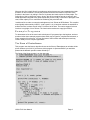
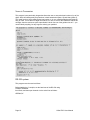
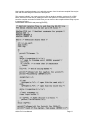
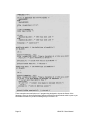




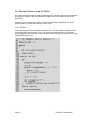

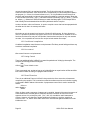
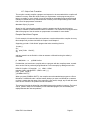
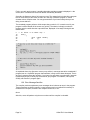
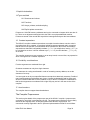





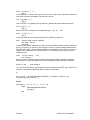


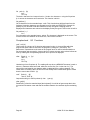


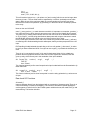
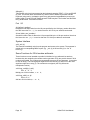






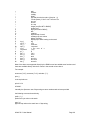


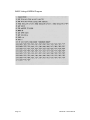

![HiSoft Devpac 3 (text version) [1992] [Manual: PDF]](http://vs1.manualzilla.com/store/data/005668901_1-67cf8256fc448cd2edf58a11a6ec729e-150x150.png)