1
9
TROUBLESHOOTING
The motor is not functioning correctly (does not move)
Check if power is being supplied to the unit. If the shaft of the motor is hard to turn, power
is on. Next, check if the signal generator is supplying pulses correctly. Verify that the 5V is
being supplied to the opto couples either via a separate power source or the internal 5V
from Pin 6.
The motor is running erratically
Check that step pulses are a clean TTL squarewave signal. If one of the pulse edges are not
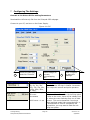
clear, try switching the “Step Rising/Falling detect” option in the GUI interface. Check if
increased microstepping helps minimize the jittering. If so, you are experiencing the
motor’s natural resonance that cannot be avoided, but can be minimized. Try also adding
more load to the motor.
If the motor is still erratic and you seem to have a huge loss in torque, the driver chip may
have malfunctioned.
Motor gets very hot
Keep in mind that the motor side can handle up to 90°C and the bottom of the unit where
the driver board is located, can handle up to 75°C. This can be very hot when touching it
by hand.
If the unit experiences thermal shutdown, where the unit begins to decrease in torque, you
may need to lower the current in order to keep temperatures lower. The Silverpak unit has
been tested in a 50°C ambient temperature, but if your system does not have good
circulation, you might experience issues.
Try adding a fan to the unit, or mount the motor to larger metal heatsink.
GUI error codes
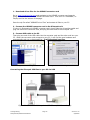
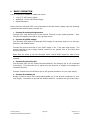
After clicking “Program”, it should give you the “Done” response
if it saved parameters successfully. After you click “Read”, it
shows this message as well.
Once you click “OK” on the dialog box, the values will be updated
with what was programmed in the device.
Figure 24
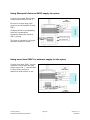
A “failed” dialog box happens if you are connected to the wrong
Port and therefore cannot read or program. Or if there is no
power.
Figure 25
Lin Engineering
Silverpak 23D/23DE PLUS Manual
Page 21
Version 1.00
5/6/2009