1
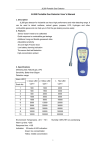
JL269 (LCD) Portable Gas Detector Operation Manual Notices Before using the detector, please read the following notices carefully: Please don’t use the damaged detector. Before using, please check if there is crack or losing spare parts. If yes, please contact the seller immediately. Replacing the spare parts may possibly damage the internal safety of the detector. Please don’t expose the detector to electroshock or serious and continuous libration. Abandoned batteries and sensors should be discarded by the professional recycling persons or dangerous materials dealers. Please don’t throw them into ash bins. Please don’t dismantle the batteries or thrown them into the fire, and avoid the short circuit of the anode and cathode. Otherwise, it will cause fire or explosion. Please don’t disassembly, adjust or repair the detector by yourself. Please avoid water, chemical impregnant, benzene or gasoline spattering onto the detector, and prevent the detector from inhaling these components. Otherwise, it will cause fault to the detector. Please protect the detector from dropping from higher place or serious libration. In order to ensure the accuracy, please calibrate it once every 6 months. Please protect the detector from contrived concussion by high concentration toxic gas. Please don’t use the detector any more when the sensor is overuse or sensor life is overdue. Before using the detector, please read this manual carefully and operate it under instruction of this manual. For any operation or fault which is not stipulated in this manual, please contact the seller. short circuit of the anode and cathode. Please don’t put non-rechargeable batteries into the battery cover and charge it. Otherwise, it will possibly cause battery leakage, explosion or fire. 7. Sensor replacement In the normal working environment, the sensor life is 2 years. When sensor life is overdue or sensor fault occurs and it needs replacement, please contact the seller. Under the professional instruction, the user can replace the sensor. 8. Possible fault and solution Possible fault Reasons Battery voltage too low Warm up not finished Sensor fault Wait till warm up finishes Replace the sensor “SENSOR FAIL!” displayed on the screen the detector turns off Sensor fault Replace the sensor “DENSITY HIGH” displayed on the screen Gas concentration is too high “DENSITY LOW” displayed on the screen The signal output from the sensor is too small Cannot turned on normally No response to the gas Solution Please charge it in time Remove the detector into the clean air to check if it will disappear. If not, please replace the sensor. Remove the detector into higher concentration gas to check if it will disappear. If not, please replace the sensor. and then put the detector in the clean air (calibrating 0ppm) or the corresponding concentration of standard gas. When the corresponding value behind the Precautions: calibration point is stable, please press button to save the calibration point temporarily. The screen will show "*" character before the value. If there is a slight change in the environment, standard calibration point value may change a little and refresh. The user can press button again if he wants to change the value and then save the new values as calibration value. If the standard deviation between the theoretical value and calibration value is too large, "ERROR!" will be displayed on the down right corner of the screen, which means calibration error. When 3-point calibration is finished, three "*" character will be please first read this manual before you using the detector. displayed on the screen. Then the user can press or to move the focus to the "SAVE", then press button, "OK!" will appear on the screen. All the calibration value is saved and calibration is completed. After short time of warm up, the detector will turn off automatically. 6. Battery voltage indication and charging 6.1 Battery voltage indication Detector full Lower power, plesae enough No power, automatic A little 6.2 Charging To avoid personal safety injury, instrument damage and potential dangerous accident, 1. Description JL269 (LCD) portable gas detector, with fast and stable performance and wide detecting range, is suitable for detecting about 10 types of combustible gas in the industrial environment. It can be used to detect methane, natural gases, propane, LPG, Hydrogen and other combustible gases and can help you to find the gas leaking sources easily. Main features and functions High distinguishing STN LCD screen display. Fleetly finding the gas leakage point. Adjustable gas detecting range. Low voltage alert and automatic turning off function. Sensor fault testing. Short warm up time and response time. Audio alarm signal with different frequency according to the gas level. Automatic zero adjustment, easy to operate. Display of the percentage that the gas level reaches the detecting range. 2. Technical specifications Sensor type: Semi-conductor gas sensor Detecting Gas: Combustible gas Detecting range: optional between 0-1000ppm and 0-10000ppm (for CH4) When the detector is turned off, please connect the charger to the 220V AC Sampling method: Natural diffusion power source. Red LED on the charger is ON, the detector screen shows Sensitivity: dynamic charging icon. The charging will continue for 4-5 hours. When the Working condition: Temperature. -10℃-55℃ screen displays “CHARGING OVER!”, it means the charging is completed. The Better than 50ppm Storage Conditions: Temperature. -30℃~60℃ Warm-up time: Humidity: ≤95% RH Humidity: ≤93% RH non-condensing ≤30S detector will automatically finish the charging and the battery voltage is full. Response time: ≤10S Please take off the charger. Indication: LCD screen display and audio alarm with different frequency. Charging time: Less than 5 hours Continuous working time: Not less than 8 hours (normal working environment) Sensor life: 2 years Power supply: 3.6V Ni-MH 1600mAh rechargeable battery Weight: About 1kg Dimension: 180mm×72mm×35.5mm 3. Configuration drawing Notices: Please don’t charge the detector in dangerous places. Otherwise, it will possibly damage the detector or cause fire or explosion. During charging, the part around the battery cover will be possibly heating. After the detector turns off automatically, please charge it in time within 12 hours, so as to avoid that the detector cannot work normally due to low voltage. If the detector is not being used for long time, please take out the batteries from the battery cover and place them in dry environment. Please prevent 1 2 3 LCD screen Button board Gas Sensor 4 5 6 Flexible gooseneck Jack of Charger Jack of earphone (no earphone included) 4. Operation Instruction 4.1 Preheating and self-test Press and hold button for 2 seconds when the detector is turned off, backlight of the LCD screen twinkles 3 times, and then the detector starts to work. 4.2 When the detector is turned on, it enters 30-second “warm up” status. The screen shows “PLEASE WAIT...” and there is count down on the screen. When warm up is over, the screen shows “CHECKING SENSOR...” If the sensor is working normally, it shows “SENSOR OK”, and then enters detecting status. Otherwise, it shows “SENSOR FAIL”, and the detector will turn off automatically. 4.3 Detecting When the detector enters detecting status, the screen displays as Fig. 2 shown: The black bar: shows proportion of detected gas vs full detecting range. PV: is gas concentration that the black bar means. On Fig. 2, it is 57. “×10”: is the detecting range. “PPM”: is the measure unit. MAX: is the maximum value of the detected gas after the detector is turned on this time. The user can turn off the audio alarm by pressing both audio alarm is turned on, the display mark is 4.5 Turn on or off the backlit light and buttons. When the means the audio alarm is off. In detectiong status, the user can turn on or off the backlit light by pressing button. 4.6 Choosing the detecting range There are 2 ranges of 0-1000ppm and 0-10000ppm, which are corresponding to “×10” and “×100” on the screen. The initial range is “×10”. The user can choose the range by pressing or buttons. Please arrange the following principle to choose the range: 4.6.1 The smaller the range, the higher the accuracy. When the gas concentration in the working place is not too high, please choose the smaller range. If choosing “×10” range, when the black bar is full, it means the gas concentration reaches or exceeds 1000ppm. Please choose the bigger range of “×100”. 4.7 Setting the present gas concentration as referring benchmark The gas concentration in the working place is distributing in the ways of grads. In order to find the leakge point exactly, during detecting, the user can set the present gas concentration as referring benchmark. In detecting status, by pressing both setting. and buttons, the user can carry the above 4.8 Turning off the detector To turn off the detector, press For Fig. 2, the current gas concentration is 57×10=570ppm . And and buttons simultaneously. 5. Calibration In order to ensure the accuracy, we recommend the user calibrate the device once every 180 days (six months) at most. Steps: After turning on the detector, within 30 seconds of warm up, press Fig. 2 Screen display Detecting: Hold the gas detector and move it to the place where the gas possibly exists. According to checking the black bar and alarm sound, the user can know if there is gas leakage. The longer the black bar and the higher frequency of the sound alarm, the higher the gas leakage. If the user needs to know more accurately about the gas leakage, he can check the PV figure (The biggest figures on the screen. For Fig. 2, it is “57”). The bigger the fiture, the higher the gas leakage. If the leakage is very much, the black bar is full. The user can change to bigger detecting range by pressing button. For details, please refer to the Clause 4.6. 4.4 Turn on or off the audio alarm In detecting status, the initial audio alarm is turning on. The higher the leakage, the louder the alarm sound. If the working place is quite noisy, the user can use the earphone which is purchased by himself. and buttons simultaneously until the screen shows “DEMARC”, then press and buttons until the screen shows “DEMARCATE…”, and then release these 2 buttons. The sensor begins to warm up for 3 minutes, and shows the remaining warm up time in the way of countdown. After warm up, it enters the calibration interface as shown in Fig. 3. 0 PPM 1000 PPM 10000 PPM SAVE * 178 ERROR! Figure 3 Calibration interface The detector has three-point calibration, which is not in a fixed order. In the calibration interface, select any calibration point by pressing or button,