1
General Instructions for Use
The Advanced Injection Hand comes with
all of the supplies necessary to perform
most procedures. (To perform intravenous infusions the user must supply
their own IV set and bag of solution.)
B. Preparing the Hand for
Intravenous Infusions
(At this point you will need to supply an IV
set and bag of solution. Hook them up
and have them ready.)
A
B
1. To hook up the hand, refer back to
steps 1-5 in section A.
2. Insert the butterfly needle into a vein.
Flashback will indicate proper insertion.
Figure 3
Figure 2
A. Preparing the Synthetic Blood
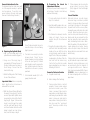
1. Add 1 pint of distilled water to the
synthetic blood concentrate (Figure 2).
2. Hang one of the bags (bag A)
approximately 28" above the level of
the hand, making sure the clamp on
the IV tubing is closed. Pour the
blood into the bag.
3. Attach the fitting end of the IV tubing
to one of the wrist tubes.
Important Note: Before completing
step 4, bag B must lie at hand level or
below with the cap closed.
4. With the other wrist tube attached to
the empty IV bag (bag B), flush the
vascular system with synthetic blood
by opening the clamp of the filled IV
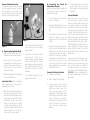
bag (bag A). (Figure 3) Allow some
blood to pass through the system
until the outlet wrist tube to bag B
runs free of bubbles. When the outlet
tubing to bag B runs clear of bubbles, close the clamp on bag B.
5. The venous system is now full of
“blood” and pressurized. Be sure to
leave the clamp on the inlet tubing
(bag A) opened.
6. The hand is now ready to practice
drawing blood. “Blood” can be
drawn anywhere along the pathway
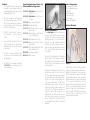
of the vein (see Figure 1). Distilled
water should be used to prepare the
sites. Synthetic blood will actually be
aspirated once the vein is properly
punctured.
7. Small diameter needles (20- to 25gauge) should be used.
3. If a flashback is observed, close the
clamp on IV bag A. You are now
ready to set up for the intravenous
infusion.
4. Hang the IV solution bottle and connect the IV set to the butterfly needle
already in the vein. With the clamp
on bag A closed, open the clamp on
bag B. Proof of the proper procedure
is evidenced by the flow of the infusion fluid from the solution bag.
Control the flow from the solution
bag by adjusting the roller clamp on
the tubing of the IV set.
Causes for Failure in Function
A. Forgotten closed clamp.
B. Kinks in tubing of the fluid bags.
C. Tubing pinched shut by constant
pressure of clamps. Lumen remains
pinched occasionally even if the
clamp is loosened. Slide clamp to
new position and with fingers manipulate tubing at pinched site to restore
lumen. In heavy use, slide clamp to
new position on tubing from time to
time to prevent the “permanent
pinch” caused by constant clamp
pressure.
D. If these measures do not unclog the
venous system, try using a large
(50cc) syringe to force fluid through
the tubing.
Care of Simulator
After each class use, close the clamps,
disconnect bags, and return synthetic
blood to storage container. Reconnect
one IV bag to the system. Fill the bag with
tap water and flush the venous system,
allowing the open end to drain into a sink
or basin. When the system runs clean,
close the clamp and remove the IV bag.
Excess water may be removed from the
hand by raising the hand, lowering the
wrist, and draining it into a sink or basin.
Wash the outside of the hand with Ivory®
liquid detergent and water. Always
remove the pinch clamps from the wrist
tubing and drain excess water from veins
before storing.
Ordinary stains can be removed by washing the hand with soap and warm water.
Newsprint, similar printed paper or ink
will permanently stain the simulator if
prolonged contact occurs. Stubborn
stains may be removed with REN Cleaner
(W09919U), simply by dispensing it on
the area and wiping with a soft cloth or
paper towel.